
As a Shopify expert, I often work with high-growth merchants who are navigating the transition to Shopify Checkout Extensibility. This new framework represents the most significant shift in Shopify's architecture in years, moving away from the old, fragile checkout.liquid system toward a secure, app-based environment. While this change offers unprecedented stability and speed, many brands are inadvertently sabotaging their conversion rates by carrying over old habits or misunderstanding the new rules.
In today's competitive e-commerce landscape, your checkout is not just a payment gateway; it is the final frontier of the customer journey. If you are noticing a dip in conversion or technical glitches during the final steps of a purchase, you might be falling into one of the common traps of the new Shopify ecosystem.
Mistake 1: Ignoring the Final Deprecation of Legacy Checkout.liquid
As a Shopify professional, I cannot stress this enough: the era of checkout.liquid is over. The August 2025 deadline for Shopify Plus stores has passed, and as of early 2026, the platform has moved into full auto-upgrade cycles. Merchants who ignored the warnings are now finding their custom scripts broken or their checkout flows reverting to basic defaults.
Why this is a critical failure
- Security vulnerabilities: Legacy scripts are not sandboxed, creating potential risks for customer data.
- Performance lag: Old code often blocks the main thread, slowing down the most critical part of the transaction.
- Maintenance debt: Continuing to use outdated code prevents you from accessing new features like Shopify Markets or advanced discount logic.
How to fix it
- Conduct an immediate audit: Review your current checkout settings to see if "Legacy" notifications are present.
- Map your existing customizations: Identify every script or pixel that was manually added to your old checkout.
- Rebuild using UI Extensions: Use the official Shopify Checkout UI Extensions to replicate necessary functionality.
- Partner with experts: If your migration feels overwhelming, the team at XCO Agency specializes in seamless transitions that preserve your store's unique logic.
Mistake 2: Attempting to Inject Custom Scripts into the Sandbox
I frequently see developers trying to "hack" the new system by injecting JavaScript directly into the DOM as they did for a decade. This simply does not work with Checkout Extensibility. The new architecture uses a sandboxed environment that isolates your code from the core checkout logic. This is a safety feature, not a bug, but it requires a total shift in mindset.
The benefits of the sandboxed approach
- Crash protection: If an extension fails, the core checkout remains functional, ensuring you never lose a sale.
- Automatic updates: Shopify can update the checkout engine without breaking your custom components.
- Consistency: Customers receive a standardized, trustworthy experience across the platform.
How to fix it
- Learn the React framework: Shopify's UI extensions are built using a specialized React-based component library.
-
Use official components: Instead of custom HTML, use pre-built components like
Banner,Checkbox, orTextFieldprovided by Shopify. - Leverage Shopify Functions: For backend logic like shipping rules or payment method sorting, use Shopify Functions rather than front-end scripts.

Mistake 3: Over-Complicating the User Interface
One of the biggest advantages of Checkout Extensibility is how easy it is to add new blocks, but this often leads to "feature bloat." I see merchants adding upsells, trust badges, donation prompts, and newsletter signups all on the same page. This creates decision fatigue and friction, which are the primary enemies of conversion.
Signs of an over-complicated checkout
- Multiple "Add-on" offers competing for attention.
- Excessive text blocks explaining shipping or return policies.
- Redundant trust seals that distract from the "Pay Now" button.
How to fix it
- Prioritize one goal: Every element in your checkout should either increase the average order value (AOV) or decrease friction.
- Limit upsells: Stick to one highly relevant product recommendation that does not require the user to leave the page.
- Simplify your layout: Use the Branding API to ensure your colors and fonts are clean and legible.
- Run an audit: You can significantly boost your store's UX and conversion rate with an optimization audit report to identify exactly where customers are dropping off.
Mistake 4: Fighting the Layout System Instead of Embracing It
Merchants often seek to move form fields or rearrange the order of the summary section. However, Shopify has strictly defined "extension points." Trying to force a layout that goes against the grain of the platform usually results in a broken mobile experience.
Why the layout is restricted
- Mobile responsiveness: Shopify has optimized the checkout for billions of transactions across every device type.
- Accessibility: Ensuring the checkout is screen-reader friendly and compliant with international standards.
How to fix it
- Identify valid extension points: Focus on the specific areas where Shopify allows content, such as "above the cart line items" or "below the shipping methods."
- Use the Checkout Branding API: This allows you to deeply customize the look and feel (typography, borders, buttons) without breaking the structure.
- Consult the documentation: Before designing a custom layout, ensure it aligns with the Shopify checkout technical constraints.

Mistake 5: Neglecting the Post-Purchase and Thank You Pages
I often notice that merchants spend all their energy on the payment page and completely ignore the "Thank You" and "Order Status" pages. With Checkout Extensibility, these pages are now fully customizable. If you are not using this space to build brand loyalty or offer support, you are leaving money on the table.
Opportunities you are missing
- Post-purchase upsells: Offering a one-click add-on after the payment is completed.
- Customer support integration: Providing clear paths for order tracking or returns.
- Social proof: Encouraging users to share their purchase on social media.
How to fix it
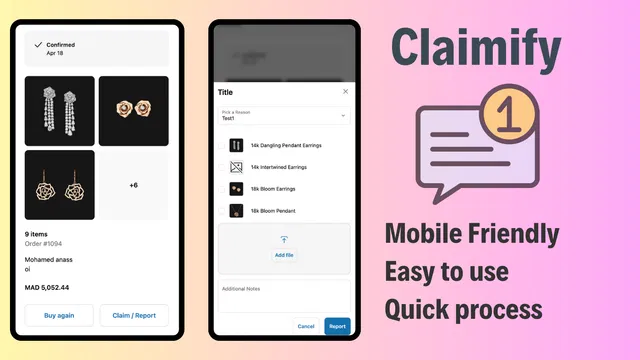
- Optimize post-purchase claims: Use tools like Claimify to provide a seamless way for customers to report issues or manage claims directly from their order status page. This builds trust and reduces the burden on your support team.
- Implement Claimify: You can view the Claimify app demo to see how a streamlined claims process can enhance the post-purchase journey.
- Add helpful links: Provide resources like how-to guides or custom font styles that might be relevant to the products they just bought.
Mistake 6: Lack of Strategic Automation and Scheduling
As e-commerce moves toward "headless" and highly dynamic models, I see many merchants manually changing their checkout settings for every flash sale or holiday event. This is inefficient and prone to human error. If your checkout logic needs to change based on the time of day or a specific product launch, you should be using automation.
The cost of manual updates
- Missed deadlines: Forgetting to turn off a promotion or update shipping rates.
- Inconsistent branding: Having your checkout show a "Winter Sale" banner when the homepage has moved to "Spring Collection."
How to fix it
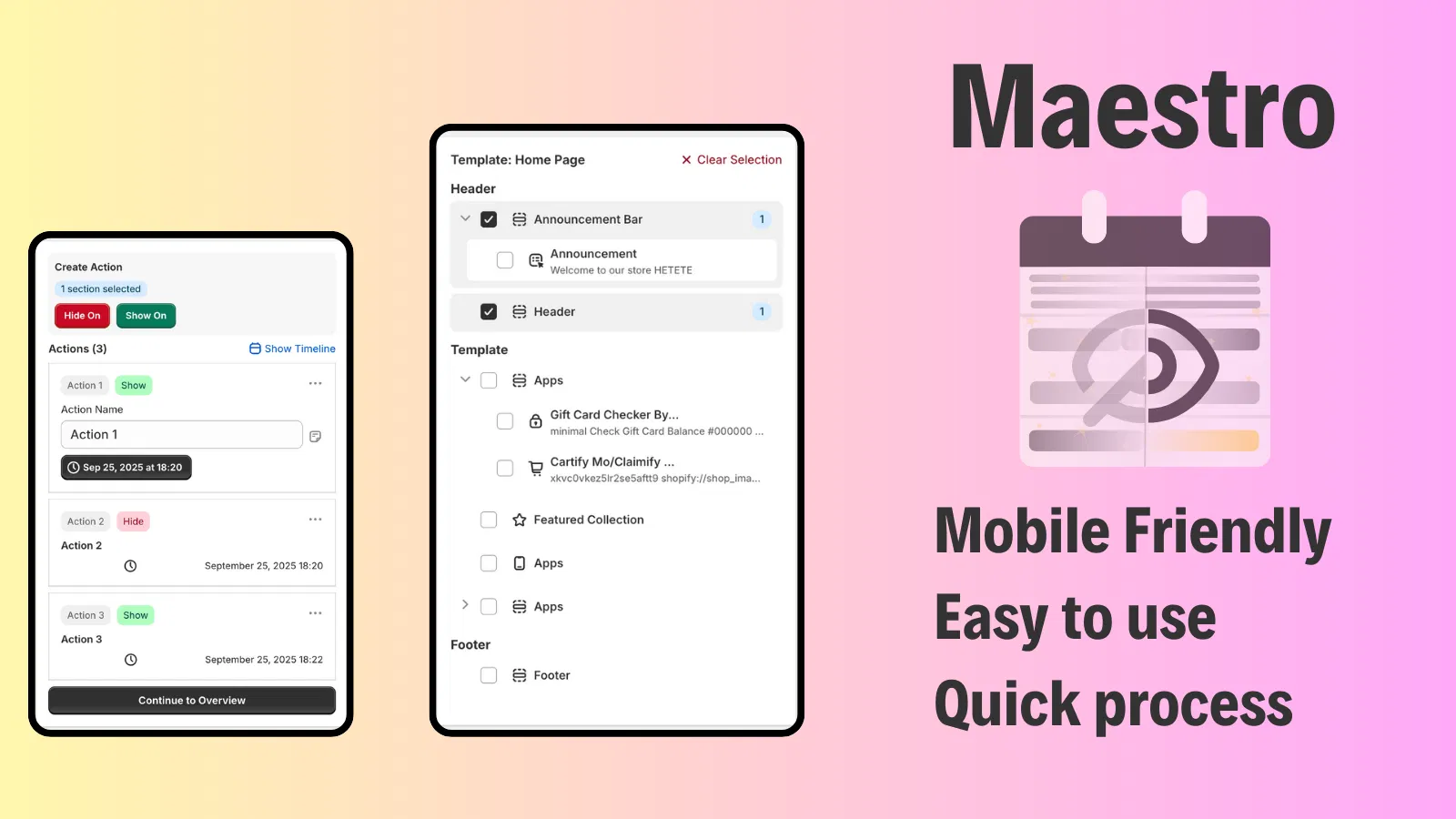
- Use Maestro Theme Scheduler: Automate the visibility of different checkout sections or blocks. This ensures your store remains updated without manual intervention.
- Sync with Product Maestro Scheduler: If you are launching new products or collections, use the Product Maestro Scheduler to ensure pricing and inventory are perfectly synced with your checkout logic.
- Automate your workflow: Navigate to the Maestro interface to see how simple it is to schedule theme changes that reflect in your checkout.
Mistake 7: Failing to Test Across Different Plans and Markets
I frequently encounter merchants who develop a custom checkout extension for their Plus store but fail to account for how it behaves in different regions or on different Shopify plans. With the expansion of Shopify Markets, your checkout needs to be localized and plan-compliant.
Common testing oversights
- Currency conversion errors: Extensions that display hard-coded prices instead of using the store's localized currency.
- Plan restrictions: Trying to use Shopify Functions on a Basic plan, which leads to silent failures.
- Shipping logic: Failing to test how custom shipping rules interact with global carriers.
How to fix it
- Verify your plan: Ensure you are on Shopify Plus if you need advanced features like custom Shopify Functions or the full Branding API.
- Test in multiple currencies: Use the Shopify preview tool to see how your checkout looks for a customer in the UK versus a customer in the US.
- Validate your scripts: Check that your tracking pixels and Google Tag Manager setup are firing correctly within the new sandboxed environment.
- Review legal requirements: If you operate in Europe, ensure you show an "I agree with terms and conditions" checkbox if required by local law.
Conclusion
Migrating to Shopify Checkout Extensibility is a vital step for any merchant looking to future-proof their business. While the transition from legacy scripts to modern UI extensions can seem daunting, avoiding these seven common mistakes will significantly enhance your store's reliability and performance.
By embracing the sandbox architecture, prioritizing user experience, and leveraging automation tools like the Maestro suite, you can turn your checkout into a powerful engine for growth. Remember, the goal of a great checkout is to disappear: to make the process of buying so seamless and intuitive that the customer barely notices it happening.
If you are ready to optimize your checkout or need a professional audit to ensure your migration is on the right track, the experts at XCO Agency are here to help you navigate the complexities of the Shopify Plus ecosystem. Don't let a technical oversight stand between you and your next successful sale. Reach out today and let's build a checkout experience that converts.