
As a Shopify expert, I often find myself speaking with store owners who are completely burnt out by the "midnight launch" ritual. You know the one. It is 11:55 PM on a Thursday, and instead of sleeping, you are hovering over your Shopify admin dashboard, waiting to manually toggle twenty products from "Draft" to "Active" for a Friday morning drop. This manual approach to ecommerce maintenance services is not just exhausting; it is a recipe for expensive human error.
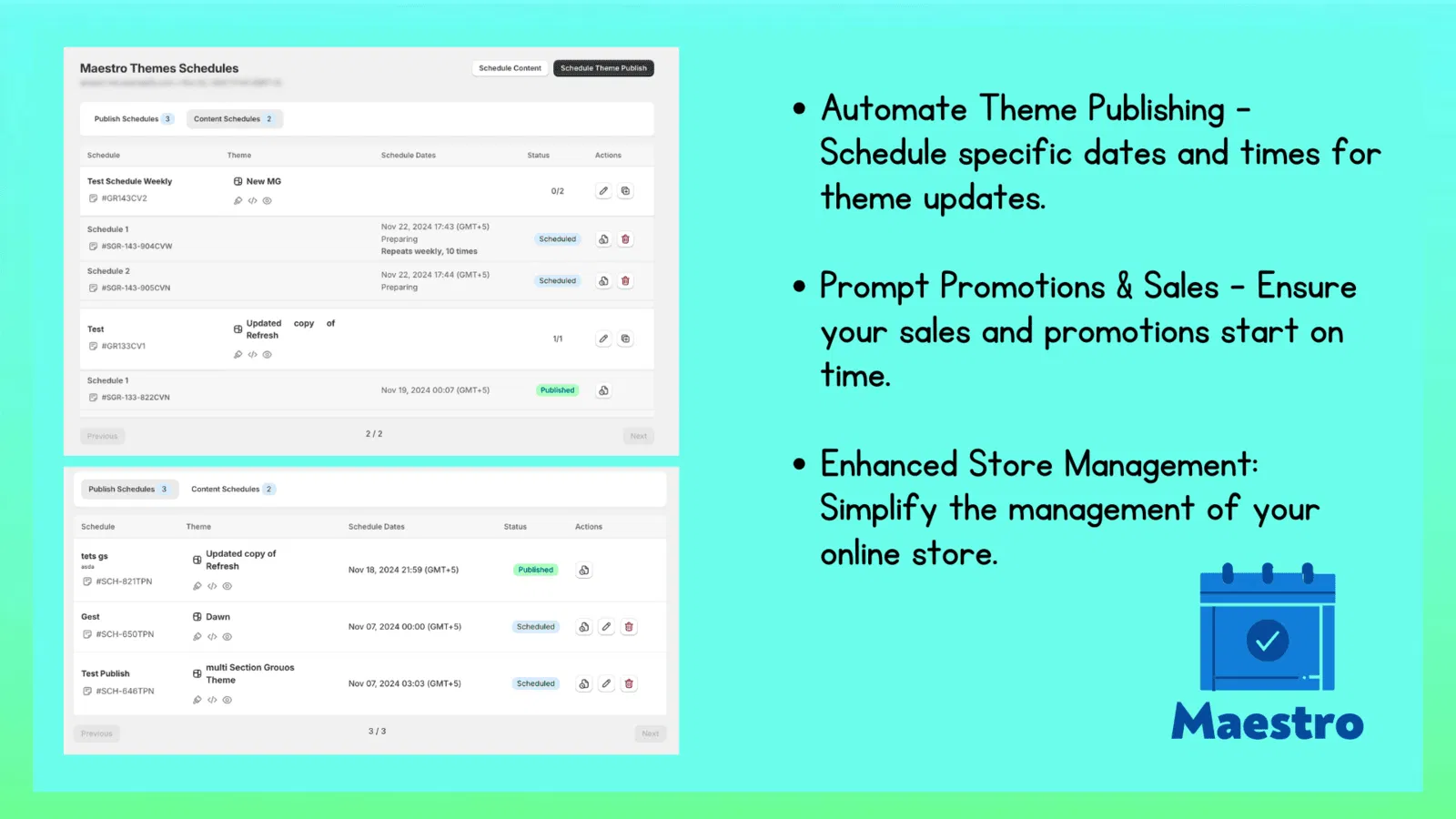
In the world of high-growth retail, your time should be spent on growth strategies and brand building, not clicking buttons in a repetitive loop. This is exactly why we developed the Product Scheduler by Maestro. It is designed to turn your store into a self-running machine that handles catalog updates, pricing shifts, and inventory management while you focus on the big picture.
The Problem With Manual Store Maintenance
Most merchants seeking to scale their business eventually hit a wall. That wall is built out of spreadsheets, manual tag updates, and the constant fear that a sale price did not actually trigger when it was supposed to.
When you handle your shopify store setup manually, you face several risks:
- Human Error: Forgetting to remove a "Sale" tag after a promotion ends, leading to customer confusion.
- Inconsistency: Prices that do not match across different collections or marketing channels.
- Missed Deadlines: Launches that happen late because the team was stuck in a meeting or dealing with a site glitch.
- Operational Fatigue: High-stress environments where the team is constantly "on call" for minor site updates.
By integrating automated ecommerce maintenance services into your workflow, you eliminate these bottlenecks entirely.
Meet Your New Best Friend: The Draft Helper
One of the most powerful features within the Maestro suite is the "Draft Helper." If you have ever prepared a massive collection launch, you know the anxiety of having products sit in draft mode. You want them to go live at the exact second your marketing emails hit the inbox.
The Draft Helper allows you to schedule the exact moment a product moves from draft to active, or from active to archived. This means you can build your entire collection weeks in advance.
Here is how to optimize your launch workflow:
- Prepare Your Content: Upload all images, descriptions, and SEO metadata well ahead of time.
- Set the Status: Keep the products in "Draft" mode during the preparation phase.
- Schedule the Switch: Use Maestro to set a specific date and time for these products to go live.
- Automate the Archive: If the product is a limited run, schedule it to move to "Archived" or back to "Draft" once the promotion ends.
This level of automation ensures your shopify store setup remains clean and organized without daily manual intervention.

Automated Tag Management for Seasonal Sales
Tags are the invisible glue that holds a Shopify store together. They power your filters, your automated collections, and even some of your third-party app integrations. However, managing them is a nightmare during seasonal shifts.
Imagine you are running a "Summer Essentials" campaign. You need to add the "Summer2026" tag to 400 items on June 1st and remove it on August 31st. Doing this manually via bulk actions in Shopify is possible, but it is tedious and easy to mess up.
Product Scheduler by Maestro allows you to schedule tag additions and removals. This is vital for conversion rate optimization because it ensures that your customers always see the most relevant, up-to-date filters and collections. When the sale is over, the tags disappear automatically, and your store reverts to its standard state without you lifting a finger.
Price Changes and Rounding Rules: The Psychology of Sales
Pricing is never static in ecommerce. Whether you are dealing with inflation, seasonal discounts, or flash sales, your prices need to move fast. But simply changing a price from $50.00 to $39.52 is not enough. You want your store to look professional, which usually means implementing "rounding rules."
Maestro handles both the scheduling of price changes and the logic behind them. You can schedule a 20% discount across an entire category and simultaneously apply a rule that rounds every price to the nearest .99 or .95.
Steps to schedule a professional price shift:
- Select Your Products: Target specific collections or use filters to find the items you want to discount.
- Choose the Adjustment: Select a percentage decrease or a fixed amount.
- Apply Rounding Rules: Ensure all prices end in your preferred decimal to maintain brand consistency.
- Set the Duration: Define exactly when the prices should go up and when they should revert to the original MSRP.
This feature is a major boost for conversion rate optimization. Clean, consistent pricing builds trust with your customers and makes your store look like a high-end operation rather than a DIY project.

Inventory Automation and Restock Management
There is nothing more frustrating for a customer than finding the perfect item only to see "Out of Stock." Conversely, there is nothing more frustrating for a merchant than having stock arrive at the warehouse but forgetting to update the "Available" count on the site.
With our ecommerce maintenance services, you can schedule inventory updates to align with your warehouse deliveries. If you know a shipment of 500 units is arriving on Tuesday morning, you can schedule the inventory increase for Tuesday at noon. This prevents "overselling" before the stock is physically counted while ensuring your "Back in Stock" notifications trigger exactly when they should.
Managing these flows through Maestro allows for a hands-off approach to inventory that keeps your shopify store setup running smoothly even during high-traffic periods.
Collection Visibility and Smart Sorting
Your homepage is your digital storefront window. You would not leave a Christmas display up in July, yet many Shopify stores suffer from "stale collection syndrome" because the owner is too busy to update the featured products.
Maestro allows you to manage collection visibility on a schedule. You can show or hide specific collections based on the time of day, the day of the week, or specific calendar dates.
Why this matters for your store:
- Time-Sensitive Drops: Hide the "New Arrivals" collection until the exact second of the launch.
- Flash Sales: Automatically show a "Deal of the Day" collection only during specific hours.
- Simplified Navigation: Keep your header menu clean by hiding out-of-season categories.

By automating these visibility settings, you ensure that every visitor sees the most profitable and relevant products the moment they land on your site. For more advanced needs, you might even look into shopify b2b wholesale channel setups where visibility rules are even more critical.
Reducing Human Error and Reclaiming Your Time
The ultimate benefit of using Product Scheduler by Maestro is the peace of mind it provides. When you automate your ecommerce maintenance services, you are not just saving time; you are buying insurance against the "fat-finger" mistakes that happen when people are tired or rushed.
As a Shopify Plus partner, we at XCO Agency have seen how automation transforms a business. It moves the team from a reactive state (fixing mistakes) to a proactive state (planning the next big move).
The ROI of automation includes:
- Lower Labor Costs: Fewer hours spent on manual data entry.
- Higher Accuracy: Automation does not get tired or distracted.
- Better Customer Experience: Prices, tags, and availability are always accurate.
- Scalability: You can manage 10,000 products as easily as you manage 10.
If you are curious about how this fits into your overall technical stack, you can check our pricing or read more about our shopify integrations.
Taking the Next Step Toward a Hands-Off Store
Transitioning to an automated workflow is a vital step for any merchant serious about growth. The Product Scheduler by Maestro is more than just a scheduling tool; it is a fundamental shift in how you manage your digital assets.
Whether you are looking to refine your shopify store setup or you need a comprehensive overhaul of your ecommerce maintenance services, automation is the answer. Stop living by the clock and start letting the software work for you.
If you are ready to stop the midnight manual updates and start scaling with precision, we are here to help. You can book a meeting with our team to discuss your specific needs, or visit our FAQs to learn more about how our tools integrate with your existing Shopify environment.
The future of ecommerce is automated. Is your store ready? Contact us today and let’s get your products moving on their own schedule.