
As a Shopify expert, I often work with high growth merchants who feel held back by the complexity of selling across borders. In the past, expanding to a new country meant duplicating your store, splitting your inventory, and managing multiple themes. It was a recipe for operational burnout and data inconsistency.
Today, the landscape has changed. Shopify Markets has evolved from a simple cross border tool into a comprehensive platform for global expansion. Whether you are targeting customers in London, wholesale buyers in Tokyo, or retail shoppers in New York, you can now manage every facet of your business from a single Shopify admin.
In this guide, I will break down how to leverage Shopify Markets to localize your shopping experience, optimize your global operations, and significantly boost your conversion rates.
Why High Growth Merchants are Seeking Centralized Expansion
Most store owners start their global journey seeking three things: simplicity, consistency, and localized experiences. Without a centralized tool, you face significant hurdles:
- Inventory Fragmentation: Keeping stock levels accurate across multiple stores is nearly impossible without expensive third party middleware.
- Brand Inconsistency: Updating a promotional banner or a product description requires you to log into every single regional store to make the change.
- Customer Friction: Shoppers are 40 percent more likely to abandon their carts if they cannot pay in their local currency or if they encounter unexpected duties at checkout.
Shopify Markets addresses these problems by allowing you to create "Markets" for specific countries or regions while keeping all your data in one place.
The Core Pillars of Shopify Markets
To succeed globally, you must move beyond just offering international shipping. You need to create a storefront that feels local to every visitor.
1. Localized Currency and Pricing
Shopify Markets automatically displays prices in the customer's local currency based on their IP address. This is not just a visual trick; it carries through the entire checkout process.
- Round Pricing Rules: You can set specific rounding rules (e.g., always ending in .99) to ensure your prices look professional in every currency.
- Market Specific Adjustments: You can increase or decrease prices for specific markets by a percentage to account for higher shipping costs or different market positioning.
2. Tailored Multilingual Content
Language is the most significant barrier to entry in new markets. With Shopify Markets, you can offer a fully translated experience.
- Subfolders and Domains: You can use subfolders (e.g., brand.com/en-ca) or international domains (e.g., brand.ca) to host your localized content, which is vital for international SEO.
- Theme Localization: Beyond just translating product names, you can customize theme sections for different regions. A "Summer Sale" banner might be perfect for Australia while your Northern Hemisphere customers are seeing a "Winter Clearance."

3. Duty and Tax Transparency
Nothing kills customer loyalty faster than a surprise "cash on delivery" demand from a courier for import duties.
- Duty Collection at Checkout: For merchants on Shopify Plus, you can calculate and collect duties and import taxes at the point of sale.
- Transparent Messaging: Showing "All duties included" at checkout builds immense trust and reduces the number of refused deliveries.
Strategic Catalog Control: Managing What You Sell Where
Not every product is suitable for every market. You might have licensing restrictions in Europe or high shipping costs for heavy items in Australia. As a Shopify expert, I recommend using the Market-Specific Catalog feature to curate your offering.
You can manually include or exclude specific products from each market. This ensures that a customer in Japan only sees items that you can actually ship to them, preventing frustration and unnecessary support tickets.
For merchants managing massive catalogs, manual updates can be a bottleneck. This is where XCO Agency expertise comes into play. We often recommend tools like Product Maestro Scheduler to automate these shifts. If you are planning a global product launch that happens at different times across time zones, you need a way to schedule those visibility changes in bulk.

Scaling Beyond D2C: B2B and Retail Integration
One of the most powerful updates to Shopify Markets is the integration of B2B and Shopify POS. This means your "Markets" can now represent more than just geographical regions; they can represent business models.
Managing Global B2B Operations
If you are on Shopify Plus, you can use Markets to manage your wholesale channel. You can create a "United Kingdom B2B" market that has a completely different price list and product catalog than your "United Kingdom D2C" market.
- Custom Themes for B2B: Navigate to the Markets settings to assign specific theme templates to your B2B customers.
- Payment Terms: Offer localized payment terms (like Net 30) specifically for your international wholesale partners.
- Wholesale Channel: Explore how to optimize this through our Shopify B2B wholesale channel services.
Unified Retail and POS
For brands with physical stores in multiple countries, Shopify Markets allows you to set specific catalogs for your POS locations. This ensures your retail staff in London see the correct local inventory and pricing without interfering with your online sales in the US.
Automating Your Global Storefront with Maestro
Managing a global store means dealing with multiple time zones and regional holidays. If you have a sale starting at midnight in New York and another starting at midnight in London, you cannot be online to manually update your theme sections.
I recommend using the Maestro Theme Scheduler to handle these transitions. It allows you to schedule specific theme sections and blocks to appear or disappear at precise times.
- Step 1: Identify your regional promotion dates.
- Step 2: Create your localized banners or sections within your Shopify theme.
- Step 3: Use the Maestro Theme Scheduler to set the "Show" and "Hide" times for each section based on the specific market's time zone.
- Step 4: Ensure your sales channels are updated to reflect the promotion.
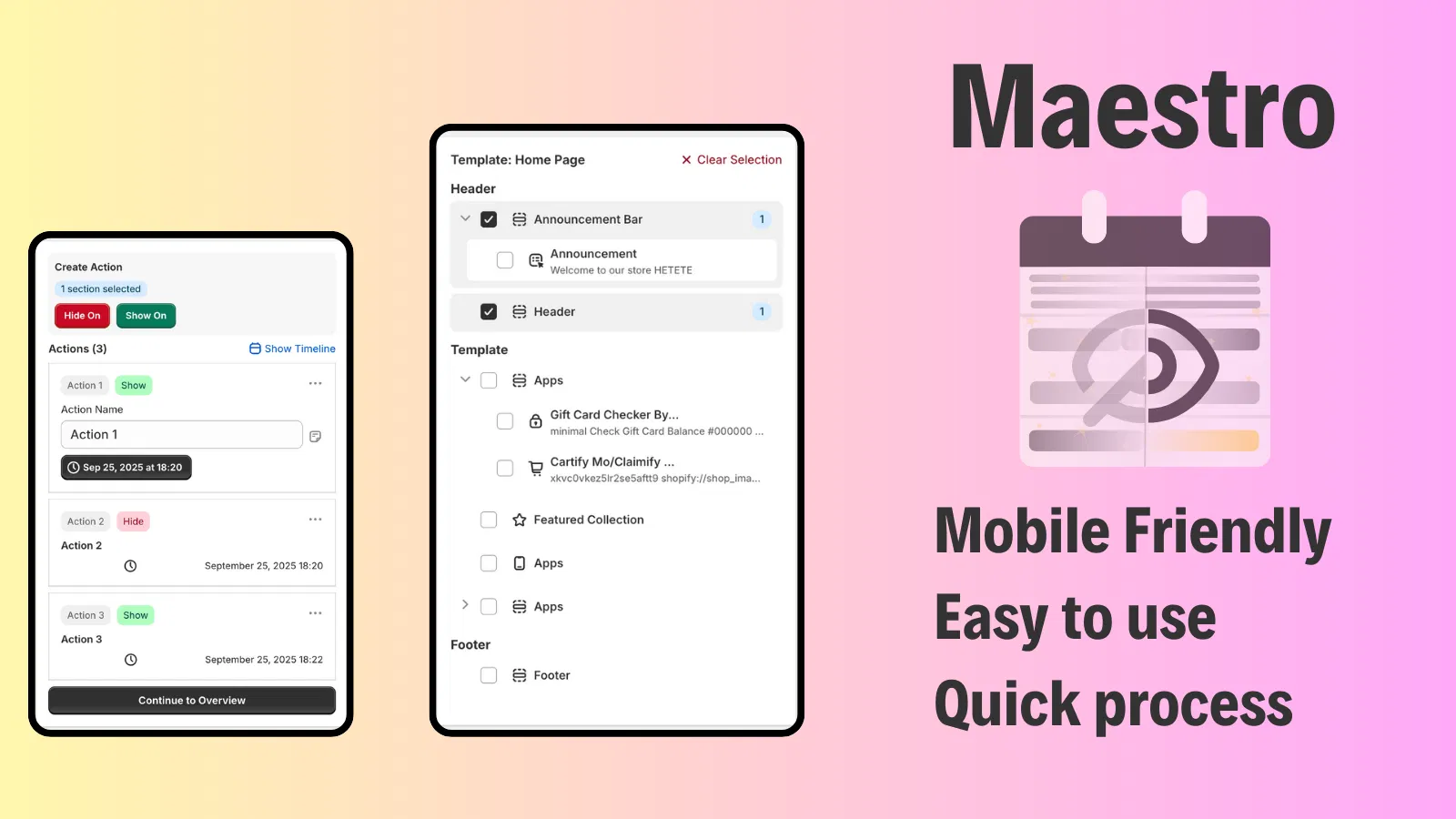
This level of automation ensures your store remains dynamic and relevant to local customers without requiring 24/7 manual oversight.
Optimizing the Post-Purchase Experience Globally
Success in global markets does not end at the "Buy" button. You must ensure that your international customers have a seamless experience if something goes wrong. Managing returns and claims across borders is notoriously difficult.
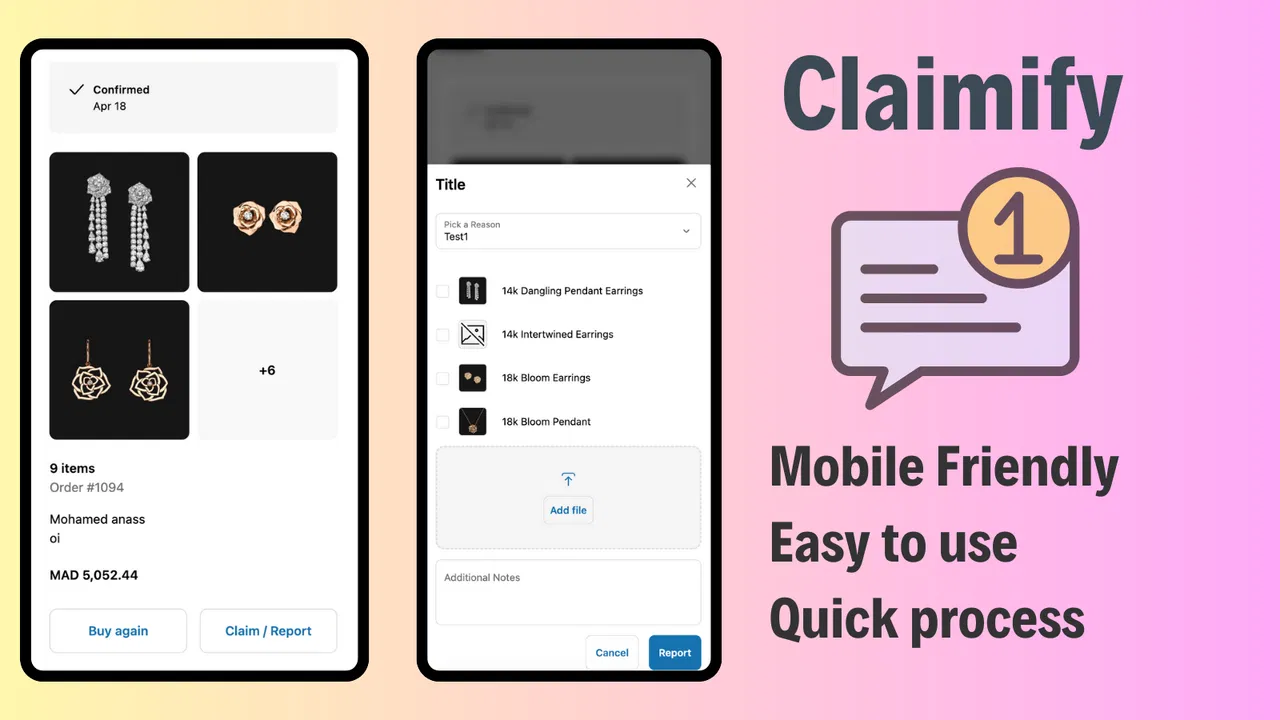
To protect your brand reputation, I suggest integrating a streamlined claims process. Using a tool like Claimify allows international customers to report issues, upload photos of damaged goods, and request resolutions through a mobile friendly interface.
- Localized Support: Provide a clear path for international users to submit claims without needing to navigate complex English-only support forms.
- Efficiency: Reduce the back and forth between your support team and the customer, which is especially important when dealing with significant time zone differences.
Key Technical Steps to Launch Your First Market
Ready to expand? Follow these simple steps to set up a new market in your Shopify admin:
- Navigate to Settings > Markets: Click on "Add Market" and select the countries or regions you want to group together.
- Assign a Domain: Choose whether you will use a subfolder (brand.com/fr) or a unique domain (brand.fr). Ensure your DNS settings are correctly configured for the latter.
- Configure Languages and Currency: Enable the local currency and add translations using the Shopify Translate & Adapt app or a third party integration.
- Set Duty Rules: If you are on Shopify Plus, ensure that duty calculation is activated to provide a landed cost at checkout.
- Review the Catalog: Use the "Product and Pricing" section within the market settings to hide any restricted items and apply price adjustments.
- Test the Experience: Use a VPN or the Shopify store preview tool to ensure that the storefront correctly switches currency and language based on the selected market.
After completing these steps, your store will be technically ready to handle global traffic. However, remember that localized marketing and growth strategies are still necessary to drive that traffic.
A Proactive Step Toward Global Growth
Shopify Markets is a vital step for any merchant looking to scale without the headache of managing multiple store backends. By consolidating your international, B2B, and retail operations, you regain control over your data and your brand.
The transition to a global store involves more than just flipping a switch. It requires a strategic approach to localized content, automated scheduling, and a robust post-purchase process. Whether you are optimizing for speed with Shopify speed optimization or redesigning your global storefront through Shopify design services, the goal remains the same: a friction-free experience for every customer, regardless of where they are in the world.
If you are ready to take your Shopify store to the global stage but want expert guidance on the technical setup and automation, we are here to help. At XCO Agency, we specialize in helping high growth merchants navigate the complexities of Shopify Plus and global expansion.
Book a meeting with our team today to discuss how we can optimize your Shopify Markets setup and integrate the right tools for your international success.