
As a Shopify expert, I often see high growth merchants reach a point where traditional Liquid themes feel restrictive. You might be seeking faster load times, more creative control over your user experience, or a way to unify your commerce backend with a highly bespoke frontend. This is exactly where Shopify Hydrogen comes into play.
Hydrogen is Shopify's React based framework designed to build custom, headless storefronts. By decoupling the frontend from the backend, you gain the ability to deliver a world class shopping experience without being limited by the standard constraints of a traditional Shopify theme. However, moving to a headless architecture is a significant strategic move that requires a deep understanding of the technology and its implications.
Understanding the Shift to Headless Commerce
Traditional e-commerce structures bundle the frontend (what customers see) and the backend (where inventory and orders live) together. In Shopify's ecosystem, this is usually handled via Liquid. While Liquid is powerful and efficient, it can sometimes struggle with extremely complex, highly dynamic user interfaces or ultra fast performance requirements.
Headless commerce changes this by using APIs to connect a custom built frontend to the Shopify backend.
- Design Freedom: You are no longer restricted by the structure of a Shopify theme. Every pixel and interaction can be custom coded.
- Performance at Scale: Hydrogen uses server side rendering and efficient data fetching to ensure pages load almost instantly.
- Modern Developer Experience: Developers can use familiar tools like React and Tailwind CSS, which often leads to faster development cycles for complex features.
- Omnichannel Flexibility: A headless backend can feed product data to a website, a mobile app, or even an IoT device simultaneously.

The Core Components: Hydrogen and Oxygen
To succeed with this architecture, you must understand the two pillars Shopify has built to support it.
Shopify Hydrogen
Hydrogen is the framework itself. Built on Remix, it provides a set of tools and components specifically optimized for commerce. It handles the heavy lifting of connecting to the Shopify Storefront API, managing cart states, and handling server side logic. This means your development team does not have to reinvent the wheel for standard commerce functions like "Add to Cart" or "Product Filtering."
Shopify Oxygen
Oxygen is the hosting solution. One of the biggest hurdles in headless commerce used to be managing your own servers. Oxygen removes this friction by providing a global hosting environment designed specifically for Hydrogen. It is included in most Shopify plans, allowing you to deploy your storefront across the globe with minimal configuration and maximum speed.
Why High Growth Merchants are Switching
The decision to go headless is often driven by a desire for a competitive edge. Here are the primary benefits we see at XCO Agency when helping brands migrate.
- Significant Speed Enhancements: Stores built with Hydrogen often see a 50% to 70% improvement in page load speeds. This directly impacts Core Web Vitals and search engine rankings.
- Higher Conversion Rates: A faster, smoother UI reduces friction. When the site feels like a native app rather than a loading website, customers are more likely to complete their purchase.
- Personalization Capabilities: Headless allows for deep, data driven personalization. You can show different content to different segments of users without the performance lag often associated with third party apps.
- Future Proofing: As your brand grows, your needs will change. A headless setup allows you to swap out frontend elements or integrate new technologies without rebuilding your entire backend.

A 5-Step Roadmap to Hydrogen Success
Implementing Hydrogen requires a structured approach. If you are considering this path, follow these steps to ensure a smooth transition.
1. Define Your Strategic Goals
Before writing a single line of code, determine why you are going headless. Are you solving for speed? Are you trying to create a unique 3D product configurator? Clear goals will guide your development priorities. You may want to review our growth strategies to align your technical roadmap with your business objectives.
2. Set Up the Development Environment
Your team will use the Shopify CLI to initialize the project. Use the following command to begin:
npm create @shopify/hydrogen@latest
During setup, ensure you select TypeScript. While JavaScript is an option, TypeScript provides the type safety necessary for maintaining a complex e-commerce codebase over the long term.
3. Architect Your Routing and Data Fetching
Hydrogen uses file based routing. This means the folder structure in your app/routes directory determines your site's URLs.
- Loader Functions: Use these to fetch data from the Shopify Storefront API before the page renders.
- Nested Routes: Implement nested routes to update only specific parts of a page (like a sidebar) without a full page refresh.
- Optimistic UI: Use Remix features to show changes instantly (like adding an item to the cart) before the server confirms the action.
4. Build the Customer Experience
This is where your design team shines. Leverage React components to build your product pages, collections, and blog. While building, keep an eye on performance. Use the Hydrogen Image component to ensure all visual assets are optimized and lazy loaded correctly.
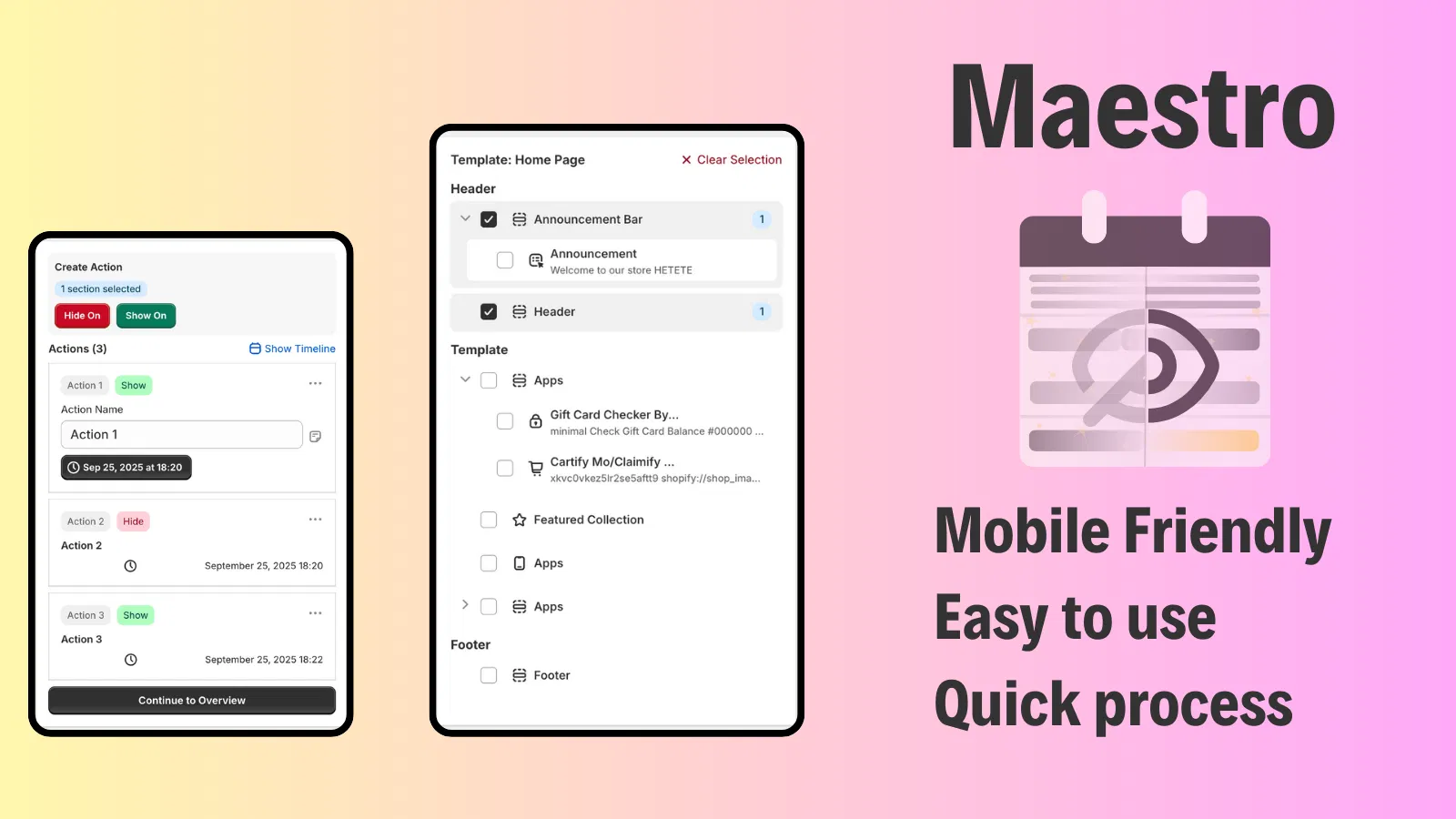
For brands that require complex scheduling for launches or seasonal updates, integrating tools like Maestro Theme Scheduler can help manage how content appears across your site, even in a custom environment.
5. Deploy via Oxygen
Once your storefront is ready, connect your GitHub repository to the Shopify admin. Shopify will automatically build and deploy your site to Oxygen. Ensure you test your site in the preview environment to check for any API bottlenecks or layout issues before going live.
Essential Tools for the Hydrogen Ecosystem
Going headless does not mean you have to give up the convenience of the Shopify ecosystem. At XCO Agency, we focus on ensuring that your custom frontend works seamlessly with powerful backend automations.
Managing Complex Content Launches
One challenge with headless is that you lose the "Theme Editor" visual drag and drop functionality for many parts of your site. To maintain control over your marketing calendar, you need robust scheduling. Our Product Maestro Scheduler allows you to automate product updates and visibility, ensuring your headless storefront always displays the right inventory at the right time.
Enhancing Customer Support and Claims
A premium headless experience should extend to post purchase interactions. If your brand handles high volumes of returns or product issues, Claimify provides a streamlined interface for customers to submit reports directly. This can be integrated into your custom customer account pages via API, keeping the user experience consistent.

Common Pitfalls to Avoid
While the benefits are clear, headless is not without its risks. As a Shopify expert, I recommend being aware of these potential hurdles.
- Increased Development Costs: Building from scratch takes more time and specialized talent than customizing a liquid theme. Ensure your budget accounts for ongoing developer support.
- App Compatibility: Not every Shopify app works out of the box with Hydrogen. Many apps rely on "Script Tags" or "App Blocks" which do not exist in a headless environment. You will often need to use the app's API or find a headless compatible alternative.
- Loss of Visual Editing: Your marketing team may find it frustrating that they cannot change a banner or a button color without a developer. You can mitigate this by implementing a headless CMS like Sanity or Contentful alongside Hydrogen.
- Over Engineering: Do not build features you do not need. Start with a Minimum Viable Product (MVP) and iterate based on user data.
Is Hydrogen Right for You?
Hydrogen is a powerful tool, but it is not a requirement for every store. You should consider Hydrogen if:
- Your current site speed is a major bottleneck for growth.
- You have a dedicated development team or are working with an experienced Shopify design services provider.
- You require a user interface that is impossible to achieve within the constraints of Liquid.
- You are already on Shopify Plus and want to maximize your investment in the platform.
For smaller merchants or those just starting out, a well optimized Liquid theme is often more than sufficient. You can achieve excellent results with Shopify speed optimization without the overhead of a headless build.
Moving Forward with XCO Agency
Transitioning to Shopify Hydrogen is a vital step for brands looking to lead their industry in digital experience. It represents the pinnacle of performance and flexibility on the Shopify platform. However, the path to a successful headless launch requires careful planning and technical expertise.
At XCO Agency, we specialize in helping high growth merchants navigate these complex transitions. Whether you are looking for a full migration to Shopify or want to explore how Hydrogen can revolutionize your current storefront, our team is here to guide you.
Building a headless store is a proactive step toward a more scalable and resilient business. By leveraging Hydrogen and Oxygen, you are not just building a website; you are building a high performance commerce engine that will serve your brand for years to come.
If you are ready to discuss your headless roadmap or want to learn more about how our apps can support your growth, book a meeting with us today. Let's build something exceptional together.