
As a Shopify expert, I often see merchants spending hours of their precious week manually clicking through product pages to update prices, change tags, or move items into different collections. It is a grueling cycle that sucks the creative energy right out of a business owner. You started your brand to innovate and connect with customers, not to become a data entry clerk for your own website.
The reality of running a high growth store is that your catalog is a living organism. It changes with the seasons, reacts to inventory shifts, and fluctuates based on your latest marketing campaigns. When you handle these updates manually, you are not just wasting time; you are inviting human error to the party. A missed decimal point or a forgotten tag can lead to lost revenue, frustrated customers, and a general sense of chaos.
If you are seeking a way to break free from this manual grind, you need a strategy that prioritizes automation. This is not just about convenience. It is about building a scalable foundation that allows your store to run itself while you focus on high level growth.
The Problem with Manual Labor in Ecommerce
When I work with clients on their initial shopify store setup, we often discuss the long term maintenance of the catalog. Many merchants underestimate the sheer volume of work required to keep a store looking fresh.
-
The Midnight Launch Stress
- Staying up until 12:00 AM just to click "Publish" on a new collection is not a sustainable business model.
- Manual launches often lead to broken links or missing images because you are rushing to get everything live.
-
The "Oops" Factor in Pricing
- Updating prices across hundreds of SKUs manually is a recipe for disaster.
- A single typo can mean selling a premium product for pennies or overcharging a loyal customer.
-
Stale Collections
- If you do not have time to remove out of stock items or seasonal products, your store begins to look neglected.
- Customers lose trust when they constantly click on items that are no longer available or relevant.
These manual tasks are the silent killers of productivity. They prevent you from looking at the big picture and stop you from implementing the conversion rate optimization strategies that actually move the needle.
Why Automation is the Real Conversion Rate Optimizer
Before we dive into the "how," we need to understand the "why." Automation is often viewed as a back end luxury, but it has a direct impact on your front end performance. A well maintained store is a high converting store.
-
Consistency Breeds Trust
- When your prices are consistent and your collections are always up to date, customers feel more confident in their purchase.
- Automated updates ensure that your marketing emails always match the reality of your storefront.
-
Speed to Market
- Automation allows you to launch sales and new products faster than your competitors who are still doing things by hand.
- You can react to trends in real time by scheduling tag changes and collection shifts.
-
Reduced Operational Drag
- By offloading repetitive tasks to a system, you reduce the "operational drag" that slows down your team.
- This allows your staff to focus on customer service and brand storytelling.
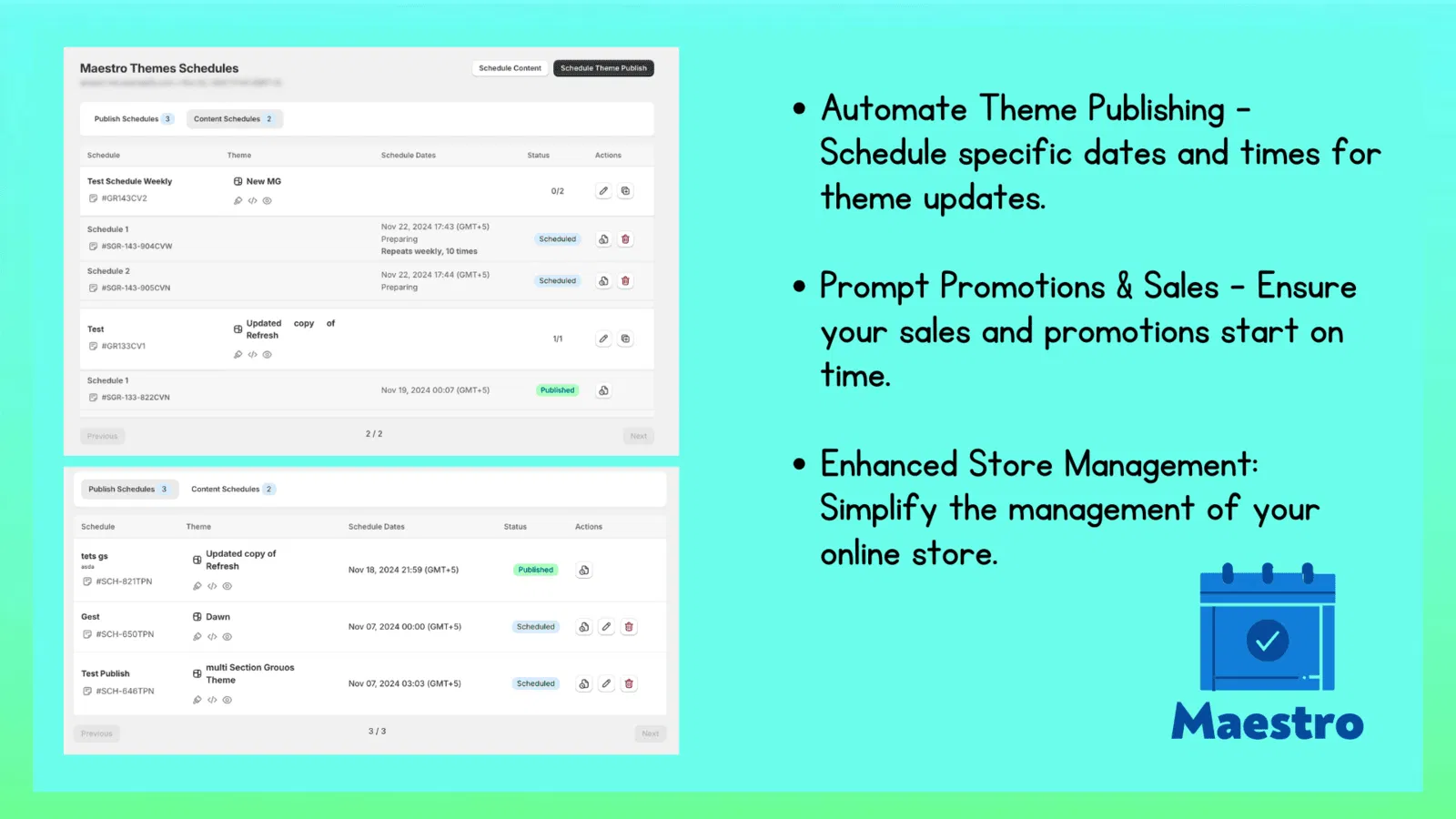
As part of our ecommerce maintenance services, we always recommend tools that minimize manual intervention. One of the most powerful tools in our arsenal is the Product Scheduler by Maestro.

Enter the Product Scheduler by Maestro
The Product Scheduler by Maestro is designed to be the "set it and forget it" solution for Shopify catalog management. It acts as a digital assistant that handles the tedious parts of your store operations. Here is how it transforms your workflow.
1. The Draft Helper: Launch While You Sleep
One of the most requested features from my clients is the ability to schedule product launches in advance. The "Draft Helper" functionality within Maestro allows you to do exactly that.
-
Pre-plan Your Drops
- You can set products to move from "Draft" to "Active" at a specific date and time.
- This is essential for high demand product drops where timing is everything.
-
Automatic Archiving
- Just as you can schedule a launch, you can also schedule a product to be archived or moved back to draft status.
- This is perfect for limited time offers or seasonal items that should not be visible after a certain date.
2. Tag Management: The Secret to Dynamic Sales
Tags are the lifeblood of Shopify's organization. They drive automated collections, filtering, and even some third party app functions. Manually adding and removing tags for a weekend sale is a nightmare.
-
Scheduled Tag Updates
- Navigate to the Maestro dashboard and select the products you want to tag for an upcoming sale.
- Set a start time to add the "Sale" tag and an end time to remove it.
-
Dynamic Collection Power
- Because your collections are likely based on these tags, your "Sale" page will populate and depopulate itself automatically.
- This ensures your storefront is always accurate without you needing to lift a finger during the actual sale event.
3. Price Rounding and Scheduling: Professionalism at Scale
Pricing strategy is a key component of conversion rate optimization. Whether you are running a flash sale or adjusting for inflation, you need to be precise.
-
Bulk Price Adjustments
- Instead of editing each variant, you can schedule a percentage increase or decrease across an entire collection.
- Maestro handles the math for you, ensuring that the changes happen simultaneously across all selected products.
-
Rounding Rules
- Ensure your prices always look professional by applying rounding rules (e.g., always ending in .99 or .00).
- This maintains a consistent brand aesthetic and prevents "messy" numbers that can distract customers.

4. Inventory Automation: Syncing with Reality
Nothing kills a conversion faster than an "Out of Stock" message on a product a customer just fell in love with. While Shopify handles basic inventory, Maestro adds a layer of scheduling intelligence.
-
Coordinate Restocks with Marketing
- If you know a shipment is arriving on Tuesday, you can schedule the inventory update to go live exactly when your "Back in Stock" email goes out.
- This prevents early bird customers from buying stock that has not been physically processed yet.
-
Status Transitions
- You can set rules to change a product's status based on its inventory level, ensuring that items are archived the moment they sell out if they are not planned for restock.
5. Collection Visibility: Organizing the Chaos
Your collections are the aisles of your digital store. If they are cluttered or out of order, your customers will leave.
-
Sort Order Scheduling
- Schedule changes to the sort order of your collections. You might want new arrivals at the top on Monday but bestsellers at the top on Friday.
- This keeps the shopping experience fresh for returning visitors.
-
Visibility Windows
- Schedule when entire collections should be visible on your site.
- This is a vital step for holiday storefronts or "secret" collections meant for VIP members.
How to Implement Your Hands-Off Store Strategy
Transitioning from manual updates to an automated system might feel intimidating, but the process is actually quite straightforward. Here are the steps I recommend for getting started with the Product Scheduler by Maestro.
Step 1: Audit Your Recurring Tasks
Identify the tasks you perform every week. Are you constantly updating the "New Arrivals" collection? Are you manually changing prices for weekend promos? List these out so you know what to automate first.
Step 2: Set Up Your Tagging Framework
Ensure your store uses a consistent tagging system. For example, use tags like "season-summer" or "promo-active." Once this framework is in place, Maestro can take over the heavy lifting of adding and removing these tags on a schedule.
Step 3: Create Your First Scheduled Action
Navigate to the Maestro app within your Shopify admin. Select a small group of products and schedule a simple change, such as adding a "Coming Soon" tag.
-
Select your products
- Use the bulk selector to choose the items you want to modify.
-
Define the action
- Choose "Add Tag" or "Update Price" from the menu.
-
Set the timeline
- Pick the exact date and time for the change to occur.
Step 4: Monitor the Timeline View
The Plus plan of Maestro offers a timeline view that shows all your upcoming changes. I highly recommend using this to visualize your marketing calendar and ensure there are no conflicting updates.
Step 5: Test and Refine
After your first automated launch, check your storefront to ensure everything went as planned. Once you see how reliable the system is, you can begin to schedule more complex workflows, such as multi-stage price drops or seasonal catalog shifts.

Conclusion: Reclaiming Your Time
Taking the proactive step to automate your catalog maintenance is one of the best investments you can make in your business. It transforms your role from a technician to a strategist. Instead of worrying about whether a price changed at midnight, you can spend that time analyzing your data, improving your customer journey, and scaling your brand.
At XCO Agency, we believe that technology should work for you, not the other way around. Whether you are just starting with your shopify store setup or you are looking for ongoing ecommerce maintenance services, we are here to help you build a store that is as efficient as it is beautiful.
Stop wasting time on manual updates. Try the Product Scheduler by Maestro and start running a truly hands off store today. If you need help setting up these automations or want to discuss a broader growth strategy, book a meeting with our team. We would love to help you optimize your Shopify experience.