
As a Shopify expert, I often work with ambitious merchants who pour countless hours into crafting exceptional marketing campaigns, designing high-converting landing pages, and acquiring high-intent traffic. Yet, when it comes to executing their promotional strategies, many brands still rely on manual execution. Staying up until midnight to manually adjust product prices, activate discount codes, or switch out banner graphics is a recipe for operational burnout. More importantly, it introduces costly human error that directly impacts your bottom line.
If you are seeking a reliable method to scale your e-commerce operations without increasing your headcount, automating your pricing calendar is the most strategic move you can make. In this comprehensive guide, I will walk you through how to transform your promotional strategy from a stressful, manual chore into a streamlined, highly profitable machine using the power of XCO Agency and advanced Shopify automation.
The Hidden Cost of Manual Pricing and Scheduling
Running a modern e-commerce store means constantly adapting to consumer expectations through flash sales, seasonal markdowns, and holiday promotions. However, managing these events manually creates significant friction across your entire organization. When marketing teams rely on sticky notes and calendar reminders to change prices, several critical issues emerge.
First, human error is inevitable. A misplaced decimal point during a midnight price update or forgetting to revert promotional pricing after a flash sale ends can severely damage your profit margins. Second, manual execution limits your ability to execute complex, multi-layered marketing campaigns. Coordinating product price drops with corresponding banner changes, collection reorderings, and email deployments requires absolute precision that manual workflows simply cannot guarantee.
Third, there is an immense opportunity cost. When your team spends valuable hours executing repetitive administrative tasks, they are pulled away from high-value activities such as customer retention analysis, custom Shopify themes development, and conversion rate optimization. By shifting from reactive firefighting to proactive planning, you free up cognitive bandwidth to focus on growth.
Why Smart Merchants Are Turning to Shopify Automation
To thrive in today's competitive digital landscape, leading brands are embracing automation across every facet of their operations. For high-volume merchants and growing enterprises engaged in Shopify Plus development, automation is no longer a luxury feature; it is a fundamental requirement for operational resilience.

Automating your pricing and promotional calendar delivers measurable advantages that directly influence your store profitability:
- Eliminate Human Error: Automated scheduling ensures that price changes, discounts, and visual updates happen at the exact second specified, eliminating missed deadlines and accidental pricing mistakes.
- Maximize Revenue Capture: Launch flash sales precisely during peak traffic hours, such as Friday evenings or holiday mornings, without requiring team members to work overnight shifts.
- Synchronize Marketing Assets: Align product price updates seamlessly with theme changes, promotional banners, and collection visibility adjustments to deliver a cohesive customer experience.
- Scale Without Overhead: Execute complex promotional strategies across hundreds or thousands of SKUs effortlessly, allowing your business to scale operations without expanding administrative staff.
Tools like Maestro Theme Scheduler bridge the gap for merchants who want enterprise-grade automation capabilities without the complexity or cost of native high-end scripts. It provides the strategic advantage of planning your entire seasonal roadmap months in advance.
Structuring Your Ultimate E-Commerce Pricing Calendar
Before diving into the technical setup of your automation software, you must establish a well-defined pricing calendar. A successful e-commerce promotional strategy is never improvised. It requires a structured framework that categorizes your sales events and maps out your inventory strategy well in advance.
Here are the key campaign tiers you should incorporate into your annual calendar:
- Weekly Flash Sales: Short, high-urgency promotional windows designed to clear specific inventory categories or boost weekend engagement.
- Major Holiday Discounts: Broad promotional events covering Black Friday, Cyber Monday, Valentine's Day, and summer holidays that require synchronized site-wide adjustments.
- End-of-Season Markdowns: Gradual price reductions applied to seasonal collections to clear warehouse space for incoming inventory without sacrificing brand value.
- VIP Tier Promotions: Exclusive, scheduled pricing tiers tailored for loyal customers or members of your subscriber base.
By mapping these events into a centralized planning document, you gain a clear visual overview of your financial goals, discount thresholds, and inventory turnover targets. Once your strategy is established, you can translate these plans directly into execution workflows within your e-commerce platform.
Step-by-Step Guide to Automating Your Pricing and Theme Updates with Maestro
Implementing a robust scheduling workflow requires a systematic approach. By utilizing advanced tools designed specifically for the Shopify ecosystem, you can establish bulletproof automation rules. Here is how to configure your store for effortless promotional execution.

Step 1: Audit and Prepare Your Promotion Timeline
Before configuring any automated rules within your dashboard, review your upcoming inventory levels and marketing schedules to ensure complete alignment.
- Navigate to your product catalog and tag items that will participate in upcoming promotional waves.
- Verify that compare-at prices and regular prices are correctly entered for every target SKU.
- Coordinate with your creative team to finalize promotional banners, hero images, and landing page copy.
- Establish clear start and end timestamps for each campaign to prevent overlap or scheduling conflicts.
Step 2: Configure Your Maestro Dashboard Settings
Once your planning phase is complete, access your scheduling application to establish the baseline parameters for your store automation.
- Install the scheduling application from the official app marketplace and grant necessary permissions.
- Navigate to the main dashboard interface and review your store timezone settings to ensure precise timing accuracy.
- Define user roles and access permissions if multiple team members will manage the promotional calendar.
- Review notification preferences to receive real-time alerts whenever a scheduled task executes successfully.
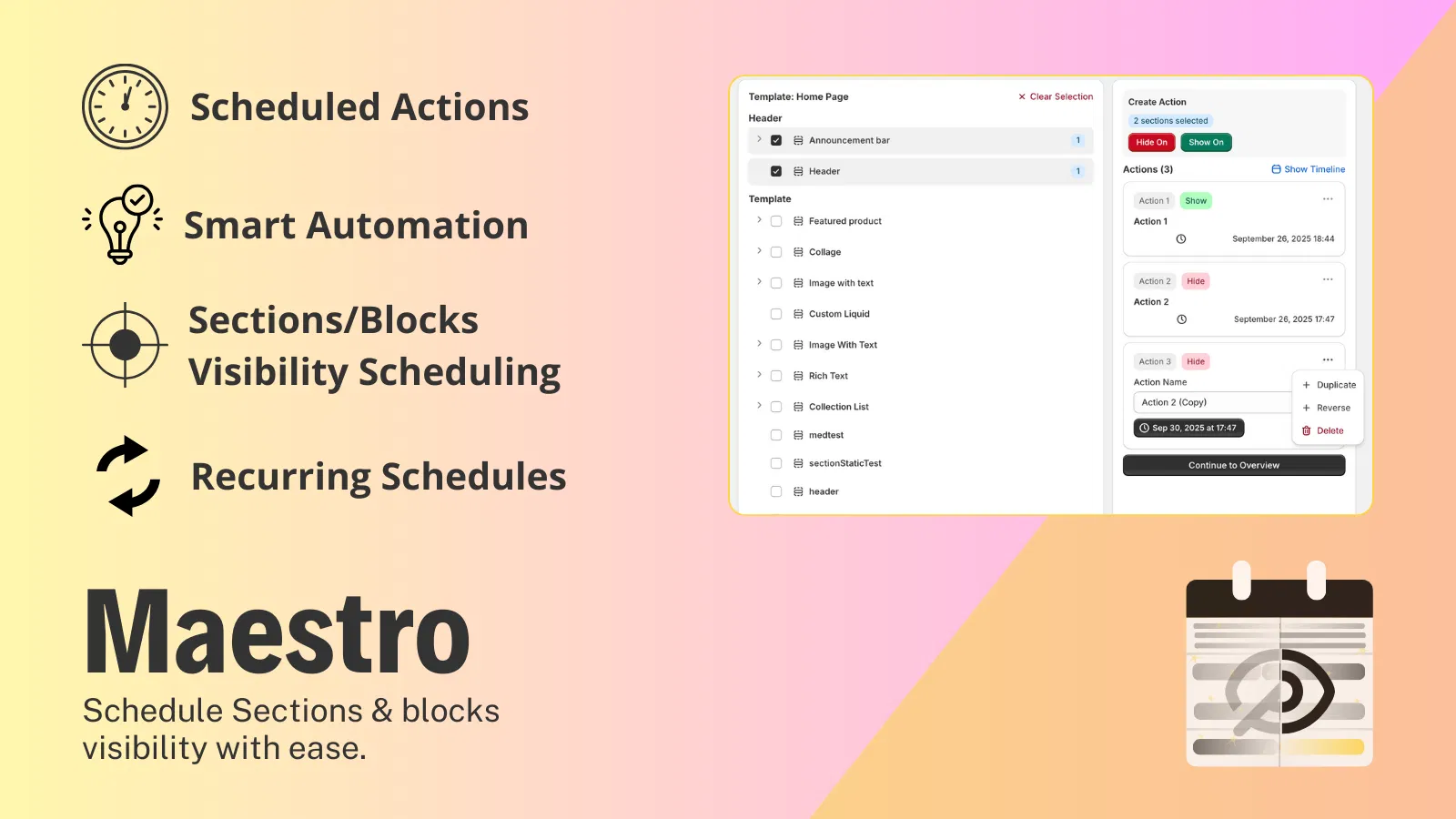
Step 3: Set Up Automated Theme and Price Schedules
With your settings configured, you can begin building out your automated tasks. This step connects your pricing updates with your visual presentation.
- Select the specific products, variants, or collections you want to include in your upcoming sale.
- Input the target promotional pricing or percentage discount alongside the scheduled activation date and time.
- Set the automated expiration parameters to ensure prices automatically revert to their original values when the sale concludes.
- Link your pricing schedule with visual updates, ensuring that promotional banners and theme modifications go live simultaneously.
Step 4: Test, Verify, and Monitor Performance
Never deploy an automated campaign without testing the workflow in a controlled environment. Ensuring a seamless customer experience protects your brand reputation.
- Create a staging or duplicate test product to verify that price updates trigger correctly at the designated timestamp.
- Check that theme modifications display properly across both desktop and mobile viewports.
- Monitor live analytics immediately following the campaign launch to track conversion rate lifts and order processing stability.
- Review automated logs regularly to identify any caching issues or inventory synchronization delays.
Technical Best Practices for Seamless Shopify Automation
While automation significantly simplifies your daily operations, maintaining a high-performing e-commerce store requires adherence to technical best practices. When managing complex schedules involving large product catalogs and theme modifications, keep the following technical considerations in mind.
First, understand your store architecture and how background API calls interact with your theme files. Heavy automation tasks should be distributed evenly across off-peak hours whenever possible to prevent server bottlenecks. Second, ensure that your inventory management systems sync cleanly with your pricing schedules. If you are running flash sales on fast-moving inventory, real-time stock level updates are vital to prevent overselling.
Third, pay close attention to browser caching. When theme elements and promotional pricing update automatically, aggressive caching layers on Content Delivery Networks (CDNs) can occasionally delay what your customers see. Utilizing modern Shopify integration practices ensures that your cached assets invalidate correctly the moment your scheduled automation executes. If your team requires specialized assistance with complex platform migrations or custom development, exploring professional migration to Shopify services can provide the robust technical foundation your business deserves.
Turning Automation into Sustainable Profit
Transitioning your e-commerce operations from manual execution to intelligent automation represents a vital step toward sustainable growth. By eliminating the stress of midnight price changes and human error, you protect your profit margins and empower your team to focus on strategic brand development.
Implementing a proactive step like adopting Maestro Theme Scheduler allows you to plan your promotional calendar with absolute confidence. Your store will execute campaigns flawlessly, engage customers with timely offers, and maintain a pristine brand presentation around the clock.
If you are ready to elevate your e-commerce capabilities, streamline your operations, and drive predictable revenue growth, now is the time to optimize your workflow. Book a meeting with our team of certified experts at XCO Agency today to discover how we can tailor advanced automation solutions to your unique business needs.