
As a Shopify expert, I often work with enterprise merchants who are seeking to expand their footprint beyond domestic borders. The challenge for high-growth brands has historically been the operational weight of managing multiple expansion stores. In the past, going global meant maintaining separate inventories, disparate themes, and fragmented data across several Shopify instances.
Shopify Markets has fundamentally changed this landscape. It allows you to manage your entire global operation from a single dashboard, providing the tools to localize shopping experiences for different countries and regions without the headache of multiple logins. Whether you are aiming for a neighboring country or a completely different continent, mastering Shopify Markets is a vital step in scaling your brand.
By centralizing international commerce, you can achieve several key advantages:
- Unified Inventory Management: Keep your stock levels accurate across all regions without third-party syncing tools.
- Localized Customer Experience: Offer local currencies, languages, and payment methods to boost trust and conversion.
- Centralized Analytics: View your global performance in one place to make data-driven decisions quickly.
- Improved SEO: Use subfolders or regional domains to rank higher in local search results.
Here are the five essential steps to mastering Shopify Markets and successfully launching your brand on the world stage.
Step 1: Create and Structure Your Markets
The first step in your global journey is defining where you want to sell. Shopify allows you to group countries into logical "Markets." You might have a single market for Canada, another for the United Kingdom, and a combined "European Union" market for multiple countries that share the Euro and similar shipping profiles.
Navigate to your Shopify Admin and select Settings, then Markets. Click on Add market to begin the process. When structuring your markets, consider your logistics and marketing strategies. For example, if you have a fulfillment center in Germany, grouping all EU countries into one market makes sense. However, if you have a specific marketing campaign for Japan, you should keep Japan as an individual market to tailor the experience specifically for that audience.
During this phase, you must decide on your domain strategy. This is a critical technical decision that impacts your SEO and brand perception. You have three main options:
- Top-Level Domains: Using yourstore.ca or yourstore.co.uk. This provides the most localized feel but requires managing multiple domains.
- Subdomains: Using ca.yourstore.com or uk.yourstore.com.
- Subfolders: Using yourstore.com/en-ca or yourstore.com/en-gb. This is often the most efficient for SEO as it consolidates your domain authority.
For a deeper dive into making these technical decisions, you can read our guide on how to perfectly set up your domain for maximum impact.
Step 2: Customize Your Localized Shopping Experience
Once your markets are established, you must ensure the customer journey feels native to every visitor. Localization is not just about translating words; it is about adjusting your entire storefront to meet regional expectations.
As a proactive step, you should customize the following elements for each market:
- Product Availability: Not every product is suitable for every market due to shipping restrictions or local demand. Use the Markets settings to include or exclude specific products from certain regions.
- Regional Pricing: You can set percentage adjustments (e.g., increase all prices by 10 percent in Australia to cover higher shipping costs) or set fixed prices for specific products in specific currencies.
- Theme and Content: High-growth brands often need to change their homepage banners or featured collections based on local holidays or seasons.
Managing these updates manually across different time zones can be a significant drain on your team. This is where XCO Agency’s expertise in automation becomes invaluable. Using tools like Maestro Theme Scheduler, you can automate theme changes to align with local sales events in specific markets. For example, you can schedule a "Lunar New Year" banner to appear only for your Asian markets while your North American market continues to see a standard winter promotion.
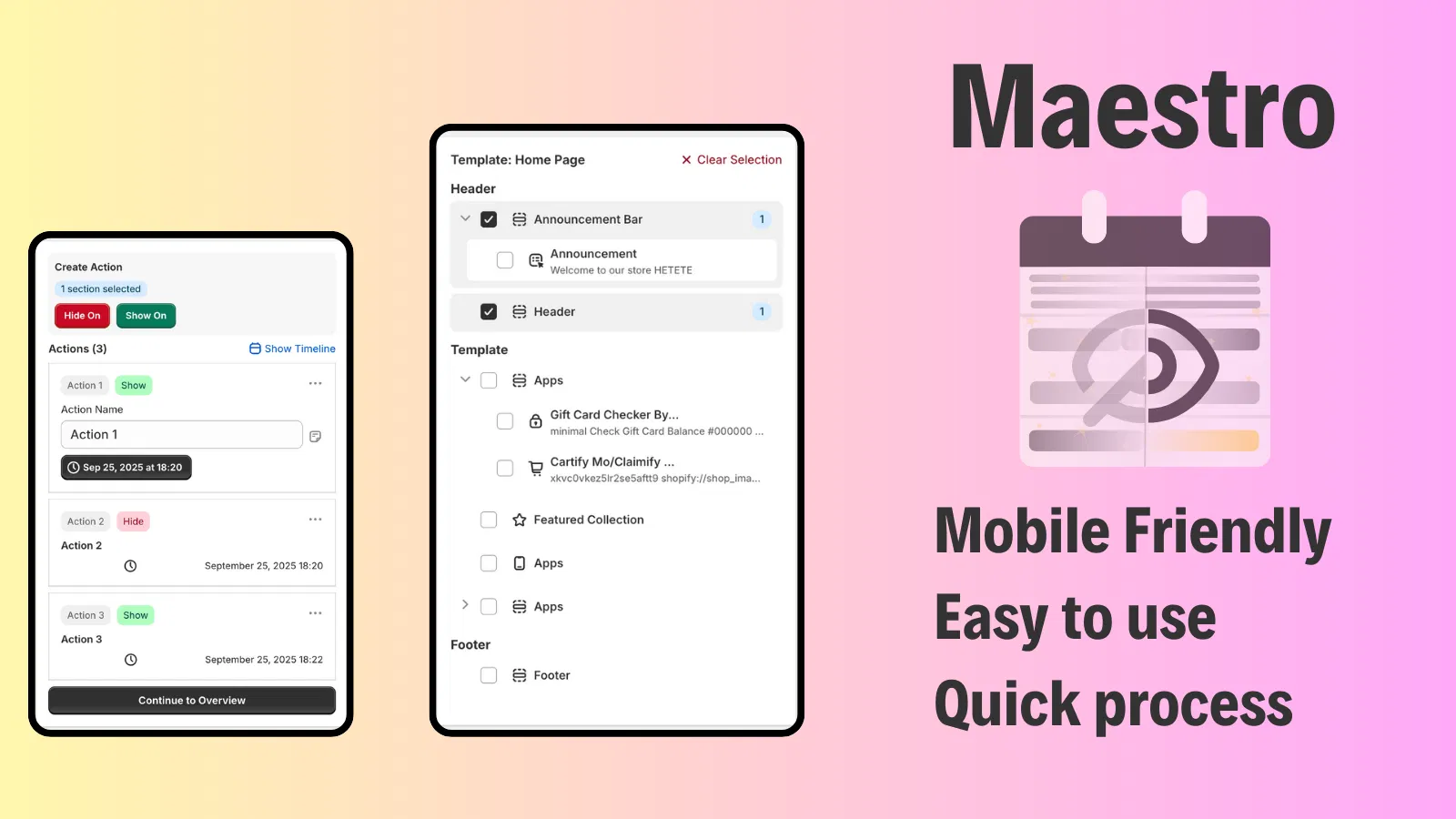
Additionally, consider the visual aesthetics of your store. Different cultures respond differently to typography and layout. You might need to add a custom font to your store that supports specific characters or aligns with local branding trends.
Step 3: Enable Local Currency and Payment Methods
One of the biggest friction points in international e-commerce is the lack of familiar payment options. Customers are significantly more likely to abandon their carts if they cannot pay in their native currency or if their preferred payment method is missing.
If you are using Shopify Payments, you can enable multi-currency with a single toggle. Shopify will automatically convert your prices based on current exchange rates and can even round those prices to look "clean" (e.g., $19.99 instead of $19.43).
Beyond currency, you must integrate local payment services. In the Netherlands, iDEAL is essential. In Germany, many customers prefer Klarna or SEPA. By offering these familiar options, you enhance your brand's authenticity. If you find your conversion rates are still lower than expected in certain regions, it might be time to boost your store's UX and conversion rate with an optimization audit report to identify exactly where international customers are dropping off.
Step 4: Configure Taxes, Duties, and Fulfillment
For enterprise brands, compliance and transparency are non-negotiable. Unexpected fees at the time of delivery are the fastest way to ruin your reputation in a new market. Shopify Markets allows you to calculate and collect duties and import taxes at checkout. This creates a "Delivered Duty Paid" (DDP) experience, which is the gold standard for global e-commerce.
Ensure your shipping settings are robust:
- Create Shipping Zones: Align these zones with your Shopify Markets.
- Set Clear Rates: Offer a mix of standard and express shipping.
- Use Strategic Add-ons: Sometimes, small details like an option for gift wrapping can significantly increase the average order value in markets like Japan or the UK where gift-giving culture is prominent.
To further professionalize the checkout experience, ensure you are meeting local legal requirements. In many European countries, it is standard practice to show an "I agree with terms and conditions" checkbox on the cart page before the customer can proceed to payment.

Managing global catalogs also requires precise timing. If you are launching a product worldwide at a specific time, use Product Maestro Scheduler to automate the publication of products across different sales channels and markets simultaneously. This ensures that no market is left behind during a major global launch.
Step 5: Monitor and Optimize Performance
Launching your markets is only the beginning. To truly master global commerce, you must adopt a culture of continuous optimization. Shopify provides detailed reporting that allows you to break down your sales, conversion rates, and average order value by market.
Analyze the data to find answers to these questions:
- Which markets have the highest cart abandonment rates? (This may indicate a need for better payment methods or lower shipping costs).
- Which products are trending in specific regions?
- Are your marketing efforts in a specific country yielding a positive return on ad spend?
To get the most accurate data, you must have a flawless tracking setup. We highly recommend a professional Google Tag Manager setup and a comprehensive Google Analytics setup to track international user behavior across different subfolders and domains.
If you notice that a specific market is underperforming, don't be afraid to experiment. You might try adding a testimonial carousel with reviews from local customers to build social proof within that region.
Conclusion
Mastering Shopify Markets is the most efficient way for enterprise brands to scale globally in 2026. By following these five steps: structuring your markets, localizing the experience, enabling native payments, configuring duties, and monitoring performance: you can build a truly global brand that feels local to every customer.
As you expand, remember that automation and precision are your best friends. Managing a global store manually is a recipe for burnout and errors. Utilizing the right strategy and the right apps, such as Product Maestro Scheduler and Maestro Theme Scheduler, will allow your team to focus on high-level strategy while the platform handles the regional heavy lifting.
If you are ready to take your Shopify store to the global stage but need an expert partner to handle the technical complexity, XCO Agency is here to help. From custom development to strategic optimization, we power the growth of international enterprise brands. Reach out to us today to begin your journey toward global dominance.