
As a Shopify expert, I often find myself looking at the backend of high-volume stores and noticing a common trend that keeps customer support teams from performing at their peak. Merchants are constantly seeking ways to streamline their operations, yet many are still bogged down by one of the most repetitive, low-value inquiries in the e-commerce world: "What is the remaining balance on my gift card?"
While gift cards are a fantastic way to drive revenue and acquire new customers, the administrative burden they create can be significant. If a customer has to email your support team or wait for a live chat agent just to find out they have fifteen dollars left to spend, you are losing money on that interaction. This is exactly why self-service balance checks are no longer just a luxury but a vital component of a modern shopify store setup.
In this post, I want to dive deep into how the Gift Card Checker By Maestro solves this specific pain point, why self-service is the future of customer experience, and how implementing this tool can significantly boost your store efficiency.
The Problem with Manual Gift Card Support
For many growing brands, the initial shopify store setup focuses heavily on the visual design and product pages. However, once the orders start rolling in, the reality of ecommerce maintenance services becomes clear. Support tickets start piling up.
When a customer cannot find their gift card balance on their own, they are forced to take one of two paths. They either reach out to your support team, or they simply don't make a purchase because the friction of finding that information is too high.
Here are the primary issues with manual balance inquiries:
- High Operational Costs: Every minute a support agent spends looking up a code in the Shopify admin is a minute they are not closing a sale or resolving a complex shipping issue.
- Customer Friction: Modern shoppers expect instant answers. Waiting two hours for an email response regarding a balance check is often enough to make a customer abandon their cart.
- Human Error: Manually relaying balances over chat or email opens the door for typos and misinformation, which can lead to further support tickets and frustrated buyers.
- Scaling Issues: As your store grows, the volume of these inquiries grows linearly. Without a self-service solution, you are forced to hire more support staff just to handle basic questions.
Why Self-Service is the New Gold Standard
As a Shopify Plus expert, I have seen that the most successful stores are those that empower their customers. Self-service is not about avoiding your customers; it is about respecting their time. By providing a dedicated portal where users can check their own balances, you are offering a better shopping experience.
When you integrate a tool like Gift Card Checker By Maestro into your Shopify design services, you are building a foundation of trust. Customers feel more confident purchasing and using gift cards when they know they have full visibility into their value at any time.
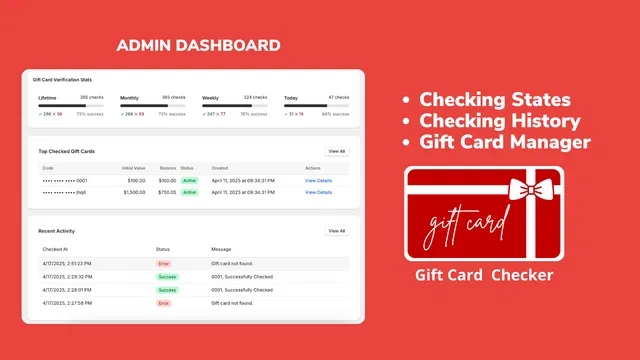
Boosting Efficiency with Gift Card Checker By Maestro
The Gift Card Checker By Maestro was designed to eliminate the "What is my balance?" ticket entirely. It provides a simple, elegant widget that can be placed anywhere on your store, allowing customers to enter their code and see their balance in real-time.
Here is why this tool is a game-changer for your growth strategies:
- Reduced Support Volume: By automating the most common gift card query, you can see an immediate drop in ticket volume. This allows your team to focus on high-touch interactions that actually move the needle.
- Instant Gratification: Customers get their balance in seconds. This speed often leads to immediate "top-off" purchases where a customer sees a small balance and decides to spend more to use it up.
- One-Click Setup: You do not need a developer to get started. The app features a one-click setup that integrates seamlessly with your existing theme.
- Brand Consistency: Unlike generic tools, Maestro allows for deep customization. You can match the widget to your brand colors, fonts, and overall aesthetic to ensure it looks like a native part of your site.

How Customization Enhances the User Experience
One of the biggest mistakes I see during a shopify store setup is the use of third-party tools that look out of place. If your gift card checker looks like a shady pop-up, customers will be hesitant to enter their codes.
Maestro solves this by offering a customizable design suite. Whether you are running a high-end fashion boutique or a rugged outdoor gear shop, you can tailor the look and feel of the balance checker. This consistency is vital for maintaining professional authority and making the customer feel secure.
When we provide ecommerce maintenance services, we always look for these small details. A well-designed balance check widget doesn't just provide a number; it reinforces your brand identity every time a customer interacts with it.
The Hidden Power of Loyalty and Repeat Purchases
We often think of gift cards as a one-time transaction, but they are actually one of your best tools for fostering long-term loyalty. A customer with a gift card is a customer who is guaranteed to return to your store.
However, if that customer forgets how much is on their card, that "guaranteed" return visit might never happen. By making the balance check process effortless, you are actively encouraging repeat business.
- Remind Them to Spend: When a customer checks their balance, they are mentally preparing to shop.
- Ease of Use: A friction-free experience makes the customer more likely to buy another gift card for a friend in the future.
- Professionalism: Providing these types of tools shows that your store is a mature, customer-centric business.
For merchants looking to go even deeper into automation, I often suggest looking at how these tools interact with your broader Shopify integrations. The goal is to create a ecosystem where the store runs itself as much as possible.
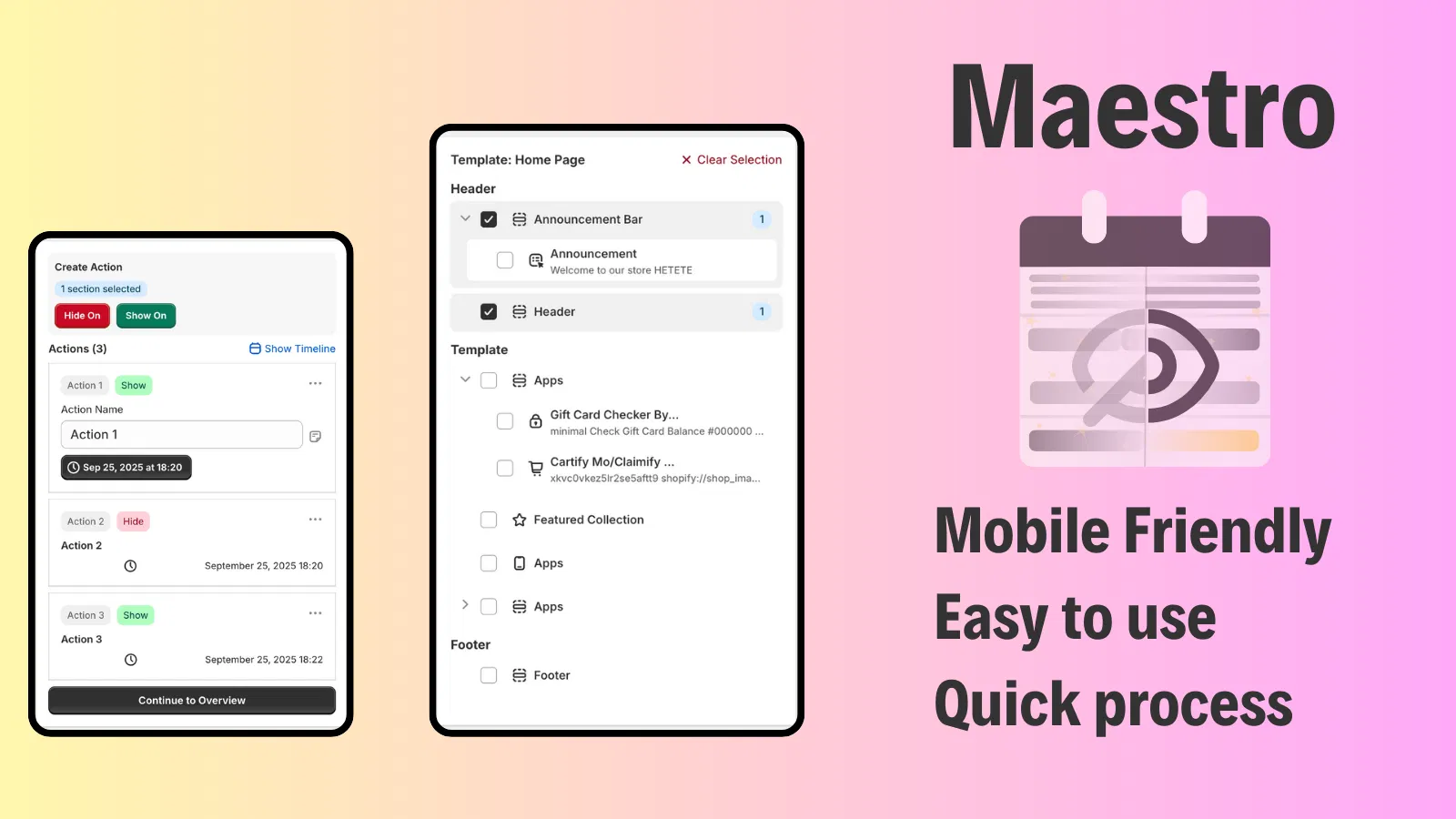
Step-by-Step: Implementing Your Self-Service Portal
If you are ready to reclaim your support team's time, the implementation process is straightforward. Here are the steps to get your balance checker up and running using Maestro.
Step 1: Install the App
Navigate to the Shopify App Store and add Gift Card Checker By Maestro to your store. Because it is optimized for the latest Shopify themes, the installation is remarkably fast.
Step 2: Configure Your Settings
Once installed, navigate to the app dashboard. Here, you can enable the balance check functionality and choose where you want the widget to appear. Common locations include the footer, the main navigation, or a dedicated "Check Balance" page.
Step 3: Customize the Design
Select your brand colors and upload any relevant icons. Ensure the "Check Balance" button stands out but remains cohesive with your site's design. You can preview these changes in real-time to ensure perfection.
Step 4: Test the Flow
Grab a test gift card code and run it through the widget. Ensure the response is quick and the balance is displayed clearly. This is a vital step in your ecommerce maintenance services routine.
Step 5: Update Your Support Content
Now that the widget is live, update your FAQs and automated chat responses. Instead of telling customers to wait for an agent, redirect them to your new self-service portal.

Integrating Balance Checks into Your Maintenance Routine
Maintaining an e-commerce store is about more than just fixing bugs; it is about constant optimization. As part of a regular audit, you should be checking which support tickets are the most frequent. If gift card inquiries are still in the top five, it might be time to move your balance checker to a more prominent location.
At XCO Agency, we believe that every interaction a customer has with your store should be a positive one. Whether they are browsing a new collection or simply checking a balance, the experience should be smooth, fast, and branded. This level of detail is what separates a standard store from a high-growth brand.
If you are currently undergoing a migration to Shopify, including a self-service gift card portal should be on your checklist from day one. It is much easier to build these habits into your customer base early on than to try and change their behavior later.
Final Thoughts: A Proactive Step for Your Store
Reducing support inquiries isn't just about saving time; it's about creating a more autonomous and satisfying shopping journey. By implementing a self-service balance check with Gift Card Checker By Maestro, you are removing a major roadblock for your customers and a major headache for your staff.
As you look at your shopify store setup for the coming year, ask yourself if your support team is spending their time wisely. If they are still manually looking up gift card balances, you have a massive opportunity for optimization.
Ready to transform your support workflow and give your customers the instant answers they crave? Integrating the right tools today will pay dividends in customer loyalty and operational efficiency tomorrow. If you need help optimizing your store or want to discuss a more comprehensive growth strategy, feel free to book a meeting with our team. We specialize in helping merchants leverage the best of Shopify to scale without the stress.
Implementing a self-service balance check is a vital step toward a more professional, efficient, and profitable e-commerce presence. It is a simple change that yields significant results, making it a must-have for any serious Shopify merchant.