
As a Shopify expert, I often work with merchants who are exhausted by the "Midnight Refresh." You know the drill. You have a big product launch or a seasonal sale starting at the stroke of midnight, so you sit at your laptop with a cold cup of coffee, frantically clicking "Publish" and "Update" while your competitors are likely fast asleep. This manual approach to ecommerce maintenance services is not just exhausting. It is a recipe for human error that can hurt your bottom line.
If you are seeking a way to reclaim your time and ensure your store runs like a well-oiled machine, you need to rethink your shopify store setup. The modern merchant does not just work harder; they work smarter by using automation to handle the heavy lifting. This is where the Product Scheduler by Maestro app steps in. It is not just another tool. It is a fundamental shift in how you manage your daily operations.
In this guide, I will break down why this app is the secret weapon for conversion rate optimization and why it should be at the heart of your maintenance strategy.
The Problem With Manual Store Maintenance
Managing a growing Shopify store involves hundreds of tiny tasks that eat away at your productivity. When you handle these manually, you face several risks:
- Human Error: Forgetting to remove a "Sale" tag or accidentally leaving a product at a discounted price for a week too long.
- Inconsistency: Prices that do not follow your branding rules or tags that vary from product to product.
- Missed Opportunities: Products that sit in "Draft" mode because you forgot to hit publish after a restock.
- Scaling Bottlenecks: The more products you have, the more time you spend on maintenance rather than growth.
Automation transforms these chores into background processes. By integrating a tool like Product Scheduler by Maestro, you move from being a reactive firefighter to a proactive strategist.

Step 1: Mastering the Draft Helper for Seamless Launches
The "Draft Helper" feature is a game changer for any merchant planning a collection drop. Instead of setting reminders on your phone to publish new arrivals, you can schedule everything days or weeks in advance.
Why the Draft Helper matters
When you are optimizing your shopify store setup, timing is everything. Launching a product at 10:00 AM on a Tuesday might yield better results than 10:00 PM on a Sunday, depending on your audience.
- Select Your Products: Navigate to the Maestro app and pick the items currently in draft status.
- Set the Launch Time: Choose the exact date and time, down to the minute, for these products to go live.
- Choose Your Channels: Ensure they appear on the Online Store, POS, and social channels simultaneously.
- Automate the Reversion: If the product is a limited run, you can even schedule when it should return to draft status.
This level of precision is vital for perfectly setting up your domain for maximum impact and ensuring your marketing emails align perfectly with your site's availability.
Step 2: Automated Tag Management for Seasonal Sales
Tags are the invisible threads that hold your Shopify store together. They control everything from your collection filters to your automated marketing flows. However, manually adding "Black Friday" or "Summer Sale" tags to 500 products is a nightmare.
As a Shopify expert, I recommend using the automated tag management feature to handle seasonal transitions. You can schedule tags to be added at the start of a promotion and, more importantly, removed the second the promotion ends.
Benefits of automated tagging
- Clean Filters: Ensure your "On Sale" filter only shows items that are actually on sale.
- Dynamic Collections: Power your automated collections without lifting a finger.
- SEO Accuracy: Keep your site structure clean by removing outdated seasonal tags.
By automating this, you significantly reduce the risk of a customer finding a "Summer Clearance" item in the middle of a blizzard, which keeps your brand's professional image intact.

Step 3: Scheduling Price Changes and Rounding Rules
Pricing is one of the most significant factors in conversion rate optimization. If your prices look messy (like $19.43), customers might hesitate. If your prices are wrong during a sale, you lose money or trust.
Maestro allows you to schedule price increases or decreases and apply "Rounding Rules." This ensures that every sale price ends in .99 or .00, maintaining a premium look across your entire catalog.
How to set up automated pricing
- Identify the Collection: Select the products you want to discount.
- Define the Logic: Choose to decrease the price by a percentage (e.g., 20% off) or a fixed amount.
- Apply Rounding: Select the rule to round all resulting prices to the nearest .99.
- Schedule the Duration: Set the start and end time for these price adjustments.
Once your pricing is automated, you can focus on more complex tasks, like a boost to your store's UX and conversion rate with an optimization audit report.
Step 4: Inventory Automation for Restocks
Nothing kills a conversion faster than an "Out of Stock" button on a popular item. While Maestro does not manufacture your goods, it handles the visibility of your inventory. You can schedule products to move from "Hidden" to "Published" the moment your warehouse receives a shipment.
Streamlining the restock process
- Pre-schedule Restock Events: If you know a shipment is arriving Friday, schedule the status change for Friday morning.
- Manage Expectations: Use the app to hide items that are out of stock automatically so you don't frustrate browsers.
- Batch Updates: Update inventory levels across dozens of variants at once without entering each product page.
This proactive step ensures that you never miss a sale because you were too busy to update a product status. It is a core component of high-level ecommerce maintenance services.
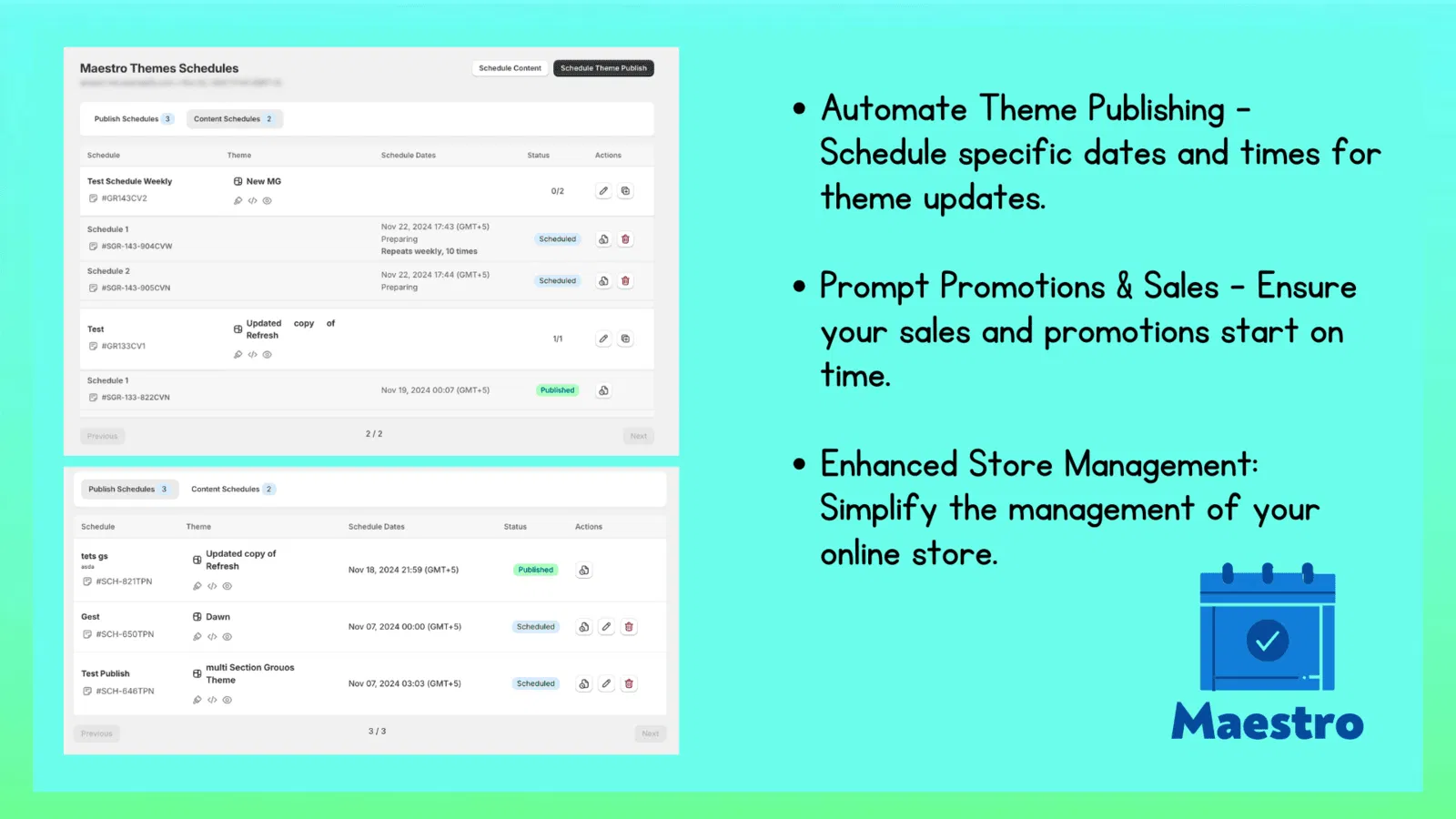
Step 5: Managing Collection Visibility and Sorting
Your homepage is your digital storefront window. You would not leave a Christmas display up in July, and your Shopify store should be no different. Maestro allows you to schedule when entire collections appear or disappear.
I often see stores where the "New Arrivals" collection has not been updated in three months. That is a conversion killer. With Maestro, you can schedule the sorting of these collections to ensure the freshest items are always at the top.
Enhancing visibility
- Seasonal Shifts: Schedule your "Winter Gear" collection to hide on March 1st.
- Flash Sales: Create a "Flash Sale" collection that only exists for four hours.
- Sorting Logic: Use the app to re-sort collections based on your scheduled promotions, putting your high-margin items front and center.
For more information on the Maestro Products Scheduler, you can explore how these specific collection features integrate with your overall theme.
Step 6: Creating a Hands-Off Store Workflow
The ultimate goal of using the Product Scheduler by Maestro is to create a "hands-off" store. This does not mean you stop working; it means you stop doing busy work.
Here is what a typical automated workflow looks like:
- Monday: You spend one hour scheduling all the price changes, tag updates, and collection shifts for the upcoming week.
- Wednesday: A new product line launches automatically at 9:00 AM while you are in a meeting.
- Friday: Your weekend sale begins at 6:00 PM. You are already at dinner while the app updates 200 prices and adds "Sale" tags across the site.
- Monday Morning: The sale ends at 12:00 AM, prices revert, and tags are removed automatically. You wake up to a clean store and a list of new orders.

Why This is Vital for Conversion Rate Optimization
Conversion rate optimization (CRO) is not just about button colors. It is about reliability and relevance. When a customer visits a store that is clearly well-maintained, with up-to-date collections and consistent pricing, their trust in the brand increases.
Automated maintenance ensures that:
- Promotions are accurate: No more expired coupon codes or sale banners that lead to full-priced items.
- Content is fresh: The store always looks active and updated, which encourages repeat visits.
- User Experience is smooth: Tags and collections work exactly as the customer expects them to.
If you are looking for other ways to improve your UX, consider simple changes like adding a custom font to your store or ensuring you open social links in a new tab.
Reclaiming Your Freedom with Maestro
As a Shopify expert, I have seen many merchants burn out because they tried to do everything themselves. The shift from manual to automated ecommerce maintenance services is the moment you stop being an "employee" of your store and start being the "owner."
The Product Scheduler by Maestro app is an investment in your sanity and your store's professional image. It allows you to plan your growth, execute complex campaigns without stress, and maintain a level of precision that manual work simply cannot match.
Whether you are just starting your shopify store setup or you are managing a high-volume Shopify Plus store, automation is no longer optional. It is the standard.
After completing the setup of your first scheduled task, you will wonder how you ever managed without it. It is a vital step toward a more profitable, less stressful business.
Ready to stop the midnight grind? It is time to let Maestro handle the heavy lifting while you focus on the big picture. Start by auditing your current manual tasks and see just how much time you can win back this week.