
As a Shopify expert, I often work with merchants who are stuck in a cycle of manual labor that feels more like a night shift than a business operation. You know the drill. It is 11:55 PM on a Thursday and you are hovering over the publish button for a Friday morning drop. You are tired. You are prone to making mistakes. You are wondering why in an era of AI and space travel you are still manually toggling product visibility at midnight.
Running a successful online business should not mean you are a slave to the Shopify admin dashboard. Many store owners seeking a hands-off approach often find themselves bogged down by the minutiae of catalog management. This is exactly where the Product Scheduler by Maestro enters the frame. It is not just another app. It is a fundamental shift in how you handle shopify store setup and ongoing maintenance.
Before we dive into the nuts and bolts, here is why moving toward automation is the smartest move for your store:
- Eliminate Human Error: Tired fingers make mistakes. Automated scheduling ensures your prices, tags, and launch dates are exactly what they should be.
- Scale Your Operations: You cannot manually update 500 products for a Black Friday sale. Automation allows you to handle massive catalogs with a single click.
- Reclaim Your Time: Free up your schedule to focus on high-level growth strategies rather than administrative busywork.
- Boost Professionalism: Consistent, perfectly timed launches build trust with your audience and improve your brand reputation.
The End of the Midnight Product Launch
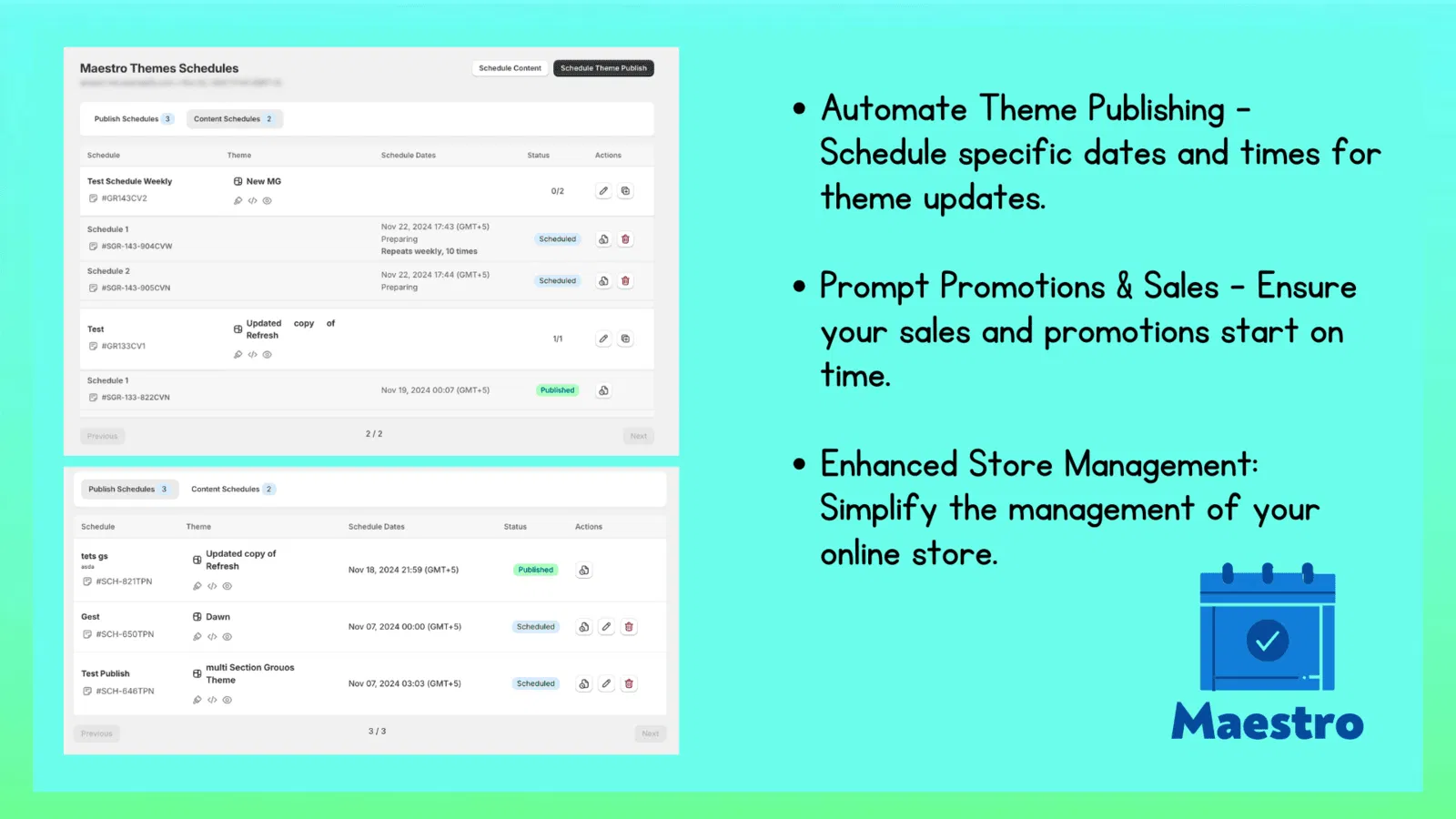
The most immediate benefit of the Product Scheduler by Maestro is the Draft Helper. In the traditional Shopify environment, you have to manually switch a product from draft to active status. If you have a collection dropping at 8:00 AM, someone has to be there to flip the switch.
As a Shopify expert, I often see merchants lose out on early morning traffic because their site was not updated on time. With the Draft Helper, you can pre-configure your entire launch weeks in advance. This tool is a cornerstone of professional ecommerce maintenance services because it allows for precision timing without the physical presence of a team member.
Mastering the Draft Helper
To set up a scheduled launch, you can follow these simple steps:
- Navigate to the Maestro Dashboard: Open the app within your Shopify admin and select the Product Scheduler tool.
- Select Your Products: Use the bulk selector to pick the items you want to include in your upcoming drop.
- Define the Action: Choose "Publish" and set your desired date and time down to the minute.
- Set an Expiry Date: If the product is a limited release, you can also schedule it to return to "Draft" or "Archive" status automatically once the campaign ends.
Automated Tag Management for Dynamic Sales
Tags are the invisible engine behind many Shopify stores. They power your filters, your automated collections, and even your marketing pixels. However, managing them manually during a seasonal sale is a nightmare. You have to add "Sale" tags to hundreds of items on Monday and remember to remove them by Friday.
Automating your tag management is a vital step for any merchant looking to improve their conversion rate optimization. When your tags are accurate, your customers can find what they are looking for faster, which directly leads to more sales.
Setting the Stage for Seasonal Success
Here is how you can use the Maestro app to handle seasonal tagging:
- Pre-Plan Sale Identifiers: Schedule the addition of a "Black Friday" tag to your selected products to ensure they automatically populate into your "Sale" collection.
- Automate Filter Updates: As items go out of stock or seasonal shifts occur, have the app remove "New Arrival" tags automatically.
- Trigger Marketing Workflows: Many email marketing tools use Shopify tags to trigger flows. Automating these tags means your automated emails will always be in sync with your store status.
Once your tags are set to update automatically, you will never have to worry about a "Sale" collection appearing empty because you forgot to update the metadata.

Smart Pricing and Rounding Rules
Price management is often the most stressful part of running a promotion. A single misplaced decimal point can lead to significant financial loss. The Product Scheduler by Maestro allows you to schedule price changes across your entire catalog with absolute precision.
Beyond just changing numbers, the app introduces rounding rules. This is a subtle but powerful part of shopify store setup that helps maintain a consistent brand aesthetic. Whether you prefer your prices to end in .99 or .00, the app handles the math for you.
Precision Automation for Higher Margins
When setting up your price schedules, keep these factors in mind:
- Percentage vs Fixed Amounts: You can choose to decrease prices by 20 percent or by a flat 10 dollars. The app calculates this for every variant in your selection.
- Rounding for Consistency: Use the rounding feature to ensure that even after a 15 percent discount, your prices look clean and professional (e.g., 19.99 instead of 19.87).
- Scheduled Reversals: Always schedule the "Price Reset" action at the same time you set the "Price Drop" so you never accidentally leave a sale running longer than intended.
This proactive step ensures that your margins stay protected while your customers enjoy a seamless shopping experience.
Keeping the Shelves Full with Inventory Automation
Inventory management is a balancing act. If you are launching a restock, you want the inventory counts to update exactly when your marketing goes live. Doing this manually for multiple variants is tedious and fraught with risk.
As a Shopify expert, I often recommend Product Scheduler by Maestro for stores that deal with high-volume drops. The app can handle up to 2048 variants per product, making it robust enough for even the most complex enterprise setups on Shopify Plus.
Managing High-Volume Variants
If you are coordinating a major restock, use these steps to automate the process:
- Sync with Shipments: Set the inventory levels to increase at the exact moment your warehouse confirms the stock is ready for sale.
- Inventory Countdowns: For limited-edition items, you can schedule inventory decreases to create a sense of scarcity for specific marketing campaigns.
- Coordinate with Marketing: Ensure your inventory updates happen minutes before your Klaviyo or SMS campaigns are sent out to avoid the dreaded "Out of Stock" landing page.
By automating these updates, you provide a much better user experience, which is essential for conversion rate optimization.

Collection Visibility and Sorting at Scale
The way your collections are sorted can have a massive impact on your sales. If your best-sellers are buried on page four, your conversion rate will suffer. Product Scheduler by Maestro gives you the ability to schedule collection sort orders.
Imagine having a "Trending" collection that automatically updates its sorting every Monday morning to put the previous week's top performers at the top. This kind of dynamic management is what separates the top one percent of Shopify stores from the rest.
Curating the Customer Experience
Here are simple steps to take control of your collection visibility:
- Schedule Collection Visibility: Hide seasonal collections like "Holiday Gift Guide" until the exact moment your campaign launches.
- Automate Sort Changes: Set your collections to sort by "Newest" during a launch week and switch back to "Best Selling" after the initial hype dies down.
- Manage Product Assignments: Schedule the addition or removal of specific items from manual collections based on your promotional calendar.
Taking these steps ensures that your store always feels fresh and curated for the customer, without requiring you to spend hours in the backend every week.
A Proactive Step Toward Store Freedom
Managing a Shopify store should not be a manual marathon. By implementing the Product Scheduler by Maestro, you are not just buying an app. You are investing in a more scalable and reliable business model. You are moving away from reactive firefighting and toward a proactive, automated strategy.
Whether you are looking to enhance your ecommerce maintenance services or you are in the middle of a complex shopify store setup, automation is the key to longevity. The Maestro app handles the heavy lifting of publishing, pricing, tagging, and inventory, allowing you to focus on what actually moves the needle: growth.
If you are ready to stop the midnight updates and start running a hands-off store, it is time to give Maestro a try. For those who need more comprehensive help with their store strategy or performance, XCO Agency is here to help you scale your business to the next level.
