
As a Shopify expert, I often see merchants reach a plateau where their domestic market is optimized, but their international growth remains stagnant. The challenge is rarely a lack of demand; it is usually the friction of localized commerce. High-growth merchants are seeking ways to offer a truly local shopping experience to customers in Paris, Tokyo, and London without the massive overhead of managing multiple individual stores.
Shopify Markets is the solution that bridges this gap. It provides a centralized hub to manage every aspect of your international expansion. By streamlining cross-border selling, it allows you to scale your brand globally while maintaining the operational simplicity of a single Shopify admin.
Why Global Expansion is No Longer Optional
The e-commerce landscape has shifted significantly over the last few years. Consumers now expect a seamless, localized experience regardless of where the brand is based. If you are not selling internationally, you are leaving substantial revenue on the table. Here are the primary reasons why mastering Shopify Markets is essential for your brand:
- Access to New Customer Bases: Diversifying your audience protects your business from local economic downturns.
- Increased Conversion Rates: Displaying local currencies and languages can boost conversion by over 30 percent.
- Operational Efficiency: Managing one store for fifty markets is far more cost-effective than managing fifty separate stores.
- Brand Credibility: Professional localization builds trust, which is the most critical factor in international purchasing decisions.
Understanding the Core Architecture of Shopify Markets
At its heart, Shopify Markets is a set of tools that allows you to identify, set up, and manage different target markets from within your existing store. Instead of duplicating products and content, you create "Markets" that act as localized layers over your primary store data.
1. Unified Multi-Market Management
You can group countries together, such as a "European Union" market, or treat specific high-value countries as individual markets. This flexibility allows you to apply broad strategies where they make sense and deep localization where it is necessary for growth.
2. Localized Storefronts and Content
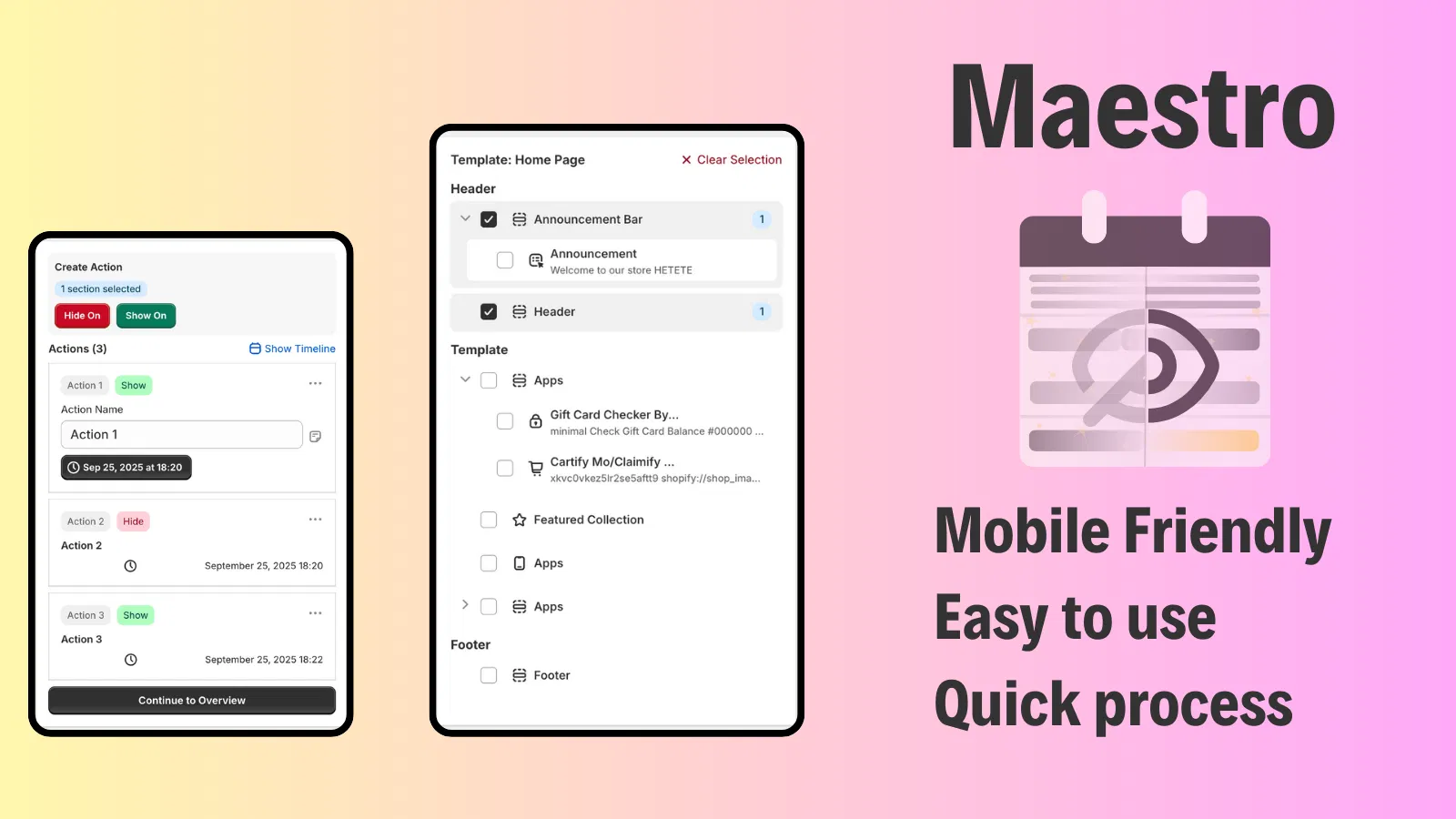
A localized experience goes beyond just translating words. It involves showing different homepage banners for seasonal changes, such as highlighting winter gear in the Northern Hemisphere while promoting summer collections in the South. Using tools like Maestro Theme Scheduler, you can automate these visibility changes so your store reflects the local context of every market without manual intervention.

3. International Pricing and Currency
Shopify Markets supports 136 currencies, allowing customers to see prices in their local format. Research indicates that 92 percent of shoppers prefer to see prices in their own currency. You can also implement price adjustments per market to account for varying shipping costs, duties, or local market positioning.
How to Set Up Your First International Market
Setting up Shopify Markets is a straightforward process, but it requires strategic thinking to ensure you are not just launching, but optimizing. Here are the steps to follow:
- Navigate to the Markets Tab: In your Shopify Admin, go to Settings and then select Markets.
- Add a New Market: Click on Add Market and select the countries or regions you wish to target.
- Configure Localized Settings: Once the market is created, you must configure the currency, language, and domain settings.
- Assign a Domain or Subfolder: Decide whether you will use a subfolder (e.g., store.com/en-gb) or a country-code top-level domain (e.g., store.co.uk).
- Review Taxes and Duties: Ensure that duties and import taxes are calculated at checkout to prevent "delivery duty unpaid" (DDU) surprises for your customers.

Strategic Advice for High-Growth Merchants
Simply turning on Shopify Markets is not enough. To truly succeed, you need to think about the logistics of global operations. As you expand, your product catalog management becomes more complex.
Managing product launches across multiple time zones is a frequent pain point. This is where Product Maestro Scheduler becomes a vital tool in your tech stack. It allows you to schedule product availability and price changes specifically for certain markets, ensuring your global marketing campaigns align perfectly with your storefront status.
Optimizing the International Customer Journey
A successful international sale does not end at checkout. The post-purchase experience is where global brands often fail. Shipping items across borders increases the likelihood of transit issues or the need for returns.
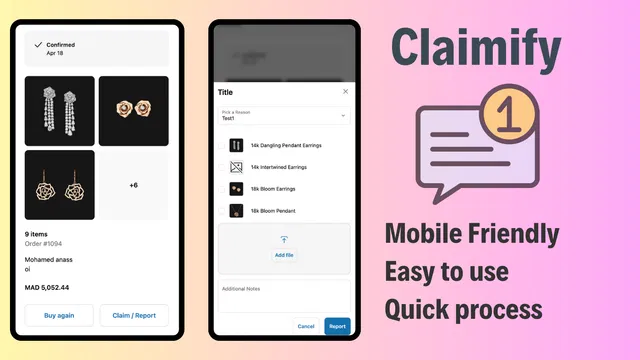
To maintain high customer satisfaction scores, you must provide a clear path for claims and returns. Using Claimify allows you to professionalize your claims management process. It gives international customers a mobile-friendly way to report issues, which is crucial when they are dealing with the anxieties of international shipping.
Advanced Localization with Shopify Markets Pro
For brands that want to offload the complexities of international compliance, Shopify Markets Pro is an upgraded version that acts as the "Merchant of Record." This service handles:
- Automatic Tax Remittance: They manage the filing and payment of local taxes.
- Guaranteed Duties: No surprises for customers; Shopify takes the risk on duty calculations.
- Fraud Protection: Enhanced protection against international high-risk orders.
- Premium Shipping Rates: Access to discounted DHL Express rates that are often unattainable for individual merchants.
While the standard Shopify Markets is excellent for control, Markets Pro is the preferred choice for stores that want to scale rapidly without building out a massive internal legal or logistics department.
Managing Visibility and Theming Globally
When you are running a global store, the "one size fits all" approach to web design is a relic of the past. You might want to hide specific promotional blocks in regions where the promotion is not valid.
The Maestro Theme Scheduler interface provides a simple way to control the visibility of theme sections. By scheduling "Show" and "Hide" actions, you can ensure that your UK market sees a "Bank Holiday" banner while your US market sees a "Memorial Day" promotion, all happening automatically while your team sleeps.
Key Technical Considerations for Global SEO
Launching in new markets requires a focus on technical SEO to ensure Google serves the right version of your site to the right person.
- Hreflang Tags: Shopify handles these automatically when you use Markets, telling search engines which language and country each page is for.
- Local Content: Avoid simple machine translations. Invest in high-quality localization to ensure your keywords match local search intent.
- Site Speed: Global customers need fast loading times. Ensure your store is optimized, or consider our Shopify Speed Optimization services to maintain performance across all regions.
Conclusion: Taking the Leap into Global E-Commerce
Expanding your brand into international markets is a vital step for any merchant aiming for long-term growth. Shopify Markets has democratized the ability to sell globally, removing the technical barriers that once required six-figure development budgets.
By centralizing your operations, localizing the customer experience, and utilizing automation tools like Product Maestro and Claimify, you can build a truly global brand from a single dashboard. Success in global e-commerce is not just about being available everywhere; it is about being relevant everywhere.

If you are ready to take your Shopify store to the global stage but want expert guidance to ensure your configuration is flawless, we are here to help. At XCO Agency, we specialize in high-growth strategies and technical implementation for global brands.
Ready to Scale Your Global Operations?
Our team of Shopify Plus experts can help you navigate the complexities of Shopify Markets, international SEO, and custom integrations.
- Explore our services: View Our Services
- Optimize your strategy: Growth Strategies
- Get in touch: Book a Meeting