
As a Shopify expert, I often work with merchants who are exhausted by the "midnight launch" ritual. You know the drill. It is 11:58 PM on a Thursday. You are sitting at your kitchen table with a cold cup of coffee, hovering your mouse over the "Publish" button because your new collection drops at midnight. If you click too early, you spoil the surprise. If you click too late, your customers are refreshing a blank page and taking their business elsewhere.
This manual approach to catalog management is not just a drain on your sleep. It is a significant bottleneck to your growth. When you are tied to the manual mechanics of your store, you are not focusing on high-level growth strategies or conversion rate optimization. You are acting as a digital stock boy instead of a CEO.
The goal for any serious brand is a hands-off Shopify catalog. This means your products launch themselves, your prices update automatically for sales, and your inventory levels adjust without you lifting a finger. Achieving this level of automation is the secret to scaling without burning out. In this guide, I will show you how to use the Product Scheduler by Maestro to turn your store into a self-running machine.
Why Merchants Seek Catalog Automation
Before we dive into the "how," let us address the "why." Automating your catalog management provides three major advantages that directly impact your bottom line.
- Eliminate Human Error: Tired brains make mistakes. A manual price update can easily turn a 20 percent discount into an 80 percent disaster if someone hits the wrong key.
- Boost Operational Efficiency: When your team is not spending hours tagging products or moving them into collections, they can focus on shopify store setup improvements and customer acquisition.
- Enhance Customer Experience: Consistency is key to trust. Automated launches ensure that your marketing emails and your store's reality align perfectly every time.
Step 1: Mastering the Draft Helper for Scheduled Launches
The most common pain point I see is the lack of a native "scheduled publish" feature for individual products that actually works with collections and search visibility. While Shopify has basic scheduling, it often lacks the flexibility needed for complex drops.
The "Draft Helper" feature within Product Scheduler by Maestro allows you to prepare your products in a draft state and set a specific date and time for them to go live. This is vital for maintaining hype.
- Select Your Products: Navigate to the Maestro app within your Shopify admin and select the products you have prepared.
- Choose the Action: Select "Publish" or "Draft" as the desired state.
- Set the Timeline: Choose the exact minute the change should occur.
- Confirm and Relax: The app handles the rest, ensuring the products appear on all your selected sales channels simultaneously.
This process ensures that your store always looks fresh and updated, which is a key component of effective ecommerce maintenance services.

Step 2: Automated Tag Management for Seasonal Sales
Tags are the glue that holds a Shopify store together. They drive your automated collections, your filter sidebars, and often your shipping rules. During a seasonal sale, you might need to add a "Sale" tag to 500 products at once, and then remove it 48 hours later.
Doing this manually is a nightmare. As a Shopify expert, I always recommend automating this process to ensure your collections are always accurate.
- Automated Tag Addition: You can schedule the "Sale" tag to be added to specific products exactly when your promotion begins.
- Automatic Tag Removal: Set a second task to remove those tags the moment the sale ends. This prevents customers from seeing "Sale" badges on full-priced items, which can significantly harm your conversion rate optimization efforts.
- Dynamic Filtering: By automating tags, you keep your site navigation clean without manual oversight.
Step 3: Scheduling Price Changes and Rounding Rules
Price management is where the most stress occurs. If you are running a flash sale, you need your prices to drop instantly across the entire catalog.
Product Scheduler by Maestro allows you to schedule price increases or decreases by a fixed amount or a percentage. But the real "pro" feature here is the rounding rules.
- Navigate to Price Actions: Select the products or collections you want to adjust.
- Define the Change: Choose a 15 percent decrease for a Black Friday event.
- Apply Rounding Rules: Ensure all your prices end in .99 or .95 to maintain a professional look.
- Schedule the Rollback: Don't forget to schedule the prices to return to their original state once the event is over.
This level of precision is what separates amateur stores from enterprise-level Shopify Plus brands. It ensures your margins are protected and your pricing strategy remains consistent.

Step 4: Inventory Automation for Restocks
Nothing frustrates a customer more than seeing an "Out of Stock" badge on a product you just restocked but haven't updated in the system yet. Conversely, overselling because you didn't update inventory levels quickly enough can lead to customer service headaches.
Inventory automation allows you to plan your restocks in advance. If you know a shipment is arriving on Tuesday, you can schedule the inventory levels to increase at 9:00 AM that day.
- Set Specific Stock Counts: Update inventory for hundreds of variants at once.
- Manage Large Catalogs: The app supports up to 2048 variants per product, making it suitable for even the most complex migration to Shopify projects involving deep SKU counts.
- Reduce Support Tickets: Keeping your stock levels accurate automatically reduces the number of "when will this be back?" emails your team has to answer.
Step 5: Managing Collection Visibility and Sorting
Your homepage collections are your digital storefront windows. If they look static, your store looks dead. Merchandising requires constant movement.
Using the collection scheduling features, you can automate how your products are displayed.
- Schedule Sort Order: Change a collection's sort order from "Best Selling" to "Newest" during a launch.
- Automate Visibility: Hide seasonal collections like "Summer Essentials" the moment fall begins, and simultaneously reveal your "Autumn Collection."
- Update Metadata: Schedule changes to collection titles and descriptions to reflect current marketing themes.
This ensures that your store is always optimized for the current season, which is a vital step in proactive ecommerce maintenance services.
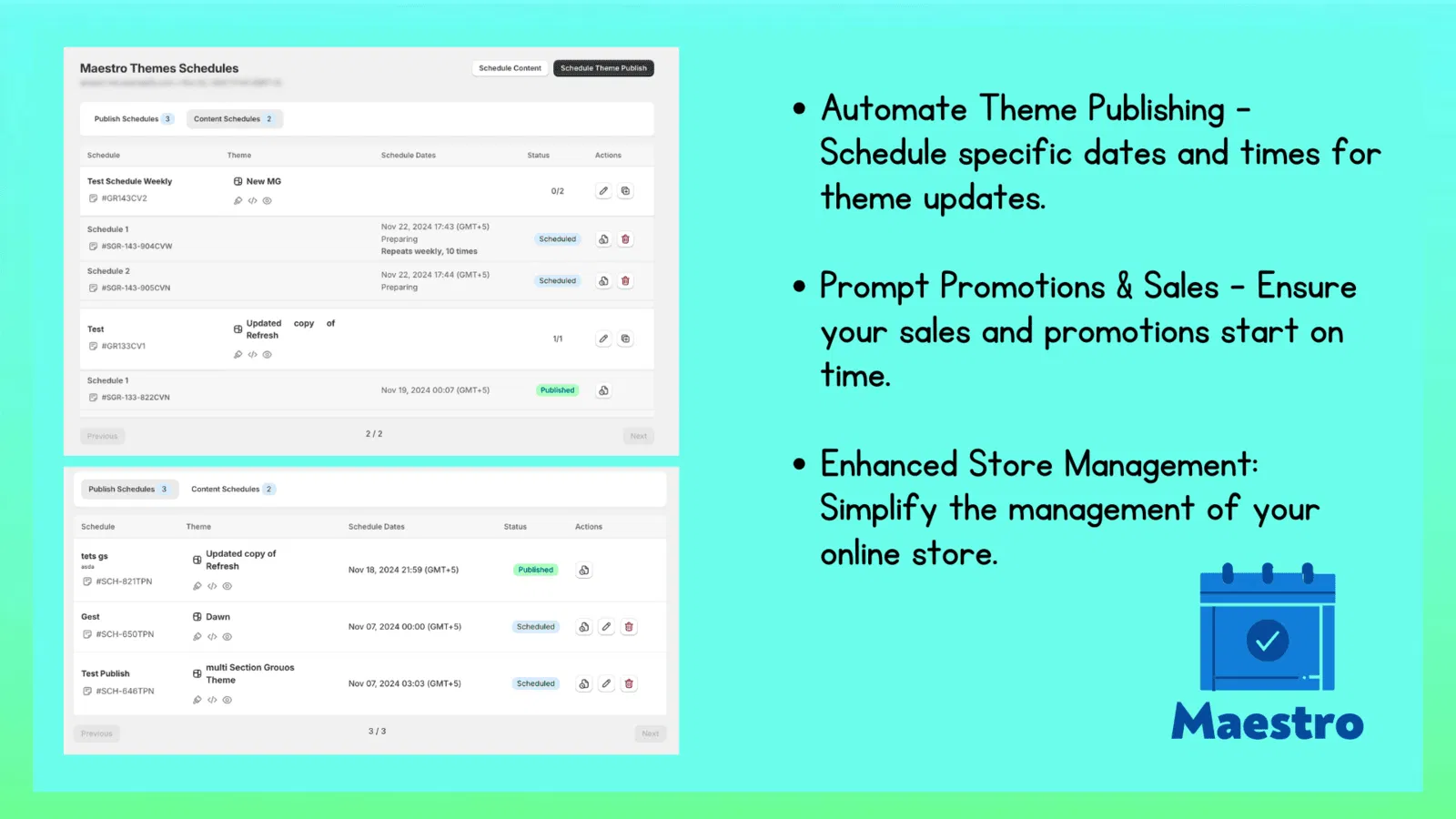
Putting it All Together: The Recurring Schedule
The true power of a hands-off catalog lies in recurring schedules. If you run a "Deal of the Day" or a weekly restock, you can set these tasks to repeat every 24 hours or every seven days.
Once these workflows are established, your role shifts from "executor" to "architect." You spend your time designing the strategy, and the Maestro app handles the manual labor. This is how high-growth brands operate. They don't work harder at the mechanics; they build better systems.
As a Shopify expert, I have seen hundreds of stores struggle with the weight of their own catalog. The solution is never more manual labor. The solution is always better automation. By implementing these five steps, you can significantly reduce the hours spent on store management and focus on what actually moves the needle: your brand and your customers.
A Proactive Step Toward Growth
Automating your Shopify catalog is not just a luxury for large enterprises. It is a vital step for any merchant who wants to reclaim their time and professionalize their operations. Whether you are managing a boutique with 50 products or a Shopify Plus store with 50,000, the principles remain the same.
Start by identifying the one task that takes you the most time every week. Is it updating prices? Is it tagging new arrivals? Automate that one thing first. Once you see the time savings, you will wonder how you ever managed without it.
If you need help building a more scalable store or optimizing your current setup, our team at XCO Agency is ready to assist. We specialize in shopify store setup and ongoing ecommerce maintenance services that help you stay ahead of the competition.
