
As a Shopify expert, I often work with merchants who are exhausted from the midnight shuffle. You know the routine: sitting in front of a laptop at 11:59 PM, finger hovering over the "Publish" button, waiting for a sale to go live or a new collection to drop. It is a tedious process that turns ecommerce maintenance services into a full time job, leaving you with little time for high level growth strategies.
The reality of modern commerce is that your store needs to be dynamic. Prices change, seasonal tags come and go, and inventory shifts. Doing this manually is not just a drain on your energy: it is a liability. Human error leads to broken links, incorrect pricing, and missed opportunities for conversion rate optimization.
I have helped hundreds of stores transition from manual chaos to automated precision. By leveraging the right tools, you can turn your Shopify admin into a self-running machine. Here are five hands-off catalog hacks using the Product Scheduler by Maestro that will save you hours every week.
1. Deploy the Draft Helper for Flawless Launches
One of the biggest hurdles in any shopify store setup is coordinating product launches. If you are launching a new seasonal line, you likely have dozens of products sitting in "Draft" status. Manually switching them to "Active" at the exact moment your marketing emails go out is a recipe for stress.
The Draft Helper feature allows you to schedule the exact moment a product moves from draft to active, or from active back to draft.
- Coordinate with Marketing: Match your product visibility to the millisecond with your social media posts or email blasts.
- Automatic Archiving: If you are running a limited time offer, you can schedule the product to archive automatically once the window closes.
- Reduced Site Weight: By automatically unpublishing out of stock or end of season items, you keep your site lean, which is a vital part of Shopify speed optimization.

2. Master Automated Tag Management for Seasonal Sales
Tags are the invisible engine of your Shopify store. They control everything from automated collections and search filters to product badges. During a major event like Black Friday or a Summer Clearance, managing these tags across thousands of SKUs is a nightmare.
Automating your tag management ensures that your "Sale" badges appear and disappear exactly when they should, without you lifting a finger.
- Step 1: Identify Your Targets: Select the products or collections that need new tags for an upcoming promotion.
- Step 2: Set the Schedule: Use the Maestro app to add a "Summer-Sale" tag at the start of the event.
- Step 3: Plan the Cleanup: Set a second task to remove that same tag once the sale ends.
- Step 4: Verify Automation: Because your automated collections rely on these tags, your sale pages will populate and depopulate themselves automatically.
This level of automation is essential for growth strategies that rely on frequent, time sensitive promotions.
3. Implement Dynamic Pricing and Rounding Rules
Pricing is one of the most powerful levers for conversion rate optimization. However, updating prices for a store-wide sale often involves clunky spreadsheets and the risk of overwriting your original margins.
With advanced scheduling, you can adjust prices by a percentage or a fixed amount and, more importantly, apply rounding rules that keep your site looking professional.
- The 0.99 Rule: Instead of a messy discounted price like $42.37, you can set a rule to automatically round all sale prices to the nearest .99 or .95.
- Bulk Adjustments: Change prices for an entire collection in seconds.
- Automatic Rollbacks: Ensure your prices return to their original state the moment the sale ends, preventing accidental losses from extended discounts.
Managing these shifts through ecommerce maintenance services or automated apps ensures that your margins stay protected while your customers get the deals they expect.
4. Automate Inventory for Seamless Restocks
Nothing kills a conversion faster than an "Out of Stock" button. While Shopify handles basic inventory tracking, it does not always help with the timing of restocks or the "re-launch" of a popular item.
If you have a container of new stock arriving on Tuesday, you can schedule your inventory counts to update the moment you are ready to ship.
- Stock Countdowns: Create a sense of urgency by scheduling inventory to "decrease" by a certain amount during a flash sale.
- Future Inventory Prep: Enter your restock numbers in advance and set them to go live when your warehouse is ready.
- Variant Precision: The Product Scheduler by Maestro supports up to 2048 variants per product, meaning even complex catalogs with dozens of sizes and colors can be automated with ease.
5. Curate Collection Visibility and Sorting on Autopilot
Your homepage and collection pages are your digital storefront windows. If the same products have been sitting at the top of your "New Arrivals" for three months, your store looks stagnant.
Automating how collections are sorted and when they are visible keeps the shopping experience fresh for returning customers.
- Seasonal Visibility: Schedule your "Winter Gear" collection to hide itself on March 1st and your "Spring Essentials" to appear in its place.
- Dynamic Sorting: Change the sort order of a collection to "Best Selling" during peak hours and "Newest" during product drops.
- Manual Control, Automated Timing: Add or remove specific products from manual collections based on a schedule, ensuring your "Staff Picks" always reflect your current inventory.
This proactive step ensures your Shopify design services investment is always shown in its best light, with fresh content greeting every visitor.
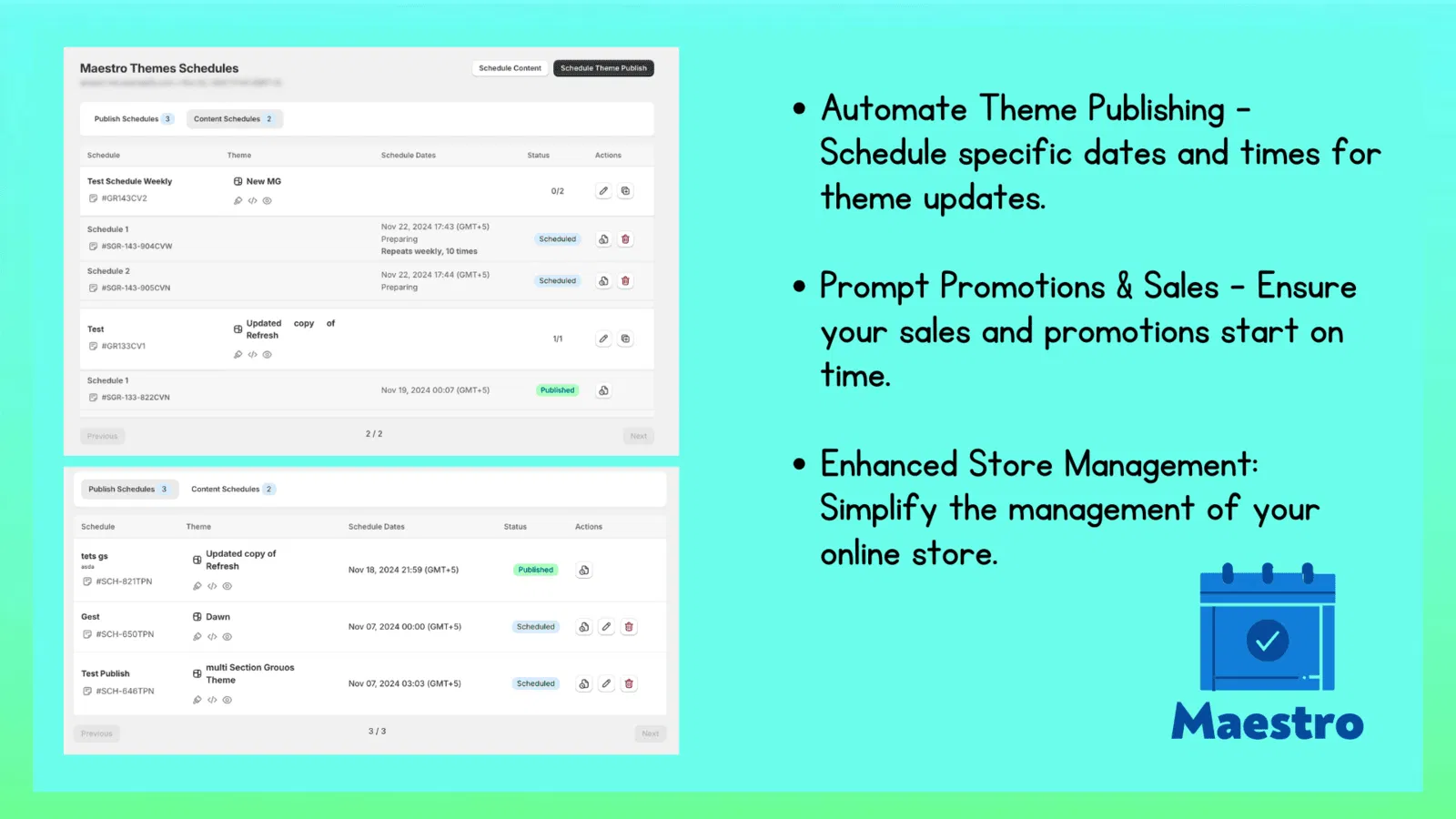
Conclusion: Reclaiming Your Time for Growth
As a Shopify expert, I have seen the difference between merchants who are "working in" their business and those "working on" their business. If you are spending three hours a week manually clicking through the Shopify admin to update tags and prices, that is time you are not spending on marketing, product development, or customer experience.
Transitioning to a hands-off catalog management system is a vital step for any scaling brand. Whether you are performing a new shopify store setup or optimizing an existing enterprise, automation reduces the risk of human error and ensures your store remains a high-converting asset 24/7.
Stop letting your catalog dictate your schedule. By implementing these five hacks with the Product Scheduler by Maestro, you can finally reclaim your nights and focus on what actually moves the needle for your brand.
If you are ready to take your store to the next level but aren't sure where to start with automation or custom development, our team at XCO Agency is here to help. From full store migrations to precision performance tuning, we ensure your Shopify store works as hard as you do.