
As a Shopify expert, I often see merchants pulling all-nighters just to toggle a collection live or update prices for a midnight flash sale. It is a grueling cycle that leads to burnout and, more importantly, human error. When you are manually updating hundreds of SKUs at 2:00 AM, the chances of a typo or a missed tag skyrocket. These small mistakes can derail your conversion rate optimization efforts and leave customers frustrated.
Modern ecommerce maintenance services are no longer about just fixing broken links. They are about building a proactive, hands-off system that handles the heavy lifting for you. High-growth stores seeking to scale cannot afford to spend hours on repetitive data entry. Here is the reality: your time is better spent on strategy and marketing than on clicking the "Active" status for twenty different t-shirts.
By implementing smart automation, you can transform your Shopify store setup from a manual chore into a self-sustaining machine. This is where the Product Scheduler by Maestro comes into play, offering a suite of features designed to eliminate the friction of catalog management.
Why Automated Catalog Maintenance is Vital for Growth
Before we dive into the specific hacks, it is essential to understand why automation is a non-negotiable part of a professional Shopify store setup.
• Eliminate Human Error - Automated tasks do not get tired or make typos. Once you set a rule, the system follows it perfectly every time.
• Reclaim Your Time - Freeing up five hours a week from manual updates adds up to over 250 hours a year. That is a massive amount of time to reinvest in business growth.
• Consistent Brand Experience - Automation ensures that sales start and end exactly when they are supposed to, maintaining trust with your customers.
• Better Performance - A clean, updated catalog is faster to browse and easier for search engines to index, which indirectly supports your SEO and conversion rate optimization goals.

Hack 1: Use the Draft Helper for Seamless Product Launches
Launching a new collection often feels like a military operation. You have products in draft mode, but they need to go live at the exact same time as your marketing email hits the inbox. As a Shopify expert, I often suggest using the "Draft Helper" feature within the Maestro app.
This tool allows you to schedule the transition from "Draft" to "Active" for any number of products. Here is the process:
- Prepare Your Products - Upload your new inventory and keep them in "Draft" status while you finalize descriptions and images.
- Set the Launch Time - Navigate to the Maestro app and select the products you want to launch.
- Choose the "Active" Action - Set the specific date and time you want them to become visible to customers.
- Schedule the Reversal - If it is a limited drop, you can even schedule them to move back to "Draft" or "Archived" status automatically when the sale ends.
This hands-off approach ensures your launch happens on time, every time, even if you are nowhere near a computer.
Hack 2: Automate Tag Management for Seasonal Sales
Tags are the invisible engine behind Shopify collections and filtering. However, forgetting to remove a "Winter Sale" tag in April can make your store look neglected. Automated tag management is a vital ecommerce maintenance service that keeps your site looking fresh.
Using the Product Scheduler, you can schedule the addition or removal of tags based on specific dates. This is particularly useful for seasonal badges.
• Add "New Arrival" tags - Automatically tag products as "New" for the first 30 days of their launch.
• Scheduled Sale Badges - Add a "Sale" tag at the start of a promotion to trigger discount stickers on your product cards.
• Clean Up After Holidays - Set a rule to remove all "Black Friday" tags at midnight on Monday so your collections revert to normal instantly.
Hack 3: Master Psychological Pricing with Rounding Rules
Price changes are one of the most tedious parts of ecommerce maintenance. If you are running a store-wide 20% off sale, doing the math and updating each SKU manually is a nightmare. Furthermore, simple percentage drops often lead to "ugly" prices like $39.42 instead of the high-converting $39.99.
As a Shopify expert, I often recommend using automated price scheduling with built-in rounding rules. This ensures your conversion rate optimization stays on track by maintaining psychological pricing triggers.
- Select Your Target Products - Use the Maestro app to select a specific collection or product type.
- Apply the Discount - Choose to decrease the price by a percentage or a fixed amount.
- Configure Rounding Rules - Set the rule to "Round to the nearest .99" or ".95" to ensure consistent branding.
- Set the Expiration - Schedule the price to revert to the original value after the sale period ends.

Hack 4: Inventory Automation for Restock Alerts
Nothing kills a conversion rate faster than a "Sold Out" button. While Shopify handles basic inventory counting, managing the visibility of restocked items can be tricky. If you have products that were moved to draft because they were out of stock, you need a system to bring them back to life.
You can use the Product Scheduler to monitor inventory levels and perform actions when a restock occurs. This keeps your catalog current without constant manual checking.
• Auto-Publish Restocks - Set a rule to move a product from "Draft" to "Active" the moment inventory levels rise above zero.
• Low Stock Tagging - Automatically add a "Low Stock" tag when inventory dips below five units to create a sense of urgency for shoppers.
• Bulk Update Inventory - If you receive a large shipment, use the bulk editor to update counts across multiple variants in seconds rather than minutes.
Hack 5: Dynamic Collection Visibility and Sorting
Your homepage collections should not be static. A fresh store is a high-converting store. One of the best ecommerce maintenance services you can provide for yourself is automated collection sorting.
Merchants often forget to move their best sellers to the top or hide out-of-stock items from the first page of a collection. Product Scheduler allows you to schedule these changes so your store always puts its best foot forward.
- Schedule Sort Order - Change a collection's sort order to "Newest" for the first week of a launch, then switch to "Best Selling" automatically.
- Time-Based Visibility - Schedule entire collections to appear or disappear. This is perfect for "Secret Sales" or holiday-specific categories like "Valentine's Day Gifts."
- Featured Product Rotation - Rotate which products appear in your "Staff Picks" collection on a weekly basis by scheduling collection assignments.
Hack 6: Automate the Product Lifecycle and Archiving
Every store has "ghost" products: items that are no longer sold but still clutter up the backend or appear in broken search results. Proper ecommerce maintenance involves a clean archiving process.
Instead of letting old products sit in your "Active" list indefinitely, schedule them for retirement. When you know a product line is being discontinued, set an archive date.
• Automated Archiving - Schedule products to move to the "Archived" status once a specific promotion ends or a season concludes.
• SEO Preservation - Use the scheduler to change the product description to include a link to the newer model before the product is hidden.
• Hidden Collections - Move end-of-life products to a hidden "Clearance" collection that is only accessible via a direct link for your VIP customers.
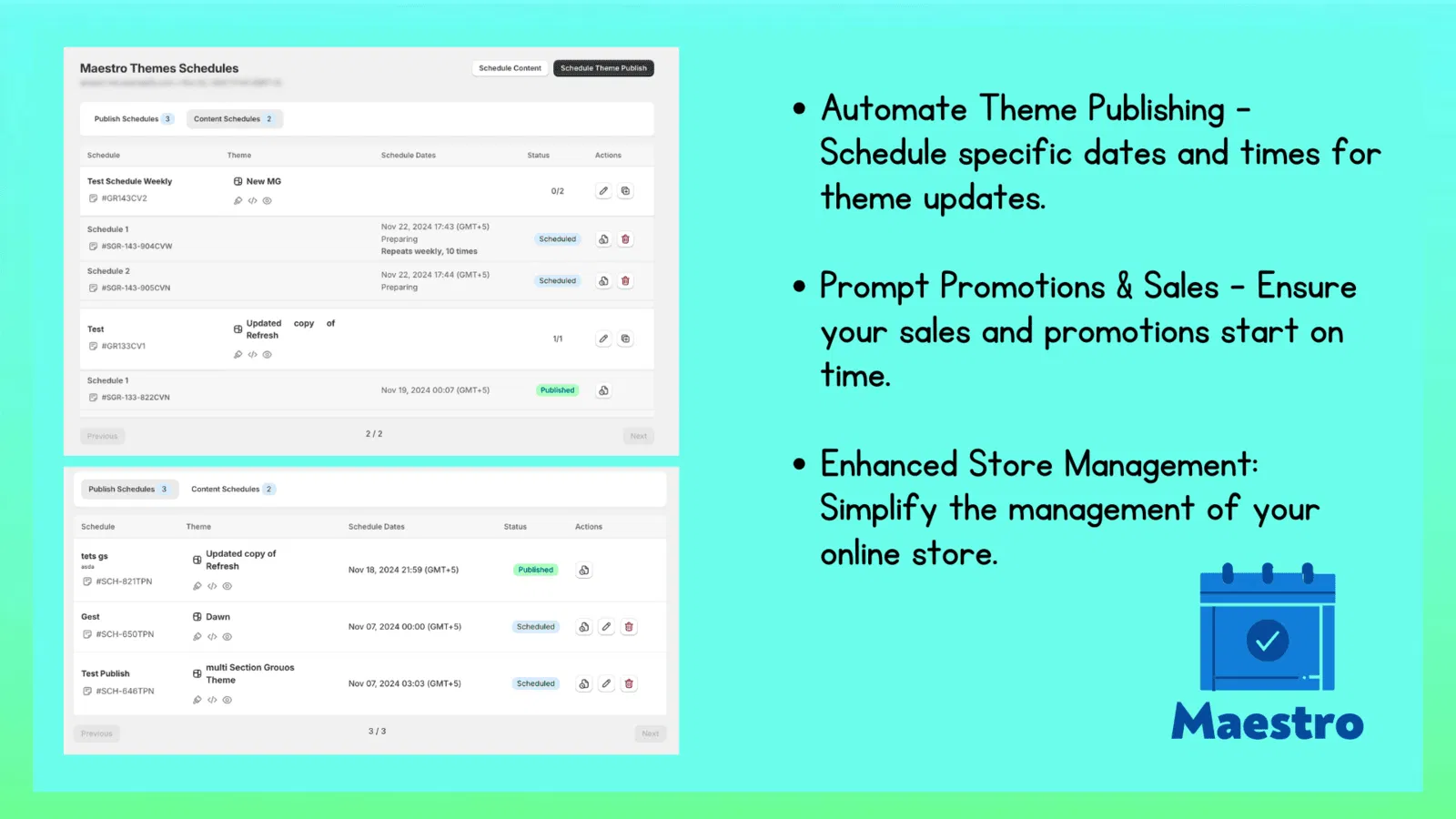
Hack 7: Partner with Shopify Plus Experts for Advanced Setup
While apps like Product Scheduler by Maestro provide incredible power, the most successful merchants know when to bring in the pros. A truly professional Shopify store setup requires a holistic approach that connects your catalog automation with your theme design and marketing stack.
At XCO Agency, we specialize in building these automated ecosystems. We don't just install apps; we craft workflows that allow your business to run while you sleep. Whether you need custom Shopify design services or comprehensive growth strategies, our team ensures your store is optimized for both performance and ease of management.
Investing in professional ecommerce maintenance services means you are not just buying a fix: you are buying a scalable foundation for your brand.
Conclusion: Take the Proactive Step Toward Automation
Managing an ecommerce store should not feel like a full-time job in data entry. By implementing these seven hacks, you can significantly reduce the time spent on manual catalog updates and focus on what truly matters: growing your brand and serving your customers.
The Product Scheduler by Maestro is a vital tool for any merchant seeking to streamline their operations. From the "Draft Helper" for launches to automated price rounding for sales, these features provide the "set and forget" peace of mind that every entrepreneur needs.
If you are ready to power-up your store and move away from the chaos of manual updates, consider how these automations can fit into your workflow. After completing the initial setup of these tools, you will find that your store runs smoother, your errors disappear, and your conversion rate optimization efforts finally have the consistent foundation they require to succeed.

Ready to optimize your store for high-volume sales without the manual headache? Book a meeting with our experts today and let us help you build a smarter, more automated Shopify experience.