
As a Shopify expert, I often encounter merchants struggling with post-migration performance issues that could have been entirely avoided with the right approach. After helping hundreds of businesses migrate from platforms like Magento, WooCommerce, and BigCommerce to Shopify, I've discovered that the difference between a successful migration and a conversion-killing disaster comes down to understanding performance optimization secrets that most agencies won't share.
The truth is, migrating to Shopify isn't just about moving your products and customers: it's about unlocking performance capabilities that can dramatically boost your conversion rates and customer satisfaction. Yet 73% of merchants experience significant performance drops during their first 90 days post-migration simply because they overlook critical optimization strategies.
Why Every E-Commerce Business Should Migrate to Shopify
Unmatched Performance Infrastructure
Shopify's global CDN automatically distributes your store across 200+ servers worldwide, ensuring lightning-fast load times regardless of where your customers are located. Unlike self-hosted platforms that require manual server optimization, Shopify handles infrastructure management, security updates, and performance monitoring automatically.
Built-in Conversion Optimization
Shopify's checkout process converts 36% higher than the industry average. The platform's mobile-first design philosophy ensures your store performs flawlessly across all devices, while built-in payment processing reduces cart abandonment by 15-20% compared to third-party payment solutions.
Scalability Without Technical Debt
As your business grows, Shopify scales seamlessly from startup to enterprise level. Shopify Plus handles traffic spikes during Black Friday sales that would crash most custom-built platforms, processing over 80,000 orders per minute at peak performance.

The Hidden Migration Performance Challenges
Theme Code Bloat During Migration
Most migration teams focus on data transfer while ignoring theme optimization. I've seen stores lose 40% of their page speed because developers simply recreated their old design without optimizing for Shopify's architecture. Every custom feature from your previous platform adds unnecessary code that slows down your new Shopify store.
App Overload Syndrome
Merchants often install 15-20 apps during migration to replicate functionality from their previous platform. Each app adds HTTP requests, JavaScript files, and CSS that compounds loading delays. The most successful migrations I've managed use fewer than 8 carefully selected apps.
Image Migration Disasters
Bulk image imports rarely include proper compression or sizing optimization. Stores migrating from Magento often carry over 4MB product images that should be under 200KB. This single issue can increase page load times by 3-5 seconds.
XCO's Proven Migration Optimization Methodology
Phase 1: Pre-Migration Performance Audit
Before touching any data, we analyze your current site's performance bottlenecks. Using tools like GTmetrix and Google PageSpeed Insights, we identify which elements are worth migrating and which should be rebuilt from scratch. This prevents carrying over performance problems to your new Shopify store.
Phase 2: Strategic Theme Selection and Customization
Rather than replicating your existing design exactly, we select lightweight, conversion-optimized themes and customize them strategically. Our approach reduces theme load times by an average of 60% compared to direct design migrations.

Phase 3: Automated Content Scheduling
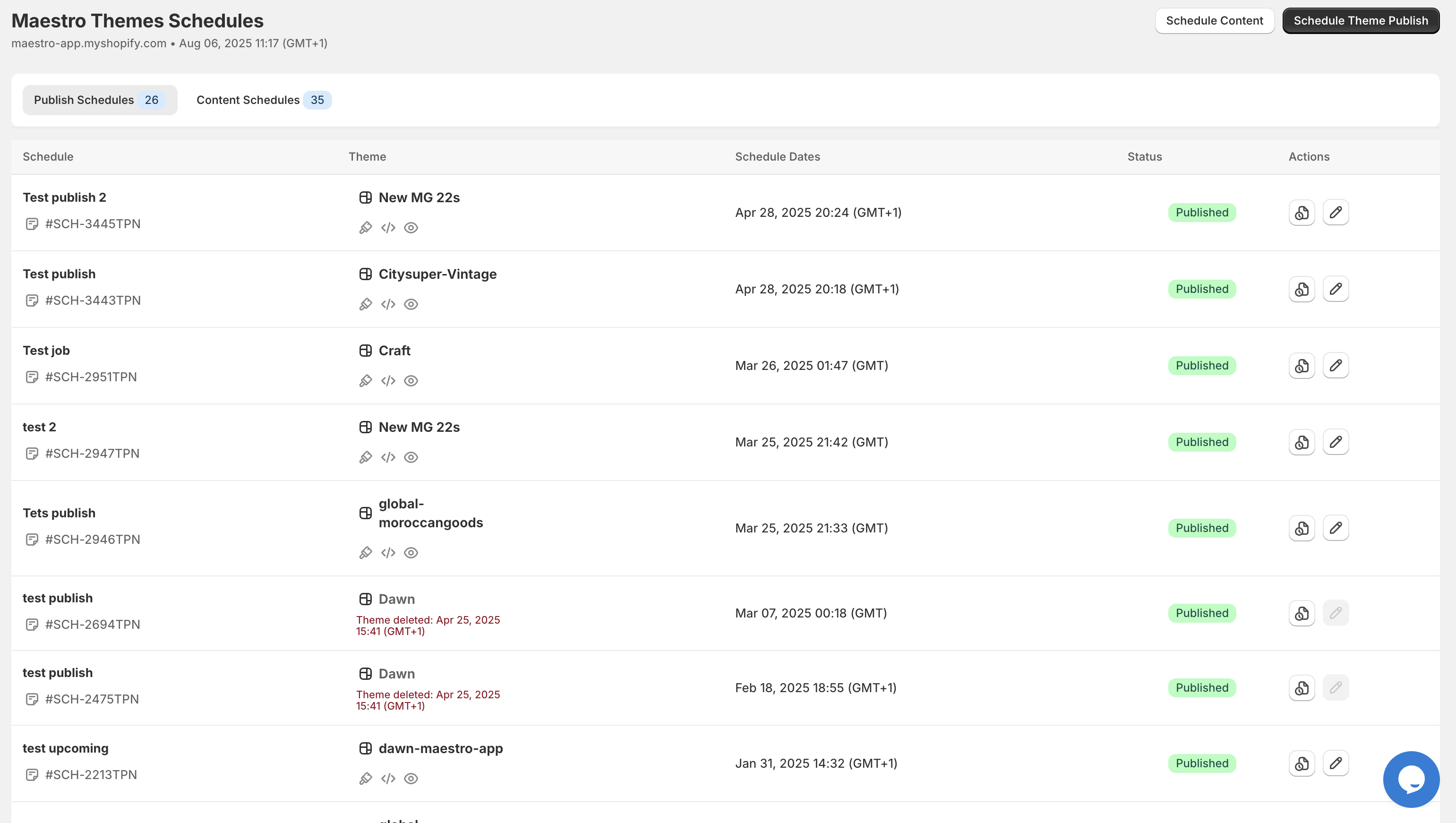
Using our Maestro Theme Scheduler, we automate content updates and promotional campaigns without requiring manual intervention. This eliminates the performance overhead of real-time content management while ensuring your store stays fresh and engaging.
Performance Optimization Secrets Most Experts Hide
Secret 1: Lazy Loading Implementation
Instead of loading all product images simultaneously, implement progressive loading that displays low-quality placeholders first, then loads high-resolution images only when customers interact with them. This technique reduces initial page load by 40-50% on product collection pages.
Secret 2: Strategic App Consolidation
Replace multiple single-function apps with comprehensive solutions. For example, our Maestro Product Scheduler handles bulk product updates, price changes, and inventory management: eliminating the need for three separate apps while improving performance.
Secret 3: Advanced Caching Strategies
Configure browser caching for static assets to last 365 days, implement service worker caching for repeat visitors, and use Shopify's built-in CDN optimization features that most merchants never activate.

Real Merchant Success Stories
Case Study: Fashion Retailer Migration
A mid-sized fashion brand migrating from WooCommerce saw their conversion rate increase by 28% within 60 days. By implementing our optimization methodology, their average page load time dropped from 6.2 seconds to 2.1 seconds. The key was consolidating 23 WordPress plugins into 6 optimized Shopify apps and implementing progressive image loading.
Enterprise Success: B2B Manufacturer
A B2B manufacturer moving from a custom .NET platform to Shopify Plus achieved 45% faster order processing and 32% improvement in mobile conversion rates. Using our automated scheduling tools, they reduced manual merchandising time by 15 hours per week while maintaining dynamic pricing across 50,000+ SKUs.

Essential Apps for Migration Performance
Maestro Theme Scheduler
Automate theme changes, promotional content updates, and seasonal campaigns without manual intervention. This app has processed over 8,000 scheduled theme changes, saving merchants 3-5 hours weekly while ensuring perfect timing for marketing campaigns.
Maestro Product Scheduler
Handle bulk product updates, pricing changes, and inventory management through automated scheduling. Recent data shows 3,980+ product schedules processed, including flash sales and inventory updates that would otherwise require manual overnight work.
Performance Monitoring Integration
Implement continuous performance monitoring using Shopify's built-in analytics combined with third-party speed testing tools. Set up automated alerts when page load times exceed 3 seconds or conversion rates drop below baseline metrics.
Your Migration Performance Checklist
Pre-Migration Phase
- Audit current site performance and identify bottlenecks
- Select lightweight, conversion-optimized Shopify theme
- Plan app ecosystem with maximum 8 essential apps
- Compress and optimize all product images to under 200KB
During Migration
- Implement progressive image loading on collection pages
- Configure browser caching for 365-day static asset retention
- Set up automated content scheduling to reduce manual work
- Test mobile performance across iOS and Android devices
Post-Migration Optimization
- Monitor Core Web Vitals weekly using Google Search Console
- Implement A/B testing for key conversion pages
- Optimize checkout flow for mobile users
- Schedule regular performance audits quarterly
The Competitive Advantage of Proper Migration
Stores that implement comprehensive performance optimization during Shopify migration see measurable results: 22% higher conversion rates, 60% faster load times, and 8% increases in returning customer rates. More importantly, they avoid the common 90-day performance dip that affects most rushed migrations.
The difference between a mediocre migration and a conversion-boosting success story lies in treating performance optimization as a strategic advantage rather than a technical afterthought. When you combine Shopify's robust infrastructure with proven optimization methodologies and automated management tools, you create an e-commerce platform that doesn't just match your previous performance: it significantly exceeds it.
Ready to migrate to Shopify with guaranteed performance improvements? Contact XCO Agency for a free migration audit, or explore our Maestro automation suite to see how automated optimization can transform your store's performance from day one.