
As a Shopify expert, I often speak with ambitious merchants who feel paralyzed by the perceived complexity of international expansion. They see the potential of the global market but worry about the technical hurdles of multi-currency pricing, localized content, and regional tax compliance. The reality is that the barrier to entry has never been lower. With the evolution of Shopify Markets and the rise of sophisticated automation tools, you can transition from a domestic seller to a global brand in a remarkably short window of time.
Many high growth merchants are seeking ways to diversify their revenue streams and reach customers in new territories without doubling their operational workload. Scaling globally is no longer a project that requires months of development and a massive engineering team. By leveraging the right platform features and strategic apps, you can establish a localized presence that builds trust and drives conversions across borders.
In this guide, I will outline the exact steps to launch your international presence quickly while maintaining the level of professional localization that customers expect. We will explore how to use Shopify Markets as your foundation and how localized automation can power up your store for long term success.
Why High Growth Merchants Prioritize Global Scaling
Before we dive into the technical setup, it is vital to understand the "why" behind this strategy. Expanding your reach offers several significant advantages:
- Revenue Diversification: Reducing reliance on a single domestic market protects your business against local economic downturns.
- Extended Seasonality: When it is winter in the Northern Hemisphere, it is summer in the Southern Hemisphere, allowing you to move seasonal inventory year round.
- Brand Authority: Operating in multiple countries signals to your customers that you are a serious, established player in your industry.
- Reduced Acquisition Costs: In many cases, international markets offer lower advertising costs compared to highly saturated domestic markets.
The 5 Minute Technical Foundation
The core of your global strategy lies within Shopify Markets. This centralized hub allows you to manage all aspects of your international business from a single admin panel. While a deep operational strategy takes time, the technical "flip of the switch" can happen incredibly fast.
Step 1: Create Your First International Market
Navigate to your Shopify settings and select Markets. From here, you can define specific countries or regions you wish to target. As a proactive step, I recommend starting with a single high potential country where you already see some organic traffic or interest.
- Select "Add Market": Give your market a name that is easy for your team to identify.
- Identify Territories: You can group countries into a single market (like the European Union) or keep them separate for highly specific targeting.
- Activate the Market: Once created, ensure the market is active so that Shopify begins applying your regional rules to those visitors.
Step 2: Enable Local Currency and Pricing
Nothing kills a conversion faster than a customer seeing a price in a foreign currency. Shopify’s multi-currency support handles this automatically once enabled.
- Automatic Conversion: Enable the setting that allows Shopify to convert your base prices into the customer's local currency based on live exchange rates.
- Price Rounding: Ensure you set up rounding rules so your prices look professional (e.g., ending in .95 or .00) rather than showing messy converted decimals.
- International Pricing Adjustments: If your shipping costs or duties are higher for a specific region, you can apply a percentage based price adjustment for that specific market.
Step 3: Configure Regional Theme Elements
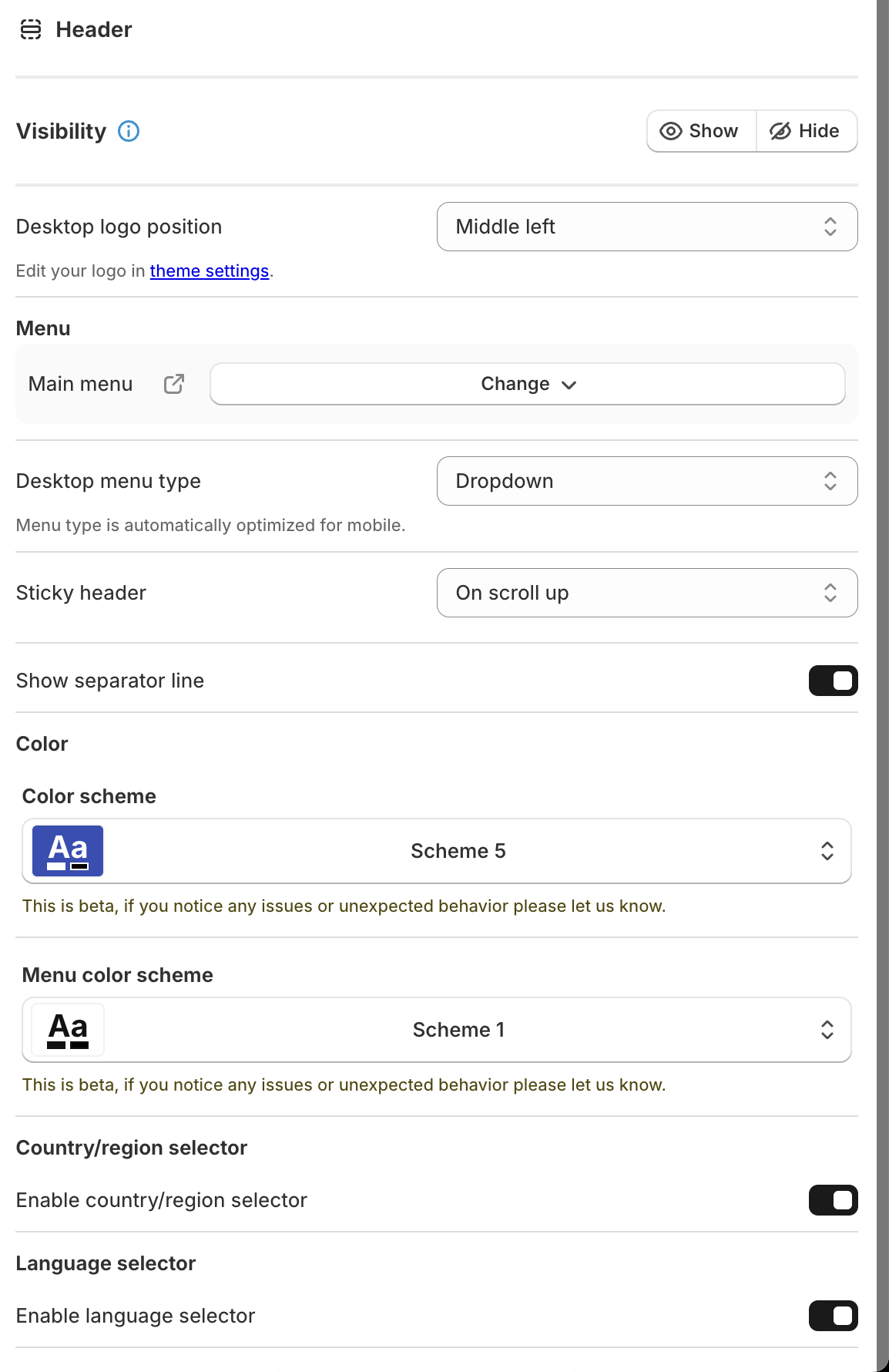
To provide a truly localized experience, you must ensure your storefront allows users to choose their preferred language and region. This is often handled within your theme settings.
- Enable Country/Language Selectors: Within your theme editor, navigate to the header or footer settings and toggle on the selectors. This allows Shopify to present the correct version of the site to the user based on their IP address or manual selection.
- Visual Consistency: Ensure your logo and navigation menus remain clear and functional regardless of the language length.
- Automated Redirection: Use Shopify's Geolocation app to prompt users to switch to their local market site as soon as they land on your homepage.
Step 4: Automate Taxes and Duties
Compliance is often the most intimidating part of global scaling. Shopify Markets simplifies this by calculating duties and import taxes at checkout.
- Duty Collection: Enable duty collection at checkout to provide customers with "landed cost" transparency. This prevents the "hidden fee" surprise when the package arrives.
- Tax Settings: Ensure your tax settings are updated for each region. Shopify will guide you through the requirements for major regions like the UK (VAT) and the EU.
Powering Up with Localized Automation
While the initial setup takes minutes, maintaining a global store manually is impossible. This is where localized automation becomes your competitive advantage. To manage multiple time zones and regional promotions, you need tools that act as your digital storefront manager.

At XCO Agency, we often work with merchants who struggle to keep their promotions synced across different time zones. If you are running a "Flash Sale" in the UK while your US team is asleep, you cannot rely on manual theme updates.
Scheduling Regional Content with Maestro Theme Scheduler
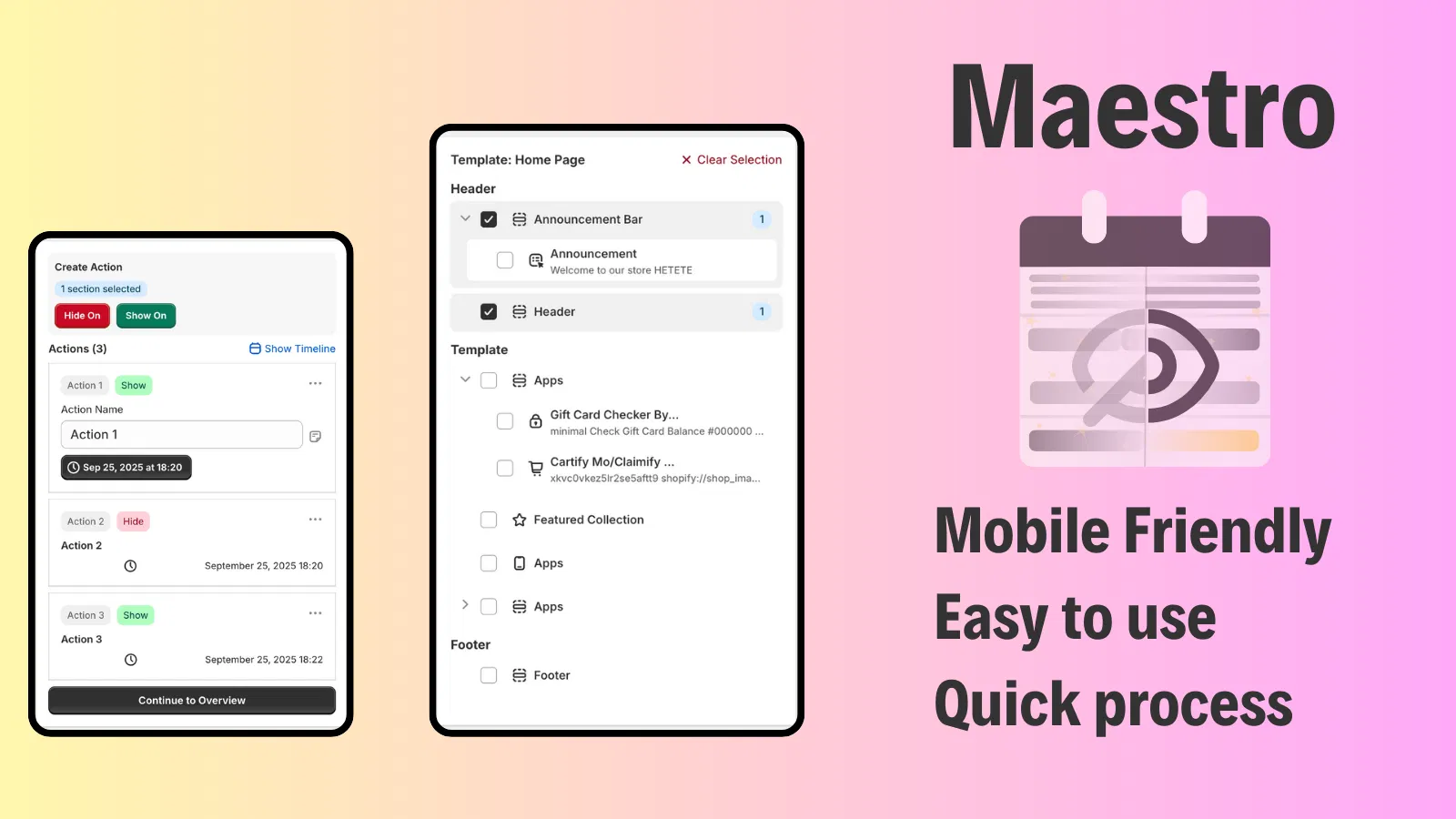
One of the most effective ways to scale is to ensure your storefront reflects local holidays and sales events. Using Maestro Theme Scheduler, you can automate these changes ahead of time.
- Time Zone Specific Campaigns: Schedule specific sections of your homepage to appear or disappear based on the local time of your target market.
- Automated Theme Publishing: If you have a completely different theme layout for a major international event, you can schedule the entire theme to publish and revert automatically.
- Reduced Human Error: By setting up your global holiday calendar weeks in advance, you eliminate the risk of missing a launch or leaving a sale banner up too long.
Managing Global Catalog Complexity
As you scale, you may find that not all products are suitable for all markets. Managing inventory and product visibility is a vital step in providing a high quality user experience.
- Regional Product Availability: Within Shopify Markets, you can select which products are published to which market. This is essential if you have licensing restrictions or shipping limitations on certain items.
- Product Maestro Scheduler: For merchants launching new collections globally, Product Maestro Scheduler allows you to automate the publishing of products across different collections and markets. This ensures your "New Arrivals" section is always accurate without manual daily updates.
- Automated Tagging: Use automation to tag products based on their international availability, making it easier for your marketing team to build regional email campaigns.
Advanced Strategies for High Growth Merchants
Once your technical foundation is in place, you can look toward more advanced growth strategies to solidify your international presence.
Localized SEO and Translation
While Shopify handles the currency, the language is what builds the deep connection. Use a translation app integrated with Shopify Markets to translate your product descriptions, meta titles, and checkout fields. This significantly boosts your search engine rankings in local markets.
Customizing Checkout with Extensibility
For Shopify Plus merchants, leveraging Checkout Extensibility is a game changer. You can add localized trust badges, regional payment methods (like Klarna in Europe or Pix in Brazil), and specific delivery instructions that cater to the local infrastructure. This level of customization ensures that the final step of the customer journey feels native and secure.
Automated Theme Management
The complexity of managing multiple international storefronts can be mitigated by using advanced scheduling tools. By integrating with Shopify Flow, you can trigger theme changes based on inventory levels or customer behavior in specific regions.

Summary of the Scaling Workflow
To wrap up, scaling globally in a short timeframe requires a balance of platform features and smart automation. Here are the simple steps to follow:
- Activate Shopify Markets: Define your target region and enable local currency.
- Set Up Duties and Taxes: Ensure transparent pricing at checkout to build customer trust.
- Implement Automation: Use tools like Maestro Theme Scheduler to manage regional time zones and promotions without manual intervention.
- Localize the Experience: Enable language selectors and use translation tools to make your brand feel "at home" in every territory.
- Refine Your Strategy: Monitor regional performance and adjust your product catalog based on local demand.
Scaling globally is a vital step for any merchant looking to reach their full potential. The technical barriers that once existed have been replaced by streamlined workflows and intelligent apps. By taking a proactive step today and utilizing the automation tools available, you can transform your Shopify store into a global powerhouse.
If you are ready to optimize your international setup or need help with a complex migration to Shopify, our team is here to guide you. From speed optimization to advanced custom development, we help high growth merchants dominate their markets.
Ready to automate your global growth? Book a meeting with XCO Agency today to discuss how we can streamline your international operations.