
As a Shopify expert, I often encounter merchants who are physically pained by their own support inboxes. They start their day with twenty emails about a missing button on a sweater, thirty more about a warranty claim for a blender that met an untimely end, and a handful of confusing requests for exchanges that involve three different colors and a size change. It is a chaotic ecosystem where productivity goes to die. If you are seeking a way to reclaim your sanity and provide a better experience for your customers, moving toward a self-service model is the most logical step you can take.
Enterprise ecommerce solutions are no longer just about high-volume processing: they are about high-efficiency operations. When your store reaches a certain scale, manual claim handling becomes a bottleneck that stifles growth. This is where Claimify enters the picture. By integrating this app directly into your storefront, you transform a tedious manual process into a streamlined, automated workflow. Customers get their answers instantly, and you get a unified dashboard that actually makes sense.
Here is why self-service support via Claimify is a game-changer for your brand:
- It eliminates the "Where is my return?" back-and-forth emails.
- It empowers customers to take action the moment they encounter an issue.
- It applies automated validation rules to ensure only valid claims are submitted.
- It provides a professional, branded portal that enhances trust.
- It frees up your support team to focus on complex queries rather than routine data entry.
Step 1: Installing and Initial Configuration
The first step in modernizing your support flow is the actual installation. Claimify is designed to live within the Shopify ecosystem, meaning it plays nice with your existing data and theme architecture. Once you have added the app to your store, the initial setup wizard will guide you through the basics of connecting your order history.
When you first open the app, you will need to sync your historical data. This ensures that when a customer enters their order number, Claimify can instantly pull up the relevant items, purchase dates, and shipping status. This is a vital component of enterprise ecommerce solutions because it prevents customers from filing claims on orders that are too old or have not even been delivered yet.
After the sync, your first priority is defining your "Support Windows." You must decide how long after a purchase a customer can file a return, an exchange, or a warranty claim. By setting these parameters early, you prevent the awkward conversation where you have to tell a customer that their request from 2024 is unfortunately no longer valid.
Step 2: Defining Automated Validation Rules
The real power of Claimify lies in its ability to act as a digital gatekeeper. You do not want every single request to land on your desk if it does not meet your store policy. Automated validation rules allow you to set logic that filters out impossible or against-policy requests before they even reach your dashboard.
As you configure these rules, think about your most common "rejection" reasons. If you do not accept returns on sale items, you can set a rule that automatically greys out those items in the customer portal. If a warranty claim requires a photo of the damage, you can make that field mandatory.
- Navigate to the Rules engine within the Claimify dashboard.
- Select the type of claim you want to restrict (e.g., Returns).
- Add conditions based on product tags, order value, or fulfillment status.
- Write clear error messages that explain to the customer why a specific item is ineligible.
By setting these rules, you are essentially providing ecommerce maintenance services for your own brand by ensuring the data entering your system is clean and actionable.

Step 3: Integrating the Portal into Your Storefront
A self-service tool is only useful if people can actually find it. You have several options for where to place the Claimify portal. The most common locations are the main navigation menu, the footer, and the customer account page. However, the real "pro move" is placing it on the Thank-You page.
By adding a "Need help with this order?" link on the post-purchase page, you are showing the customer that you stand by your product even before they have received it. To do this, you will use the Shopify Theme Editor to add the Claimify block.
- Go to your Online Store and click Customize on your active theme.
- Navigate to the page where you want the portal link to appear (usually a custom Page template or the Account page).
- Click "Add Section" or "Add Block" and look for Claimify under the Apps category.
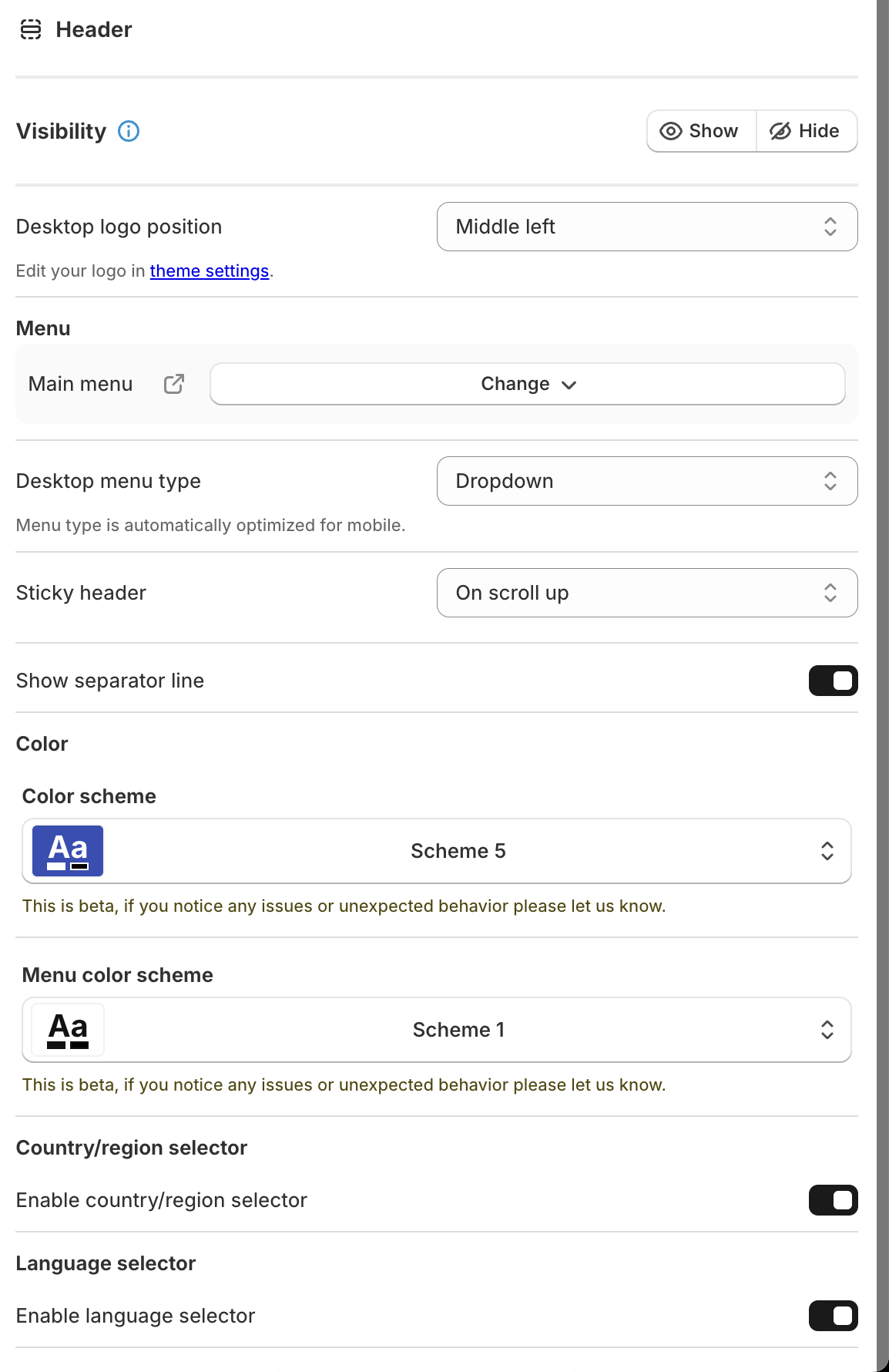
- Ensure the button style matches your brand colors and typography.
If you are working with Shopify integrations, you know that visual consistency is key. You do not want the portal to look like a third-party pop-up that was tacked on as an afterthought. Claimify allows for deep CSS customization so that the transition from your product page to the claim portal is seamless.

Step 4: Customizing the Branding and User Experience
Once the portal is technically integrated, it is time to make it look like part of the family. Customers are naturally wary when they are redirected to a new interface, especially when they are already frustrated because a product arrived broken or did not fit. A cohesive design goes a long way in de-escalating customer tension.
Inside the Claimify settings, you can upload your logo, choose your primary brand colors, and even customize the wording on the buttons. Instead of "Submit Claim," you might choose "Send to the Team" or "Start My Return." This casual, helpful tone helps humanize the automation.
Beyond just the colors, you should carefully consider the "Success Message" the customer sees after they submit their claim. This is the moment to set expectations. Tell them exactly how long it will take for a human to review the request and what the next steps will be. Clear communication here prevents the customer from immediately hopping over to your Instagram comments to ask if you received their request.
Step 5: Managing the Unified Dashboard
Now that the front-end is live and the customers are happily serving themselves, you need to manage the back-end. Claimify moves everything out of your inbox and into a structured dashboard. Each claim is assigned a status: Pending, Approved, Rejected, or More Info Needed.
This centralized view is essential for anyone providing enterprise ecommerce solutions. It allows you to see patterns. If you notice that fifty people have filed claims for the same SKU because of a "sizing issue," you know you need to update that product description or talk to your manufacturer. This level of insight is impossible to gain when the data is buried in a thousand separate email threads.
When a claim comes in, you can review the attached photos, check the validation rules that were applied, and either approve or reject it with a single click. If you approve a refund, Claimify can even trigger the refund in Shopify automatically, saving you the extra steps of navigating back and forth between apps.
Improving the Post-Purchase Journey
The period between a customer clicking "buy" and the product arriving (or being returned) is the most emotionally charged part of the customer journey. If you make it difficult for a customer to fix a mistake or return a product, you have likely lost that customer for life.
Integrating Claimify is a proactive step toward building long-term loyalty. It shows that you value the customer's time as much as your own. When a return is processed in minutes via a self-service portal rather than days via an email chain, the customer feels a sense of control and satisfaction. They are far more likely to come back and buy again if they know that the "exit" is just as easy as the "entrance."
For businesses looking for ongoing ecommerce maintenance services, optimizing these support flows is a top priority. It reduces overhead and increases the lifetime value of every customer.

Conclusion: Taking the Leap Toward Automation
Moving your support from a messy inbox to a unified, self-service dashboard is not just a trend: it is a necessity for modern ecommerce. By integrating Claimify with your storefront, you are solving two problems at once. You are giving your customers the instant gratification they crave and giving yourself the organized, data-driven workflow you need to scale.
The setup is straightforward, the validation rules are powerful, and the impact on your daily operations will be felt almost immediately. No more searching for order numbers in your email search bar. No more manually checking if a return is within the 30-day window. Just a clean, efficient process that lets you get back to the actual business of selling.
If you are ready to stop drowning in support tickets and start growing your store with professional, enterprise-grade tools, now is the time to act. If you need help with the technical heavy lifting or want to explore more enterprise ecommerce solutions, I highly recommend you book a meeting with our team. We can help you fine-tune your Shopify setup to ensure your store is running at peak performance.