
As a Shopify expert, I often work with merchants who feel like they are playing a perpetual game of catch-up with their pricing. Whether it is a midnight flash sale, a seasonal markup, or a complex holiday discount rollout, the process of manually updating prices across thousands of SKUs is more than just a chore. It is a significant business risk.
The reality of modern e-commerce is that static pricing is a relic of the past. To remain competitive in a landscape dominated by rapid market shifts and high-volume sales events, merchants are seeking ways to turn pricing into a strategic lever rather than a manual bottleneck. This is where automation through tools like the Maestro Product Scheduler becomes a game changer for growing brands.
By shifting from a reactive "seasonal" mindset to a proactive "strategic" one, you can significantly enhance your operational efficiency and protect your margins. In this guide, I will explore why scheduled pricing is a vital step for any high-growth Shopify Plus store and how you can implement these strategies today.
The Hidden Cost of Manual Price Management
Before we look at the solutions, it is important to acknowledge the struggle many store owners face when managing prices manually. When you rely on a team to click through the Shopify admin or upload CSV files in the middle of the night, you open the door to several critical issues.
-
Operational Inefficiency
- Manual updates can take hours or even days for large catalogs, pulling your team away from high-value tasks like marketing strategy or customer acquisition.
-
Human Error and Mispricing
- A single typo in a bulk upload can lead to massive revenue loss or a customer service nightmare when prices do not match advertised promotions.
-
Missed Windows of Opportunity
- If your competitors drop prices on a Friday afternoon and your team is offline, you lose the entire weekend's worth of competitive traffic.
-
Inconsistent Customer Experience
- Failing to roll back a sale on time can confuse customers and lead to distrust if they see different prices across your site and social channels.
Strategic Pricing Frameworks You Can Automate
Once you move away from manual updates, you can begin to implement more sophisticated pricing strategies that align with your business goals. Here are the most effective models I recommend to our clients at XCO Agency.
1. Seasonal Margin Optimization
Many industries, particularly fashion and home goods, follow predictable seasonal cycles. Instead of waiting for the season to end to slash prices, you can schedule gradual price decreases. This helps you move inventory steadily without the "cliff" of a 50 percent off sale that erodes your perceived brand value.
2. High-Volume Holiday Markups
During peak demand periods like the weeks leading up to Christmas or Valentine's Day, certain high-intent products can support a slight price increase. By scheduling these markups in advance, you capture the increased willingness to pay without needing to manage the logistics during your busiest shipping days.
3. Automated Clearance Cycles
For products that are reaching the end of their lifecycle, you can set up a "liquidation schedule." For example, you might schedule a 20 percent discount for week one, a 40 percent discount for week two, and a final 60 percent markdown for week three. This ensures you are constantly clearing old stock to make room for new arrivals in your custom Shopify themes.

The Results-Oriented Benefits of Automation
The transition to scheduled pricing is not just about convenience; it is about the bottom line. Merchants who utilize the Maestro Theme Scheduler and pricing automation tools see measurable improvements in their business performance.
-
Significant Margin Protection
- Automation allows you to set "floor" prices that ensure you never sell at a loss, even during aggressive holiday sales.
-
Reduced Labor Costs
- By automating 10 to 15 hours of manual work per week, you can reallocate your staff to more creative or analytical roles that drive growth strategies.
-
Enhanced Marketing Alignment
- When your pricing is scheduled, your marketing team can launch email and SMS campaigns with total confidence that the site will reflect the promised offers the moment the message hits the customer's inbox.
-
Precision in Execution
- Scheduled rollbacks mean that sales end exactly when they are supposed to, preserving the urgency of your promotions and preventing "sale fatigue" among your audience.
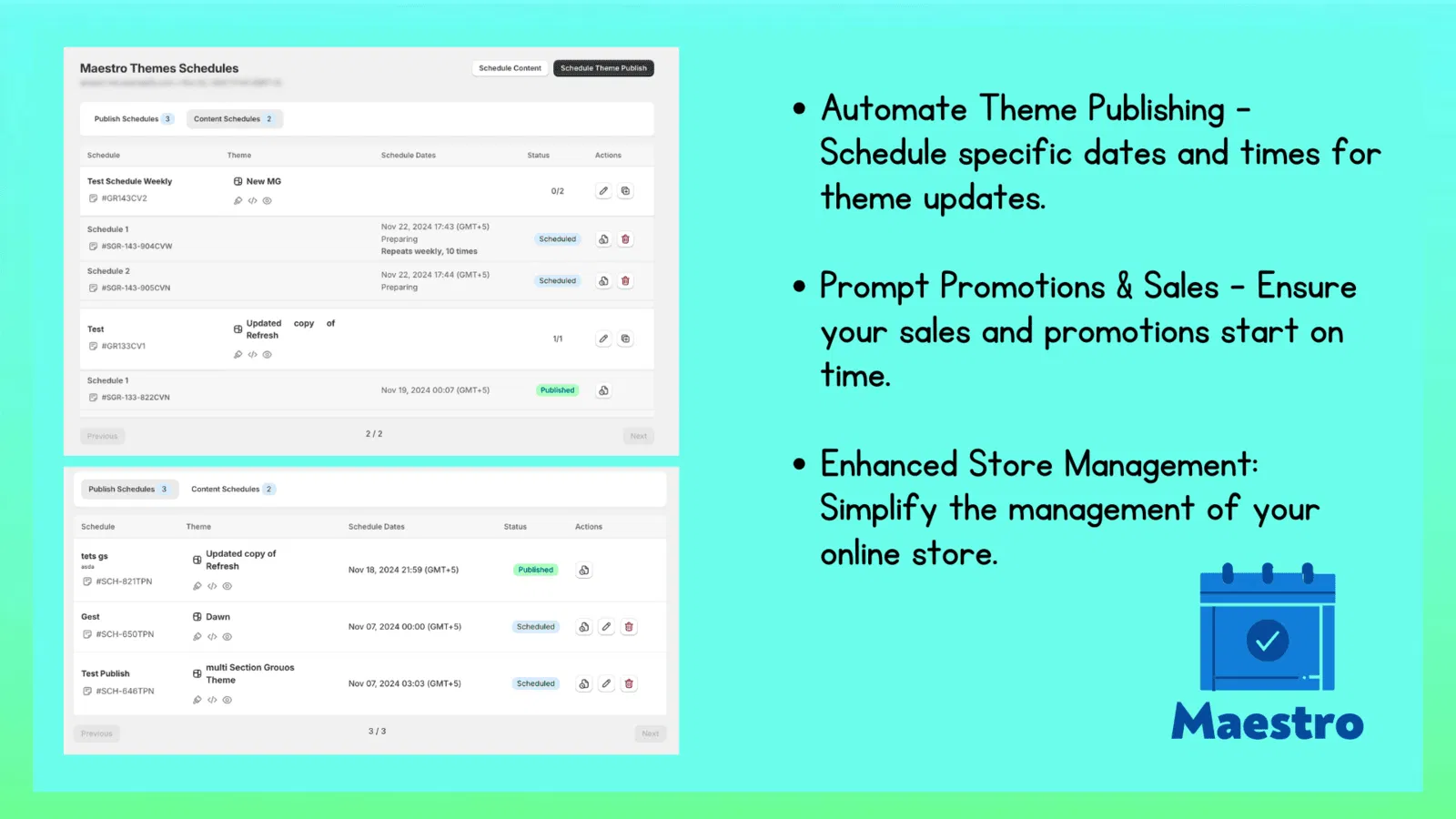
How to Implement Scheduled Pricing in 5 Steps
As a Shopify Plus Partner, we have refined the process of setting up automated pricing workflows. Here are the simple steps to get started with the Maestro Product Scheduler.
Step 1: Audit Your Catalog for Pricing Opportunities
Identify which products are highly sensitive to seasonal changes or holiday demand. Look for items with high inventory levels that would benefit from a scheduled markdown series.
Step 2: Define Your Pricing Rules
Before touching the software, write down your logic. Decide exactly when a price should change, what the new price will be, and most importantly, when it should revert to the original price.
Step 3: Access the Maestro Scheduler Interface
Navigate to the Maestro app within your Shopify admin. This tool is specifically designed to handle complex scheduling tasks that the standard Shopify admin cannot manage natively.
- Select the products or collections you wish to edit.
- Choose the "Scheduled Price Change" action.
- Set the start date and time with precision down to the minute.
Step 4: Configure the Rollback
Ensure you also schedule the end time for your promotion. The Maestro system will automatically revert the "Price" and "Compare at Price" fields to their original values, eliminating the risk of a permanent markdown.
Step 5: Test and Verify
Use the preview features to see how your custom Shopify themes will display the price changes. Once you are satisfied, activate the schedule and let the automation take over.

Why Shopify Plus Development Demands Automation
For enterprise-level brands, the stakes are much higher. A minor error on a high-traffic store can lead to thousands of dollars in lost revenue in minutes. This is why Shopify Plus development frequently involves integrating advanced scheduling tools like Maestro.
When you are managing multiple markets, currencies, and hundreds of daily orders, you cannot afford to have a manual pricing process. Automation provides the scalability required to grow your brand without exponentially increasing your operational overhead. It allows you to maintain a lean team while executing sophisticated, multi-channel pricing strategies that rival the largest retailers in the world.
Conclusion: Taking the Proactive Step
Moving from seasonal to strategic pricing is a vital step for any merchant looking to professionalize their operations. By embracing automation, you move away from the stress of manual updates and toward a model of precision and profitability.
The Maestro Product Scheduler is not just a tool for convenience; it is a strategic asset that helps you maximize every sales window, protect your hard-earned margins, and provide a seamless experience for your customers. In the fast-paced world of e-commerce, the ability to plan in advance is often the difference between a good year and a great one.
If you are ready to optimize your store’s pricing strategy and explore the full potential of Shopify Plus development, we are here to help.
Ready to transform your pricing strategy? Try Product Scheduler by Maestro or book a consultation with the XCO Agency team to discuss how we can build a scalable solution for your business.