
As a Shopify expert working with high-volume brands, I've seen too many merchants pulling all-nighters just to launch a flash sale. They're frantically updating product tags, switching collections, adjusting prices, and hoping nothing breaks during peak traffic. It's exhausting, error-prone, and honestly, completely unnecessary in 2026.
If you've ever stayed up until midnight to manually launch a product drop or flash sale, this guide is for you. I'm going to show you how Product Maestro eliminates the manual chaos and gives you back your sleep while ensuring flawless execution every single time.
The Real Cost of Manual Flash Sale Management
Let's talk about what actually happens behind the scenes of a "midnight drop" or flash sale. Most merchants think it's just about changing a few product settings, but the reality is far more complex.
Here's what you're typically managing:
- Product visibility changes - Moving items in and out of collections at precise times
- Tag updates - Adding or removing tags like "new-arrival," "flash-sale," or "limited-edition"
- Price adjustments - Activating sale prices and reverting them when the promotion ends
- Inventory coordination - Ensuring sold-out items don't appear in active collections
- Multi-channel sync - Keeping everything aligned across your store, mobile app, and social channels
When you're doing this manually, you're dealing with a three-hour window of high-stress work. You're clicking through product pages, double-checking every change, and constantly worrying about what you might have missed. One wrong click during peak traffic can mean a pricing error that costs you thousands or a broken customer experience that damages your brand reputation.
And here's the kicker: you're doing all this during the exact moment when your customers are most engaged and your store is under the heaviest load. It's not sustainable, and it's definitely not scalable.
How Product Maestro Changes the Game
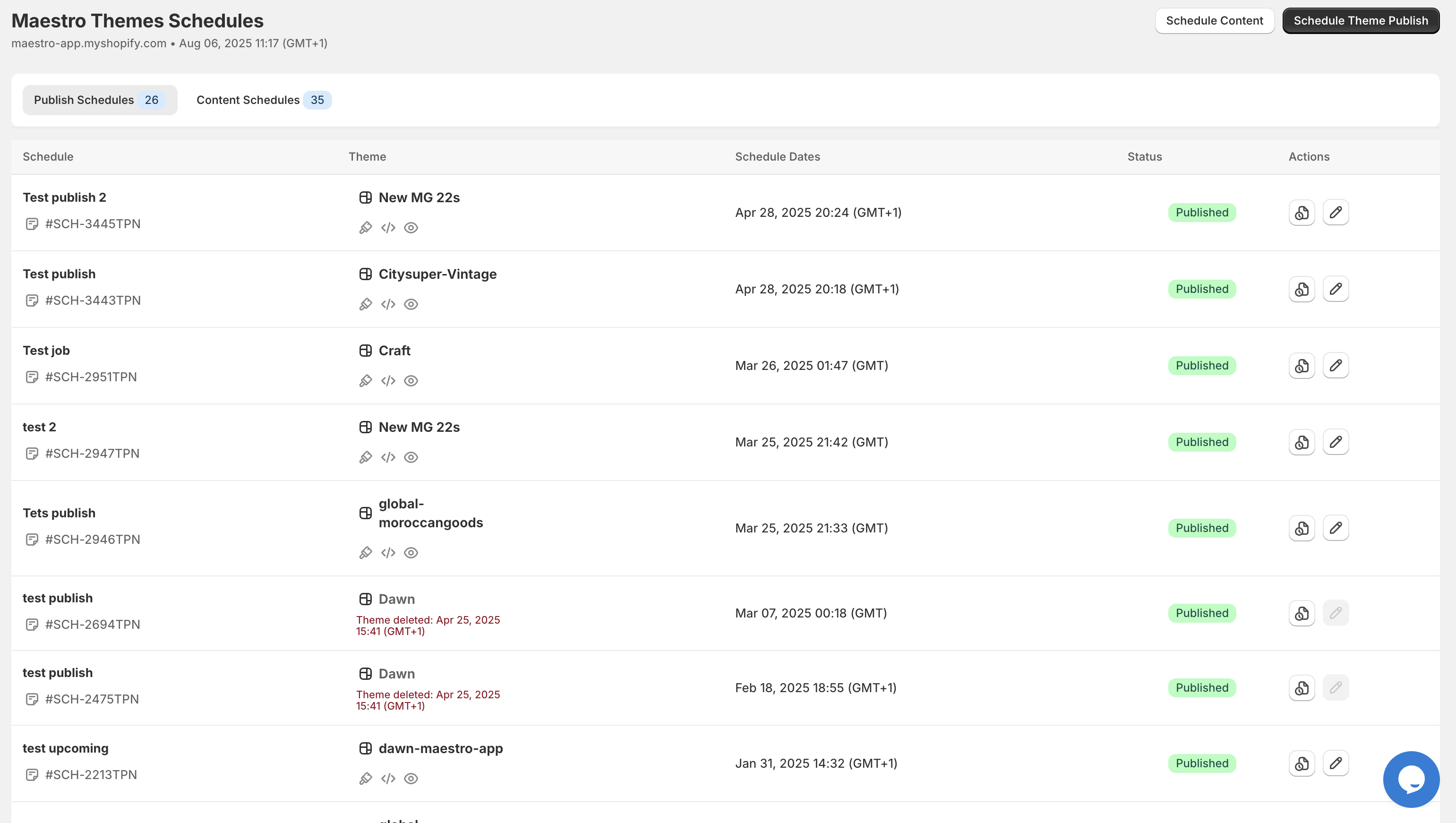
Product Maestro is built specifically to solve this problem. It's an automation engine that handles all your product updates, collection changes, and inventory swaps on a schedule you control.

Think of it as your behind-the-scenes operations manager. You set up your flash sale parameters once, schedule when things should change, and Product Maestro executes everything with perfect timing and zero errors.
Here's what makes it powerful for flash sales:
Precision Scheduling - Set exact dates and times for product changes down to the minute. Launch at midnight EST? 3 AM GMT? No problem. Product Maestro handles it while you sleep.
Bulk Operations - Update hundreds or thousands of products simultaneously. Change tags, move collections, adjust visibility across your entire catalog in one scheduled action.
Recurring Automation - Run weekly drops, monthly flash sales, or seasonal campaigns without rebuilding the workflow each time. Set it once, and it repeats automatically.
Error Prevention - No more human mistakes during high-pressure moments. Product Maestro executes exactly what you programmed, every single time.
Traffic-Safe Execution - Unlike manual updates that can slow down your store during peak traffic, Product Maestro operates efficiently without impacting customer experience.
Setting Up Your First Automated Flash Sale
Let me walk you through how this actually works in practice. I'll use a real scenario that many of my clients face: launching a limited-edition collection at midnight.

Step 1: Define Your Product Parameters
Start by identifying which products are part of your flash sale. You can select by collection, vendor, product type, or manually choose specific items. Product Maestro gives you complete flexibility here.
Step 2: Configure Your Changes
Decide what needs to happen when the sale goes live:
- Add a "flash-sale" tag to all participating products
- Move products into your "Limited Edition" collection
- Update product titles to include "[Flash Sale]" prefix
- Adjust metafields for any custom features
Step 3: Set Your Schedule
Choose your exact launch time. Product Maestro supports multiple time zones, so if you're running a global brand, you can coordinate drops across different regions simultaneously.
Step 4: Program the Reversal
Here's where automation really shines. Schedule when the sale ends and what should happen:
- Remove flash sale tags
- Move products back to regular collections
- Revert title changes
- Update any temporary pricing or promotional content
Step 5: Test and Activate
Product Maestro includes a preview function. You can see exactly what will change before it happens. Once you're confident, activate the schedule and let the system handle the rest.
Real Use Case: Valentine's Day Jewelry Drop
One of my clients, a boutique jewelry brand, was preparing for their biggest launch of the year: a limited-edition Valentine's collection dropping at midnight on February 1st. In previous years, this meant their founder staying up late, manually updating 47 product listings, creating new collections, and coordinating banner changes across their store.
This year, they used Product Maestro instead.
Here's what they automated:
Launch Sequence (February 1st, 12:00 AM EST)
- Made 47 new products visible on the storefront
- Added "valentines-2026" and "limited-edition" tags
- Moved all products into a new "Valentine's Limited Edition" collection
- Updated product descriptions to include promotional copy
- Activated special pricing for early-bird customers
Mid-Campaign Adjustment (February 8th, 12:00 AM EST)
- Changed tags from "early-bird" to "last-chance"
- Updated collection sorting to prioritize low-stock items
- Modified product titles to include "Almost Gone" for items under 10 units
Sale End (February 14th, 11:59 PM EST)
- Removed all Valentine's tags
- Archived the special collection
- Reverted products to regular pricing
- Moved remaining inventory to a "Past Collections" archive
The result? Zero manual intervention. The founder spent her midnight relaxing instead of clicking through dozens of product pages. The launch was flawless, with products appearing at exactly 12:00:00 AM. No errors, no missed items, no stress.
Most importantly, they captured 100% of the peak traffic window. In previous years, manual updates took 15-20 minutes, meaning early customers sometimes saw incomplete product launches or broken collection pages. This year, everything was perfect from second one.
The Time Savings Are Dramatic
Let's break down the real numbers. For a typical flash sale with 50 products:
Manual Process:
- Product review and preparation: 45 minutes
- Tag updates across 50 products: 30 minutes
- Collection reorganization: 25 minutes
- Price adjustments and verification: 40 minutes
- Post-sale cleanup and reversal: 45 minutes
- Total time: 3 hours 5 minutes
With Product Maestro:
- Initial setup and schedule creation: 12 minutes
- Review and activation: 3 minutes
- Execution: Automatic
- Post-sale cleanup: Automatic
- Total time: 15 minutes (98% time reduction)
But time savings are just part of the story. The real value is in consistency and accuracy. Product Maestro eliminates the risk of:
- Forgetting to update certain products
- Making pricing errors during late-night work
- Missing the optimal launch window
- Leaving sale prices active after promotion ends
- Creating inconsistent tagging across your catalog
Beyond Flash Sales: Where Else This Matters
While flash sales are the most dramatic use case, Product Maestro's scheduling capabilities extend to many other scenarios I see brands struggling with:
Seasonal Transitions - Automatically rotate your product catalog as seasons change. Move winter items to archive collections and bring spring products to the forefront without manual intervention.
Weekly Drops - If you're running a "New Release Friday" model, schedule new products to appear every week at the same time. Build anticipation and consistency with your audience.
Regional Launches - Launching products in different markets at different times? Schedule visibility changes by market so European customers see products at 9 AM their time while US customers see them at 9 AM EST.
Inventory-Based Automation - Coordinate product visibility with your inventory levels. When items sell out, automatically remove them from active collections and replace them with available alternatives.
Campaign Coordination - Align product updates with your email campaigns, social media posts, and paid advertising. Launch everything simultaneously for maximum impact.
Making It Work for Your Store
The key to successful flash sale automation is planning ahead. I recommend setting up your Product Maestro schedules at least 48 hours before any major launch. This gives you time to review, test, and adjust without the pressure of an imminent deadline.
Start with smaller tests. Schedule a single product update or collection change during a low-traffic period. Watch how it executes, verify the results, then scale up to your full flash sale operation.
Document your processes. Create templates for common scenarios like holiday launches, seasonal transitions, or weekly drops. This makes it faster to set up future campaigns and easier to train team members.
If you're running multiple flash sales per month, Product Maestro's recurring schedule feature becomes invaluable. Set up your "First Friday Flash Sale" once, and it repeats automatically every month with consistent timing and execution.
The Competitive Advantage
Here's something most merchants don't realize: your competitors are likely still doing this manually. That means they're slower to market, more error-prone, and limited by human capacity.
When you automate with Product Maestro, you gain several competitive edges:
You can run more frequent promotions without burning out your team. You can coordinate more complex multi-product launches with confidence. You can execute flawlessly during high-traffic moments when your competitors are struggling. And you can scale your promotional calendar without adding operational overhead.
In the fast-moving world of e-commerce, being first to market and flawless in execution often determines who wins the sale. Product Maestro gives you both.
Ready to Automate Your Next Drop?
Flash sales and product launches shouldn't require all-nighters and crossed fingers. With Product Maestro, you get the precision timing and error-free execution that high-volume brands need to compete at the highest level.
Whether you're planning a Valentine's Day collection drop, a Black Friday mega-sale, or weekly product launches, automation is the difference between stress and success.
Want to see how Product Maestro can transform your flash sale operations? Visit XCO Agency to learn more about our Shopify automation solutions, or book a meeting to discuss your specific use case. Let's build a system that works while you sleep.