
As a Shopify expert, I often witness store owners struggling with the logistics of running a high-converting store. They spend thousands on ads and hours on design, but when the clock strikes midnight for a sale, the storefront is still showing yesterday’s prices. Conversion rate optimization is not just about having a pretty button or a fast checkout: it is about delivering the right message at the exact moment your customer is ready to buy.
Timing is the silent killer of conversions. If your "End of Season Sale" banner is still live three days after the sale ended, you lose trust. If your "New Arrival" section does not appear the moment your email blast goes out, you lose revenue. I often work with brands that try to manage these updates manually, which leads to human error, missed deadlines, and lost sleep.
By utilizing the Maestro Theme Scheduler, you can automate these transitions and ensure your store is always optimized for the current moment. Here are five actionable tips to help you boost your conversion rate instantly using automation.
1. Orchestrate High Impact Flash Sales with Precision
Flash sales are one of the most effective ways to drive immediate revenue, but they require perfect execution. A delay of even ten minutes can result in customer frustration and abandoned carts. As a Shopify expert, I recommend using the Maestro Theme Scheduler to handle the heavy lifting.
Instead of staying up until midnight to publish a theme, you can prepare your high-conversion theme version days in advance. This allows you to:
- Automate the Switch: Schedule the exact time your promotional theme goes live and, more importantly, when it reverts to your standard theme.
- Maintain Brand Consistency: Ensure every banner, product description, and announcement bar updates simultaneously across the entire site.
- Reduce Human Error: Eliminate the risk of broken links or missing assets that often occur during rushed manual updates.
When your site updates instantly as the sale begins, it creates a sense of professional reliability that encourages customers to complete their purchase. You can learn more about how to set up these automated workflows on our Maestro Theme Scheduler page.

2. Master Global Time Zones Without the Sleep Deprivation
One of the biggest hurdles for growing e-commerce brands is managing a global audience. If you have customers in London, New York, and Tokyo, a single "midnight" update does not work for everyone. Using custom Shopify themes tailored for specific regions is a great strategy, but managing them is a nightmare without automation.
Maestro Theme Scheduler allows you to plan updates that align with the peak shopping hours of your most profitable regions. This ensures that:
- Promotions are Relevant: Your UK customers see the "Morning Coffee Special" while your US customers see the "Evening Wind Down Sale."
- Team Coordination: Your marketing team can set up the entire week’s worth of global updates on a Monday morning and let the app handle the execution.
- Operational Efficiency: You no longer need to coordinate with developers in different time zones just to push a minor content change.
For stores expanding into international markets, particularly those using Shopify B2B wholesale channels, this level of precision is vital for maintaining a professional presence.
3. Automate Visual Freshness for Returning Visitors
The modern consumer requires multiple touchpoints before making a purchase. If a customer visits your store three times in one week and sees the exact same hero image every time, your brand begins to feel stagnant. Conversion rate optimization relies heavily on keeping the user experience fresh and engaging.
With the Maestro plan, you can schedule specific sections and blocks rather than just entire themes. This is a game-changer for visual storytelling.
- Step 1: Create multiple hero banners. Design variations that highlight different product benefits or customer testimonials.
- Step 2: Schedule daily rotations. Set the "Maestro Theme Scheduler" to toggle the visibility of these sections throughout the week.
- Step 3: Analyze the impact. Observe which visuals lead to higher engagement and higher click-through rates.
Keeping your store visually dynamic signals to the customer that your brand is active and thriving. If you need help designing these high-converting sections, our Shopify design services can help you create assets that pop.

4. Align Your Storefront with Your Marketing Calendar
A common mistake I see is a massive disconnect between email marketing and storefront content. A customer clicks a link in an email promising "40% off sitewide" only to land on a homepage that mentions nothing about the discount. This friction is a conversion killer.
The solution is to treat your Shopify store as a living extension of your marketing calendar. By using Shopify integrations, you can sync your Maestro schedules with your Klaviyo or Omnisend campaigns.
- Pre-Launch Teasers: Schedule a countdown block to appear 24 hours before a major drop to build anticipation.
- Mid-Sale Reminders: Automatically swap your hero banner to a "Last Chance" message during the final 6 hours of a promotion.
- Post-Sale Transition: Ensure the site returns to a standard layout the second the discount codes expire to avoid customer complaints.
This level of synchronization ensures a seamless transition from the inbox to the checkout. It creates a cohesive journey that feels intentional rather than haphazard.

5. Optimize for Recurring Sales Cycles
If your business has a weekly or monthly rhythm, such as "Free Shipping Fridays" or "New Drop Tuesdays," manual updates are a waste of your time. You should be spending your energy on growth strategies, not clicking the publish button every week.
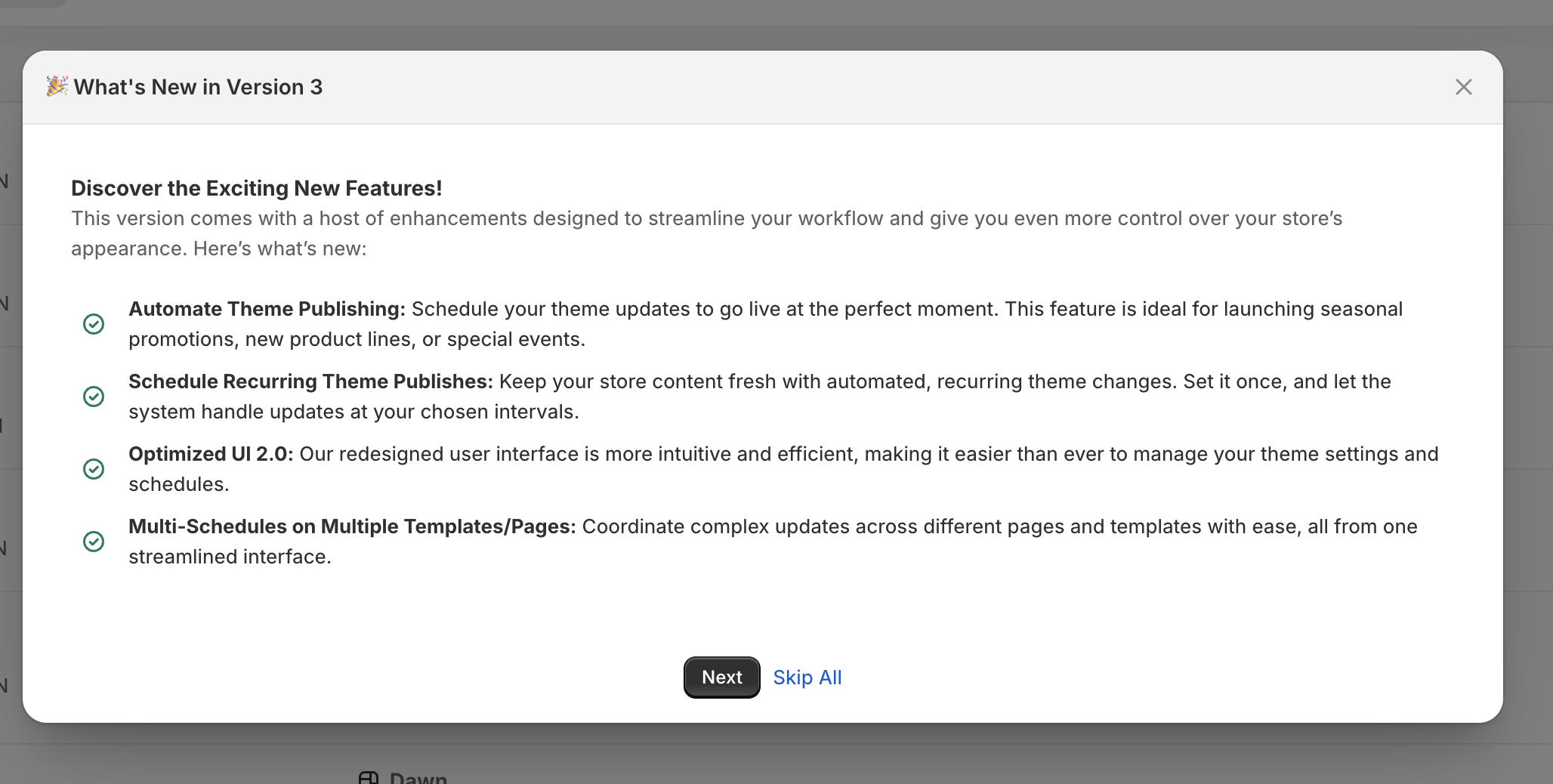
Maestro Theme Scheduler features recurring schedules that allow you to set it and forget it. This is particularly useful for:
- Weekly Promotions: Set a specific "Friday Sale" theme to go live every Friday at 9:00 AM and revert at midnight.
- Weekend Mode: Switch to a different layout for the weekend that focuses more on lifestyle content and story-driven selling.
- Inventory Clearing: Schedule recurring "Deal of the Day" sections to move slow-moving stock without permanent site changes.
Automating these cycles ensures that your conversion optimization efforts are consistent. Consistency builds habits in your customers, and habits lead to higher lifetime value. For those looking to dive deeper into these types of long-term scaling, checking out our growth strategies is a proactive step.
Taking Your Store to the Next Level
The difference between a store that barely breaks even and one that scales to seven figures often comes down to operational excellence. Automation tools like Maestro Theme Scheduler are not just "nice to have" features: they are essential components of a modern e-commerce stack.
By automating your theme transitions, section visibility, and regional updates, you remove the friction that prevents customers from buying. You ensure that your store is always relevant, always fresh, and always optimized for the highest possible conversion rate.
If you are tired of manual updates and missed opportunities, it is time to professionalize your workflow. You can start by exploring the Maestro app on the Shopify App Store or by reviewing our frequently asked questions to see how this fits into your current setup.
Boosting your conversion rate does not always require a total redesign. Sometimes, it just requires being on time. If you want to discuss a custom strategy for your store, feel free to book a meeting with us today. We can help you audit your current processes and implement the automation needed to let you focus on what really matters: growing your business.