
As a Shopify expert, I often work with ambitious merchants who dread the stroke of midnight when a seasonal shift arrives. Welcome to Day 96 of our 100-day Maestro Theme Scheduler Ultimate Roadmap Series. Since today is August 1, the back-to-school shopping rush is just around the corner. If you are still manually updating prices, shuffling collections, and swapping product tags by hand at midnight, it is time to upgrade your operations.
Here at XCO Agency, we specialize in high-performance e-commerce solutions, and today I will show you how to leverage the product scheduler features within Maestro to automate your summer to back-to-school catalog transition seamlessly.
Why Automated Seasonal Transitions Matter for Your Store
When preparing your e-commerce store for peak shopping periods, timing is everything. Missing a launch window by even an hour can mean lost revenue and frustrated shoppers. That is why implementing robust automation is vital for modern e-commerce success.
Here are the key advantages of automating your seasonal catalog transitions:
- Eliminate manual errors - Prevent embarrassing pricing mismatches or lingering out-of-season items.
- Optimize inventory flow - Automatically publish back-to-school essentials while archiving summer clearance stock.
- Save valuable team hours - Free up your staff from tedious midnight data entry so they can focus on marketing strategy.
- Significantly boost conversion rates - Ensure campaigns launch precisely when customer intent peaks.

Step 1: Audit Your Summer Inventory and Map Your Back-to-School Catalog
Before setting up your automated workflows, you need a clear blueprint of what is staying and what is going. Proper planning ensures your catalog updates execute flawlessly without disrupting your store architecture.
Here are simple steps to audit your inventory:
- Navigate to your Shopify admin and review your active summer collections.
- Identify items that need to be discounted, archived, or transitioned to draft status.
- Tag items appropriately for easy bulk selection.
- Compile your back-to-school product list including new arrivals, bundle packs, and essential supplies.
- Ensure all product descriptions, high-resolution images, and SKUs are finalized.
- Verify that your inventory levels are accurate across all sales channels.
- Plan your pricing strategy ahead of time.
- Determine promotional discounts for remaining summer stock.
- Set launch prices for new back-to-school inventory.
Once your inventory is organized, you can build your custom shopify themes and layout structures using the companion Maestro Theme Scheduler to match your visual branding.
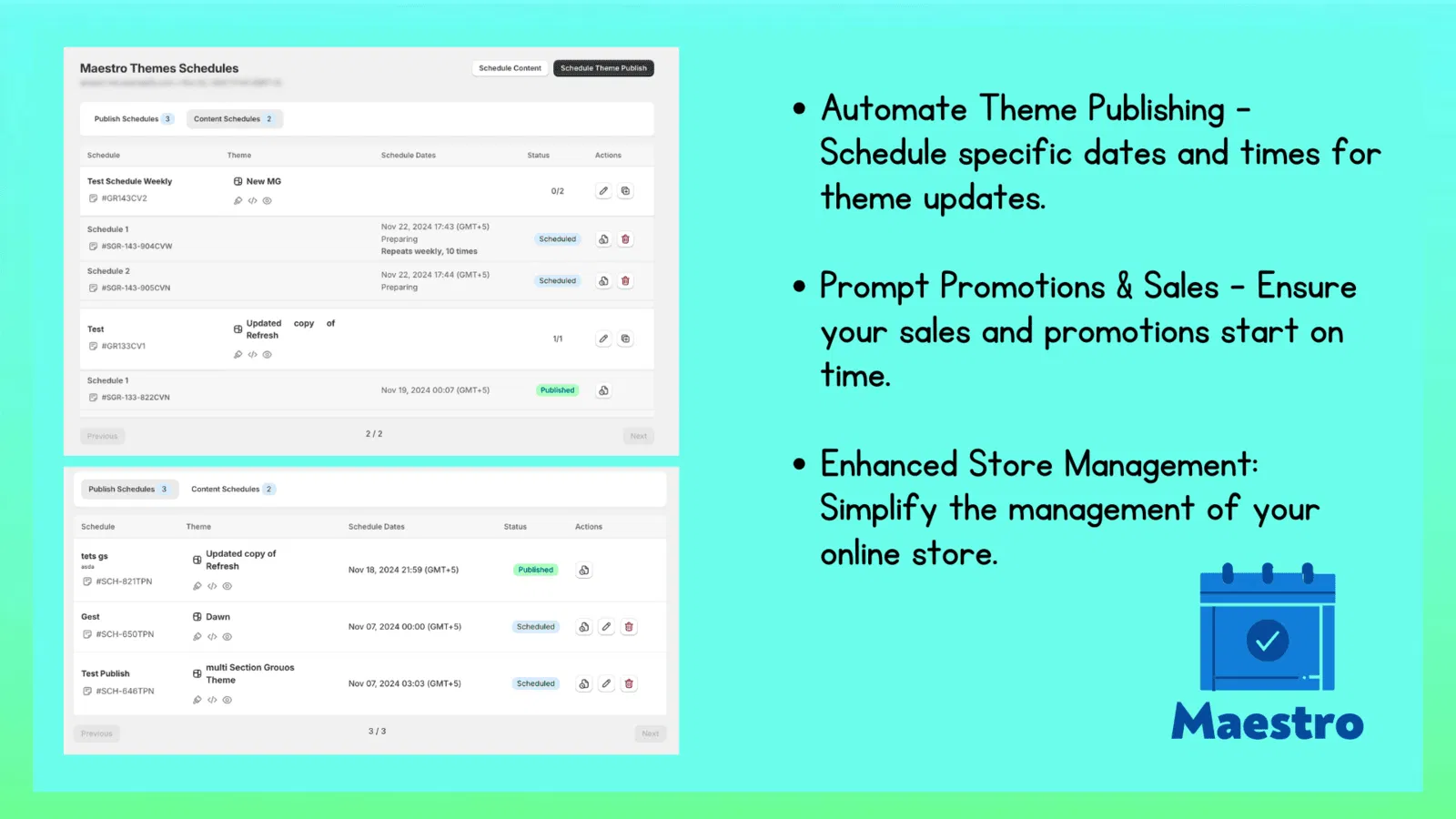
Step 2: Configure Automated Product Visibility and Status Changes
Visibility control is the cornerstone of a smooth catalog transition. You do not want parents browsing your store to find empty shelves or leftover summer sandals when they are searching for backpacks and stationery.
Here are simple steps to schedule visibility updates using the product scheduler:
- Access the Maestro dashboard within your Shopify applications menu.
- Select the product scheduling module to create a new campaign.
- Name your campaign clearly, such as "Fall Back-to-School Launch 2026."
- Select the target products or collections for your transition.
- Use smart filters to group items by tags, vendor, or product type.
- Set the action to Publish for your new back-to-school products.
- Set the exact execution date and time for the transition.
- Schedule the changes for midnight on your target launch date to catch early shoppers.
- Set reciprocal rules to Draft or Archive your summer clearance items simultaneously.
Shopify will guide you through simple confirmation prompts to verify your schedule. After completing these rules, your store will execute the transition without requiring any manual intervention.

Step 3: Automate Pricing Updates, Tag Swaps, and Collection Assignments
A truly effective seasonal transition goes beyond simple visibility. You must also update product metadata, adjust promotional pricing, and rearrange your collections to highlight top sellers.
Here are simple steps to automate advanced catalog changes:
- Establish bulk price modification rules in your scheduler settings.
- Apply percentage or fixed-amount discounts to summer inventory.
- Set future start and end dates so pricing automatically reverts when necessary.
- Execute dynamic tag swaps across your product catalog.
- Remove tags like "Summer-2026" and replace them with "Back-to-School-Essentials."
- Power-up your internal search and filtering by ensuring all metadata is updated.
- Assign products to featured seasonal collections automatically.
- Route high-demand items directly to your homepage collection block.
- Ensure merchandising rules align with current customer search trends.
If your business requires complex enterprise architecture or advanced custom features, our team at XCO Agency provides top-tier shopify plus development services tailored to high-volume merchants.
Conclusion: Take a Proactive Step Toward Effortless E-Commerce Operations
Transitioning your catalog from summer to back-to-school no longer requires staying up until midnight with your finger hovering over the publish button. By harnessing the combined power of Maestro Theme Scheduler and the advanced product scheduler tools, you can automate visibility, pricing, and merchandising with total precision.
Implementing these automation workflows is a vital step toward scaling your online store efficiently and maximizing your seasonal revenue. If you want to enhance your store performance further or need expert guidance on custom shopify themes, we are here to help.
Ready to transform your seasonal operations? Explore our XCO Agency services or book a meeting with our Shopify experts today to discuss your roadmap.