
As a Shopify expert, I often see merchants treat July as the calm before the storm. They think that because Black Friday and Cyber Monday are months away, they have plenty of time to lounge by the pool and forget about their product catalogs. In reality, July is the high-stakes season for store strategy. If you are not laying the groundwork now, you are essentially setting yourself up for a chaotic, manual, and error-prone November.
Waiting until the leaves turn brown to plan your holiday sales is a recipe for disaster. Most successful high-volume brands use the summer months to audit their shopify store setup and automate every possible workflow. They know that when the traffic surge hits, the last thing they want to be doing is manually updating tags or staying up until midnight to flip a switch on a product launch.
Here are the most common mistakes I see merchants making in July and the proactive steps you can take to fix them before the holiday rush begins.
1. Planning for Manual Midnight Launches
I often work with brands that still believe a successful sale launch requires a team member to be online at 11:59 PM to toggle products from draft to active. This is not only a logistical nightmare but a huge risk for human error.
The Problem with Manual Toggles
- Fatigue leads to missed products or incorrect pricing during the most critical sales window.
- Site performance can lag if you are trying to make bulk manual edits while traffic is spiking.
- Your team burns out before the busiest weekend of the year even starts.
The Fix: Utilize the Draft Helper
Instead of manual labor, use the Draft Helper feature within the Product Scheduler by Maestro app. This allows you to pre-build your BFCM products as drafts weeks in advance.
Here are simple steps to automate your launch:
- Navigate to your product admin and create your holiday-exclusive bundles or gift sets.
- Set their status to Draft.
- Open the Maestro app and select the Draft Helper.
- Choose your products and schedule them to go live at exactly 00:01 on your sale start date.
- Set a corresponding archive or draft date for when the sale ends to ensure limited-edition items disappear automatically.
2. Neglecting Automated Tag Management
Many store owners seek better ways to organize their seasonal collections but end up with a messy backend because they forget to remove "Sale" tags once the event is over. In July, you should be mapping out exactly which tags will trigger your BFCM logic.
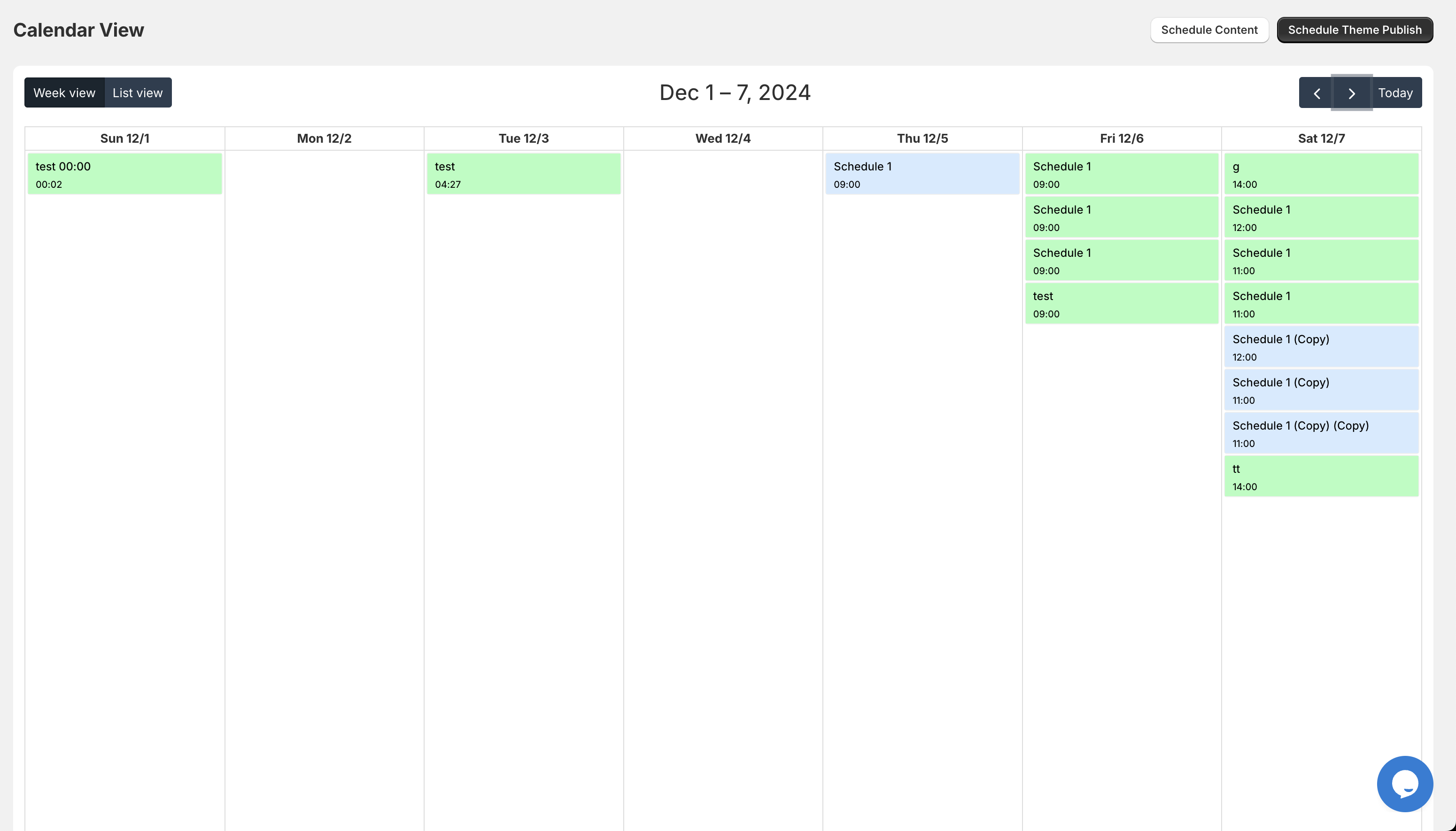
Benefits of Scheduled Tagging
- Ensures that products appear in the correct holiday collections at the right time.
- Allows for automated filtering on your storefront without manual intervention.
- Prevents "zombie" sales tags from lingering on your site in January.
How to Power-Up Your Tagging
Use Maestro’s automated tag management to schedule the addition and removal of tags. For example, you can schedule the tag "BFCM-2026" to be added to your top 50 products on November 20th and removed on December 1st. This keeps your collections dynamic and your ecommerce maintenance services streamlined.
3. Creating Pricing Panic with Last-Minute Changes
Pricing errors are the fastest way to kill your margins and your customer trust. If you are manually updating prices across hundreds of SKUs on the day of the sale, you are asking for trouble.
Why You Need Scheduled Price Changes
- Precision: Ensure every SKU reflects the exact discount you planned.
- Consistency: Use rounding rules to keep your prices looking professional (e.g., ending everything in .99).
- Efficiency: Roll back prices to their original state automatically after the sale.
Step-by-Step Pricing Automation
- Identify the products included in your BFCM promotion.
- In the Product Scheduler, select the "Price Scheduling" feature.
- Enter your discount percentage or fixed price reduction.
- Apply a rounding rule to maintain your brand aesthetic.
- Select your start and end times to ensure the price flip happens instantly across all sales channels.
4. Allowing Inventory Chaos to Flourish
Nothing ruins a customer’s experience like buying a "doorbuster" deal only to receive an out-of-stock notification two days later. Inventory automation is a vital step in your July prep.

Proactive Steps for Inventory Control
- Align your scheduled launches with your actual incoming stock reports.
- Use inventory scheduling to "hold back" stock for VIP early-access members.
- Ensure that out-of-stock items are automatically hidden from the storefront to maintain a premium shopping experience.
By automating inventory visibility, you significantly reduce the load on your customer support team. Once your inventory levels are synced, the Maestro app can handle the visibility of your collections based on stock availability, ensuring that only "shippable" items are taking up prime real estate on your homepage.
5. Ignoring Collection Visibility and Sorting
As a Shopify expert, I often notice that merchants forget to change their collection sorting during BFCM. A collection sorted by "newest" in July might not be the most effective for a high-velocity sale in November.
Enhancing Your Merchandising
- Schedule "Best Sellers" or "High Margin" items to appear at the top of your collections during the sale weekend.
- Automatically publish BFCM-specific collections like "Gifts Under $50" at the start of your campaign.
- Rotate featured products throughout the weekend to keep the site feeling fresh for returning visitors.
How to Optimize Collection Sorting
Use the collection visibility feature to schedule when specific holiday collections should appear on your navigation menu. After completing your holiday strategy, you can set a recurring schedule that refreshes collection sorting every 24 hours during the sale. This ensures that as items sell out, they move to the bottom, while high-stock items remain visible, boosting your conversion rate optimization.
6. Skipping Technical Store Health Audits
While you are busy planning discounts, you might be overlooking the technical foundation of your store. July is the perfect time to engage in comprehensive ecommerce maintenance services.
Why Technical Prep Matters Now
- Site Speed: High traffic will slow down an unoptimized site, leading to bounce rates that will haunt your dreams.
- Mobile Optimization: Over 70% of BFCM traffic often comes from mobile devices.
- App Conflicts: Ensure that your new scheduling tools play nicely with your existing tech stack.

Ensure that your Shopify theme is updated and that all heavy scripts are audited. A proactive step is to schedule a site speed audit with a team of experts who can identify bottlenecks before they become critical failures during peak hours.
7. Waiting Until November to Think About CRO
Conversion rate optimization is not a switch you flip on Thanksgiving morning. It is a process of testing and refining that should start in the summer.
Problem Identification
Many merchants assume that "low prices" are enough to drive conversions. However, poor site navigation, slow load times, and clunky checkout processes will lose you sales regardless of the discount.
Benefits of Early CRO Prep
- Higher ROI: Every dollar spent on traffic goes further when your site is optimized to convert.
- Better Insights: Testing in July and August gives you data you can actually use in November.
- Reduced Friction: Identify and remove any obstacles in the buying journey before the high-intent traffic arrives.
Focus on your "hands-off" store strategy by automating the elements that distract you from high-level optimization. When your product launches, pricing, and tagging are all scheduled via the Maestro app, you have the mental bandwidth to focus on fine-tuning your landing pages and marketing copy.
Conclusion: Take Control of Your BFCM Success
The difference between a record-breaking BFCM and a stressful one often comes down to the decisions made in July. By moving away from manual processes and embracing automation, you are not just saving time; you are protecting your brand’s reputation and your bottom line.
Utilizing tools like the Product Scheduler by Maestro allows you to run a sophisticated, multi-layered holiday campaign without the need for a massive operations team. From the Draft Helper to automated tag management, these features are designed to give you a "hands-off" store that performs at its peak when it matters most.
Stop making these seven mistakes today. Start your shopify store setup prep now, automate your workflows, and ensure your 2026 holiday season is your most profitable yet.
If you need professional guidance on optimizing your store or integrating advanced automation, our team is ready to help. Reach out for a consultation on our growth strategies and let us build the scalable e-commerce solution your business deserves.